
As workplace technology continues to evolve, many organizations are looking for the best way to set up a smart meeting room for optimal results. Simply investing in advanced technology is no longer enough. Without proper planning, system design, and integration, a smart meeting room may fail to deliver its full potential.
Many companies allocate significant budgets to modernize their meeting spaces. However, the outcomes are often disappointing because the setup process overlooks critical factors such as room size, audio quality, camera positioning, user experience, and system integration.
That is why proper implementation plays a vital role in the success of any smart meeting room project.
In 2026, businesses require meeting environments that support hybrid collaboration, video conferencing, interactive presentations, and seamless communication across multiple locations. To achieve these goals, every component must be carefully planned and integrated.
How to Set Up a Smart Meeting Room for Optimal Results
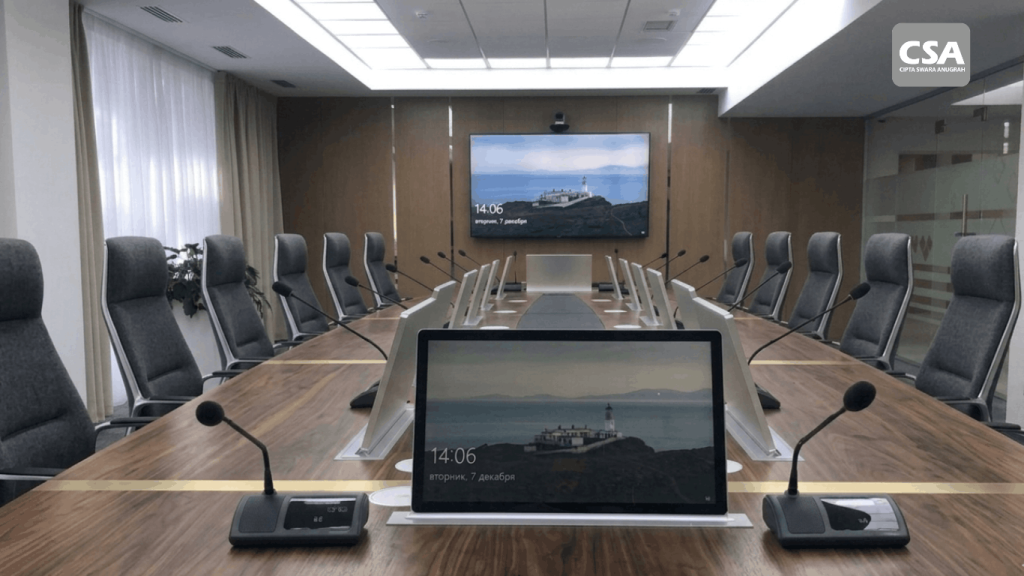
Read Also: Meeting Room Innovation Using the Best Technology from CSA Indonesia
Start with a Meeting Room Needs Assessment
One of the most common mistakes organizations make is purchasing technology before analyzing their actual requirements.
Every business has different meeting room needs.
Key factors to evaluate include:
- Room capacity
- Number of participants
- Types of meetings conducted
- Frequency of room usage
- Hybrid meeting requirements
- Preferred video conferencing platforms
A thorough assessment helps organizations select the right technologies and maximize their investment.
Determine the Right Room Size and Layout
Room layout significantly impacts the meeting experience.
The placement of tables, chairs, displays, cameras, and microphones should be carefully planned.
An overcrowded room can negatively affect both audio and visual performance.
On the other hand, a well-designed layout enhances communication and participant comfort.
Important considerations include:
- Viewing distance to displays
- Camera angles
- Microphone coverage areas
- Lighting conditions
- Participant seating positions
A properly designed layout allows all technologies to perform at their best.
Choose the Right Display Solution
The display serves as the visual centerpiece of a smart meeting room.
Selecting the appropriate size and technology is essential.
Common display solutions include:
- Interactive displays
- Professional displays
- LED displays
- Video walls
The display size should match the room dimensions and audience size.
A display that is too small can reduce presentation effectiveness, while the correct size improves engagement and communication.
Position Cameras Strategically
Video conferencing quality depends on more than just camera specifications.
Camera placement plays a major role in the overall experience.
Ideally, cameras should be installed as close as possible to the main display.
This positioning creates a more natural communication experience.
Participants appear to maintain direct eye contact during meetings.
Many modern meeting rooms utilize PTZ cameras with AI tracking capabilities.
These cameras automatically follow speakers throughout the meeting, creating a more dynamic and professional visual experience.
Optimize the Audio System
Audio is arguably the most critical component of any smart meeting room.
Even the highest-quality video becomes ineffective if participants cannot hear each other clearly.
For this reason, audio systems must be designed professionally.
Common audio components include:
- Intelligent microphones
- Ceiling microphones
- DSP processors
- Professional speakers
- Echo cancellation systems
A well-designed audio system ensures clear and comfortable communication for everyone involved.
Utilize Intelligent Microphones
Traditional microphones often limit flexibility during meetings.
Participants typically need to remain close to the microphone for clear audio pickup.
Modern smart meeting rooms use intelligent microphones that automatically capture voices throughout the room.
Benefits include:
- Wider voice pickup coverage
- More consistent audio quality
- Natural conversation flow
- Cleaner meeting room aesthetics
These solutions are particularly effective for hybrid collaboration environments.
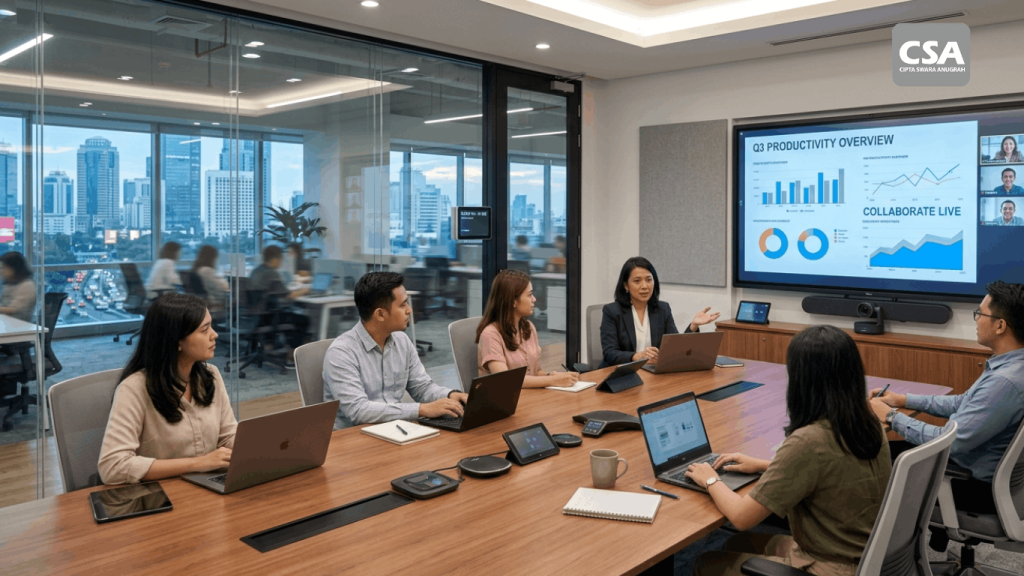
Read Also: Smart Office Room Is a Modern Workplace Solution for Productivity and Digital Collaboration
Implement Wireless Presentation Systems
Modern meetings demand fast and effortless content sharing.
Wireless presentation systems have become essential in contemporary meeting spaces.
These systems allow participants to:
- Share screens
- Deliver presentations
- Collaborate on documents
- Switch content sources
without relying on cables or adapters.
As a result, meetings begin faster and experience fewer technical interruptions.
Integrate Video Conferencing Platforms
A smart meeting room should support multiple communication platforms.
The most commonly used platforms include:
- Microsoft Teams
- Zoom
- Google Meet
- Cisco Webex
Proper integration simplifies the user experience and eliminates complicated setup procedures.
Users can start meetings quickly and efficiently.
Deploy Automation Systems
Automation has become a core feature of modern meeting rooms.
These systems enable devices to operate automatically according to predefined scenarios.
Examples include:
- Displays powering on automatically
- Lighting adjusting to meeting modes
- Audio systems activating instantly
- Video conferencing systems launching automatically
Automation reduces manual tasks and improves overall meeting efficiency.
Implement a Centralized Control System
As meeting rooms become more advanced, managing multiple devices can become increasingly complex.
A centralized control system solves this challenge.
Using a single touch panel, users can manage:
- Displays
- Audio systems
- Cameras
- Lighting
- Video conferencing platforms
This approach simplifies room operation and improves the overall user experience.
Ensure Reliable Network Connectivity
A stable network is the foundation of every successful hybrid meeting.
Many video conferencing issues stem from poor network performance rather than faulty equipment.
Organizations should ensure:
- Sufficient bandwidth
- Network redundancy
- Low latency
- Strong Wi-Fi coverage
Reliable connectivity supports uninterrupted communication and collaboration.
Conduct Comprehensive Testing
Once installation is complete, thorough testing is essential.
Unfortunately, this step is often overlooked.
Testing should include:
- Audio quality verification
- Video quality assessment
- Camera performance checks
- Wireless presentation functionality
- Automation workflows
- Device control operations
Comprehensive testing ensures that every system performs as intended.
Train End Users
Even the most advanced technology cannot deliver optimal results if users do not understand how to operate it.
Organizations should provide training covering:
- Touch panel operation
- Screen sharing procedures
- Video conferencing workflows
- Meeting setup processes
- Basic troubleshooting techniques
Proper training increases technology adoption and improves meeting efficiency.
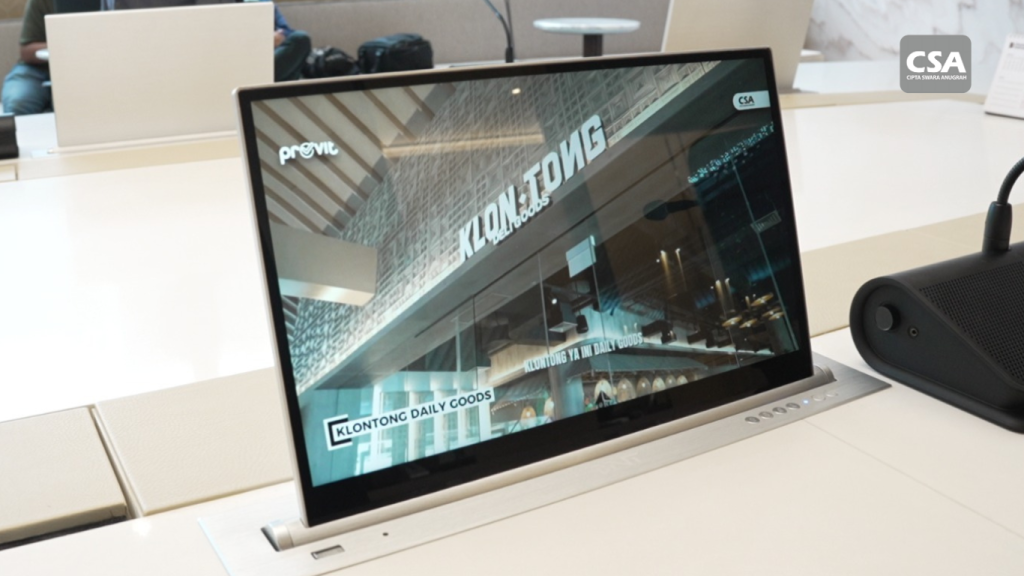
Read Also: Best Smart Meeting Room Vendor CSA Indonesia for Modern and Intelligent Meeting Solutions
The Importance of Professional System Integration
Building a smart meeting room involves far more than installing hardware.
Successful implementation requires:
- Needs analysis
- System design
- Technology integration
- Configuration
- Commissioning
- User training
For this reason, many businesses choose to work with professional integration partners.
Experienced integrators help ensure that every component works together seamlessly and aligns with business objectives.
An Optimized Smart Meeting Room Drives Business Productivity
When designed correctly, a smart meeting room can significantly improve organizational performance.
Meetings become faster.
Communication becomes clearer.
Collaboration becomes more effective.
Decision-making becomes more responsive.
These benefits enable businesses to operate more efficiently in an increasingly competitive environment.
Conclusion
Learning how to set up a smart meeting room for optimal results involves much more than purchasing the latest technology. Success depends on proper planning, room design, audiovisual optimization, system integration, and user experience.
From needs assessment and display selection to camera positioning, audio optimization, wireless presentation, automation, and centralized control, every component must work together within a unified ecosystem.
When implemented correctly, a smart meeting room can dramatically improve productivity, communication quality, and collaboration effectiveness across the organization.
Frequently Asked Questions
1. What is the first step in building a smart meeting room?
The first step is conducting a comprehensive needs assessment based on room capacity and meeting requirements.
2. Why is audio quality often more important than video quality?
Because communication becomes ineffective when participants cannot hear each other clearly, regardless of video quality.
3. What is the purpose of a PTZ camera in a smart meeting room?
PTZ cameras provide professional video experiences through automatic speaker tracking and flexible viewing angles.
4. Why is wireless presentation important?
Wireless presentation enables faster and more convenient content sharing without relying on cables.
5. What are the benefits of automation systems?
Automation streamlines meeting operations by allowing devices to function automatically.
6. What is a centralized control system?
A centralized control system allows users to manage all meeting room technologies through a single interface.
7. Why is room layout important?
The placement of participants, displays, cameras, and microphones directly affects meeting quality and user experience.
8. Do all smart meeting rooms require high-speed internet?
Yes, especially for hybrid meetings and video conferencing applications.
9. Why is system testing necessary before deployment?
Testing ensures all technologies function properly and minimizes disruptions during actual meetings.
10. Are smart meeting rooms suitable for small businesses?
Absolutely. Smart meeting room solutions can be customized to fit organizations of all sizes.