
Operating audio, visual, and lighting equipment in the same venue requires careful coordination. An operator may need to adjust microphone settings, select a video source, activate displays, and configure stage lighting before an event begins. An AVL Automation System makes this process more practical by connecting different devices to a centralized control interface.
Consider a hotel ballroom that hosts several events throughout the day. A corporate seminar takes place in the morning, followed by a business meeting in the afternoon and a dinner reception in the evening. Each activity requires a different combination of sound, display, and lighting settings.
Without a structured control solution, operators must adjust individual devices whenever the room changes its function. This process takes time and increases the possibility of operational mistakes.
Automation offers a more organized approach. Operators can select predefined configurations through a central interface. Connected equipment then executes the programmed commands according to the selected scenario.
The goal is not simply to reduce the number of control panels. It is to create a more consistent operating process, coordinate different technologies, and help venue teams manage technical requirements with greater ease.
Why Do Audio, Visual, and Lighting Operations Become Complicated?
Audio, visual, and lighting equipment each serve a different purpose. However, they often need to work together during presentations, conferences, performances, and corporate events.
A conference room, for example, may contain wireless microphones, speakers, a digital signal processor, displays, video conferencing equipment, and controllable lighting. Each component has its own operating requirements.
As the number of devices increases, managing them individually becomes more challenging.
Multiple Devices Require Separate Adjustments
An operator may need to access an audio mixer to select microphone channels, use a video switcher to change display sources, and open a lighting controller to adjust brightness.
These actions may involve different interfaces and operating procedures. Operators must understand how each device works before they can prepare the room.
The challenge becomes more significant in large venues. A ballroom or auditorium may contain several displays, multiple audio zones, and different lighting groups.
Changes During Events Require Coordination
Technical requirements can change while an event is running. A presenter may switch laptops, a moderator may request another microphone, or an event organizer may change the presentation format.
Each adjustment can affect other equipment. For example, changing a laptop source may also require switching the corresponding audio input.
Operators must coordinate these changes without interrupting the event. A centralized control approach can simplify this process by organizing related commands within one interface.
Manual Settings Can Produce Inconsistent Results
Different operators may follow different procedures when preparing the same room. As a result, audio levels, display sources, and lighting configurations may vary between events.
This inconsistency can affect the user experience. A venue needs repeatable operating procedures, especially when it handles similar events regularly.
Saved configurations provide a practical way to maintain consistent settings. Operators can recall an approved setup instead of rebuilding it every time.
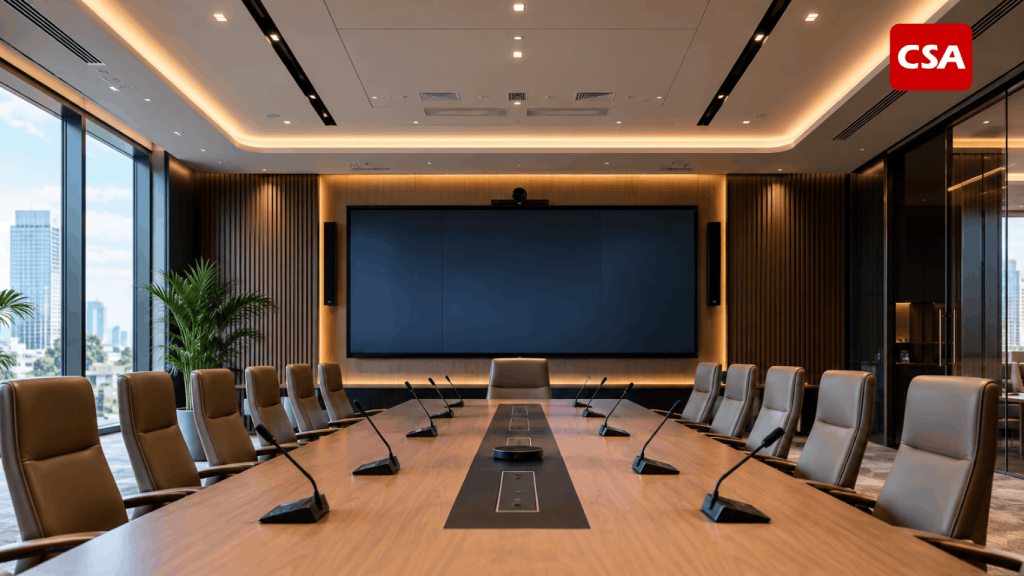
Read Also: Audio Visual System Integrator for Corporate, Office, and Commercial Buildings by CSA Indonesia
How Does Automated Audio, Visual, and Lighting Control Work?
The system connects a control interface, central processor, communication network, and compatible devices. Each component has a specific role in receiving, processing, and executing commands.
The operator provides instructions through the interface. The control processor then translates those instructions into commands for connected equipment.
The exact workflow depends on the system design, device capabilities, and supported communication protocols.
1. Operators Send Commands Through a Control Interface
The control interface serves as the main operating point. It may take the form of a touchscreen panel, computer, or another compatible control device.
Operators use this interface to select functions. They may activate a presentation setup, choose a video source, or recall a lighting configuration.
A well-designed interface should use clear labels and logical menu structures. Operators should be able to locate essential functions without navigating unnecessary menus.
2. The Control Processor Manages Commands
After receiving an instruction, the control processor processes it and communicates with the relevant devices.
Depending on the installation, communication may use network connections or other supported control protocols. Some devices may require specific interfaces or additional configuration.
Compatibility is therefore an important consideration. The integrator must confirm that the processor can communicate with the selected equipment.
3. Connected Devices Execute the Instructions
Once the processor sends the commands, connected devices perform their assigned functions.
The audio system may activate a specific microphone channel. The visual system may select a laptop as its video source. The lighting controller may adjust selected lighting groups.
A single command can trigger several actions when the system has been programmed accordingly. However, the available functions depend on the equipment and the integration design.
4. Operators Monitor System Performance
Automation does not eliminate the need for technical supervision. Operators must still confirm that every device responds correctly.
They should check audio clarity, display output, lighting conditions, and other essential functions. They also need to respond when a device fails to communicate or an unexpected signal issue occurs.
This division of responsibilities allows operators to focus more on event coordination and less on repetitive manual adjustments.
Scene Control: A Practical Way to Manage Different Event Settings
One useful feature in automated environments is scene control. It allows operators to save several device configurations according to specific activities.
Each scene contains a group of programmed settings. When an operator selects a scene, the system executes the commands assigned to that configuration.
This approach is particularly useful for venues that frequently change their room layouts or event formats.
Presentation Mode
Presentation mode supports activities that involve speakers and visual materials.
The operator can select the presentation source, activate the main display, and configure the required microphone channels. Lighting can also be adjusted to maintain visibility around the presenter while keeping the screen comfortable to view.
Discussion Mode
Discussion mode supports interactive sessions involving several participants.
The audio configuration may activate additional microphones or adjust the selected audio routes. The visual system can display discussion materials, presentation slides, or other supporting content.
Lighting can use a more balanced setting to support face-to-face communication.
Performance Mode
Performance mode focuses on stage activities. The audio system may use a configuration designed for performers, microphones, and other sound sources.
Lighting can activate the programmed stage setup. Visual displays may also show supporting content when the event requires it.
The configuration should reflect the technical requirements of the performance rather than relying on a generic preset.
Break Mode
Break mode provides a different setup between event sessions.
The display may show break information or event announcements. The audio system can switch to an appropriate background source if available. Lighting can return to a comfortable setting for audience movement and interaction.
These examples illustrate how saved scenes can reduce repetitive adjustments. Each configuration should still be programmed, tested, and approved before operators use it during an event.
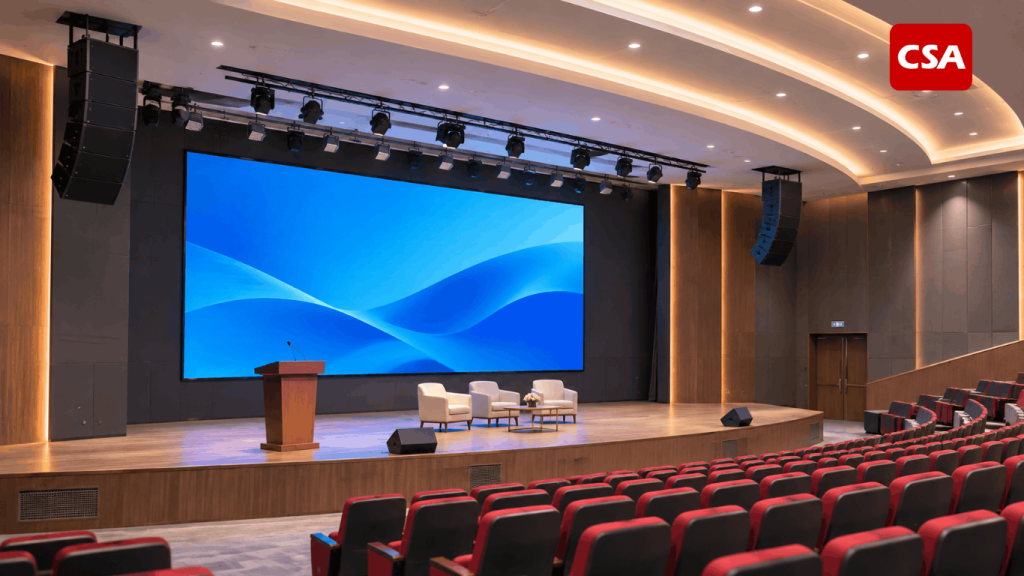
Essential Components Behind Centralized AVL Control
A reliable control environment requires more than a touchscreen panel. Several components must work together to deliver the intended functions.
Audio Equipment and Digital Signal Processing
The audio system may include microphones, mixers, amplifiers, loudspeakers, and digital signal processors.
These components handle sound capture, processing, routing, and distribution. A digital signal processor can manage functions such as equalization, mixing, and signal routing.
Through centralized control, operators may access selected audio functions without opening every device interface.
The exact level of control depends on the processor and its integration capabilities. For a closer look at signal processing, read What Is a Digital Signal Processor (DSP)? Functions, How It Works, and Its Role in Integrated Audio Visual Systems.
Visual Displays and Video Distribution
The visual environment may include projectors, LED displays, monitors, video switchers, and distribution equipment.
Operators often need to select different content sources during an event. A presenter may use a laptop, while another session may require a video conferencing source.
Centralized control can simplify source selection and display management. The system design must also consider resolution, signal compatibility, connection types, and viewing conditions.
For large presentation environments, explore Audio Visual for Auditorium: Integrated AV Solutions for Large-Scale Venues.
Lighting Control Equipment
Lighting control manages selected fixtures or lighting groups according to the room’s requirements.
Depending on the equipment, operators may adjust brightness, activate presets, or control different lighting zones. These functions help create suitable conditions for presentations, discussions, and stage activities.
Lighting design should consider visibility, audience comfort, and the intended use of each area.
CSA Indonesia also discusses this technology in Smart Lighting Automation: Definition, Benefits, Components, and Applications.
Central Control Processor
The central processor manages commands between the user interface and connected equipment.
It plays an important role in coordinating different functions. The processor must support the communication methods required by the selected devices.
A proper design should also consider system capacity, network requirements, and future expansion.
Network and Communication Infrastructure
Communication infrastructure allows control devices and compatible equipment to exchange information.
The network design should account for device requirements, connection reliability, and the overall system architecture.
Some installations may use dedicated control connections, while others rely on network-based communication. The technical team must determine the appropriate approach for each project.
A Practical Example: Managing a Ballroom Throughout the Day
A ballroom provides a useful example of how centralized control supports daily operations.
Imagine a hotel that schedules three different activities in the same room. Each activity requires a different technical setup.
Morning: Corporate Seminar
The operator selects the seminar configuration. The display shows the presenter’s laptop, the audio system activates the required microphone, and stage lighting follows the programmed setting.
When the question-and-answer session begins, the operator can adjust the microphone configuration. Other functions remain active according to the selected setup.
Afternoon: Business Presentation
After the seminar, the room hosts a business presentation. The operator selects another configuration.
The visual system changes to the required content source. Audio settings follow the presentation requirements, while lighting provides suitable conditions for participants and speakers.
The operator does not need to rebuild every setting from the beginning if the relevant functions have already been programmed.
Evening: Dinner Reception
The ballroom then becomes a dinner reception venue. The operator recalls the appropriate configuration.
The audio system uses the selected sound source. Lighting changes to the programmed reception setting, while displays can show event information or supporting visuals.
This example demonstrates the practical value of saved configurations. Operators can manage changing room requirements through a more organized workflow.
Benefits of Automation for Venue Operations
A centralized control environment can support several operational improvements. The actual results depend on system design, equipment compatibility, and operator training.
Faster Configuration Changes
Operators can recall saved settings instead of adjusting every device individually.
This can make room preparation more predictable, especially when a venue hosts several events in one day.
More Consistent Operating Procedures
Saved configurations provide a repeatable reference for common activities. Operators can follow the same setup process for similar events.
This helps reduce differences between individual operating procedures.
Easier Device Management
A central interface gives operators access to several functions from one location.
This is useful in venues with multiple equipment types and complex operating requirements.
Better Coordination During Events
Audio, visual, and lighting changes can follow a coordinated sequence when the system has been programmed for that purpose.
Operators can manage related functions more efficiently. This can also help reduce interruptions caused by unnecessary manual adjustments.
Improved User Experience
Event participants may not see the technical process behind the scenes. However, they experience its results through clear sound, reliable displays, and suitable lighting.
Well-coordinated equipment supports a smoother event experience. This makes operational planning an important part of venue management.
What Should Businesses Consider Before Implementing Automation?
Every venue has different requirements. Businesses should evaluate their operational needs before selecting equipment or designing the control environment.
1. Identify Room Functions and Activities
Start by listing the activities that regularly take place in the venue.
A conference room may prioritize presentations and video conferencing. A ballroom may require several audio zones, multiple displays, and different lighting configurations.
This information helps determine which functions should be automated.
2. Check Equipment Compatibility
Not every device supports the same communication method. Some equipment may require specific interfaces or control protocols.
The technical team should review product specifications before finalizing the design.
This step helps prevent integration problems during installation.
3. Define the Required Scenes
Create a list of configurations based on actual operational needs.
A venue may need presentation, discussion, performance, and break modes. However, unnecessary presets can make the interface more complicated.
Each scene should have a clear purpose and a documented configuration.
4. Design an Easy-to-Use Interface
The interface should follow the operator’s workflow. Essential functions need clear labels and accessible controls.
Avoid unnecessary menus and confusing terminology. A practical interface should help users operate the room without requiring extensive technical knowledge.
5. Prepare Manual Procedures
Technical problems can still occur in automated environments. Network interruptions, device failures, and signal issues may affect system operation.
Businesses should prepare alternative procedures for essential functions. Operators need to understand how to respond when automated controls become unavailable.
6. Test and Train the Operating Team
Before handover, the technical team should test every programmed configuration.
Testing should cover command responses, audio routing, video switching, display output, and lighting control.
Operators should also receive practical training. They need to understand the main functions, scene selection, and basic troubleshooting procedures.
For a broader perspective on system planning, see Why Should Audio Visual Systems Be Designed as One Integrated System?.
The Role of an AV System Integrator in Automation Projects
Connecting audio, visual, and lighting equipment requires more than installing individual devices. The project needs technical planning, compatibility checks, control programming, testing, and documentation.
An AV system integrator translates operational requirements into a technical design. The process typically begins with a site assessment and an evaluation of the equipment required.
The team then develops the system architecture. This includes selecting compatible devices, planning communication paths, and defining control functions.
After installation, the integrator configures the system and tests each programmed command. The team should also provide documentation and operator training.
Businesses should evaluate an integrator’s technical experience, project capabilities, and post-installation support. For guidance, read 7 Things to Consider Before Choosing an AV System Integrator.
CSA Indonesia provides integrated audio visual and lighting solutions for different facility requirements. Each project needs an approach that considers the venue, equipment, operating procedures, and user expectations.
Businesses can also explore Automation System Integrator for Corporate and Hospitality: Integrating Lighting, Audio Visual, and Control Systems to understand how these technologies work together in professional environments.
Conclusion
Automated audio, visual, and lighting control helps operators manage multiple devices through a centralized interface. Features such as scene control also make it easier to switch between configurations for different activities.
The main value goes beyond reducing the number of control panels. A well-designed solution creates a more consistent, coordinated, and manageable operating process.
For hotels, ballrooms, auditoriums, and corporate facilities, successful implementation starts with a clear understanding of operational requirements. With the right system design and integration partner, businesses can make their technical facilities easier to operate and better prepared for different event needs.
FAQ
1. What is an AVL Automation System?
It is a centralized control approach that connects audio, visual, and lighting equipment. Operators can manage selected functions through a shared interface.
2. What is scene control in an automated AV environment?
Scene control allows operators to save and recall predefined equipment configurations. Each scene supports a particular activity, such as a presentation or performance.
3. Is automated control suitable for hotel ballrooms?
Yes. Ballrooms often host different events that require different technical configurations. Saved settings can help operators manage these changes more efficiently.
4. Can all audio, visual, and lighting devices be integrated?
Not necessarily. Devices must support compatible communication methods or control interfaces. An integrator should review their specifications before installation.
5. Does automation eliminate the need for technical operators?
No. Operators still need to monitor equipment, check system performance, and respond to technical issues during events.
6. Who should design and install an automated AVL solution?
A professional AV system integrator can assess requirements, design the system, connect compatible equipment, program control functions, and test the installation.