
Not every workplace discussion requires a large boardroom or a fully equipped conference facility. Teams often need a more flexible environment to exchange ideas, review projects, coordinate tasks, or connect with colleagues working from different locations. This is where the Huddle Room concept becomes valuable.
A well-designed Huddle Room Audio Visual Systems setup helps companies create collaborative spaces that support both face-to-face discussions and hybrid meetings. Instead of relying on separate devices that operate independently, the room combines displays, cameras, microphones, speakers, and presentation technology into a coordinated environment.
The challenge is not simply choosing the right equipment. Each component must support the way people communicate and share information. Participants should be able to present content, start a video conference, and communicate with remote colleagues without dealing with complicated technical procedures.
This requires careful consideration of room layout, acoustic conditions, connectivity, device compatibility, and user experience. With the right planning, a Huddle Room can become a practical collaboration space that supports everyday workplace activities.
Understanding the Huddle Room Concept
A Huddle Room is an informal meeting space designed for small-group discussions and collaboration. Companies typically use it as an alternative to traditional meeting rooms, especially for activities that do not require a formal boardroom environment.
These spaces support a variety of workplace activities. Marketing teams can use them to develop campaign ideas, while project teams can review progress and coordinate responsibilities. Employees can also use the room for quick discussions without booking a larger conference facility.
Huddle Rooms are particularly useful in hybrid workplaces. Some participants may be physically present, while others join through a video conferencing platform. The room’s technology must therefore support communication between both groups.
Unlike larger conference rooms, Huddle Rooms generally prioritize simplicity and convenience. Users should be able to connect their devices, share content, and start a meeting with minimal preparation.
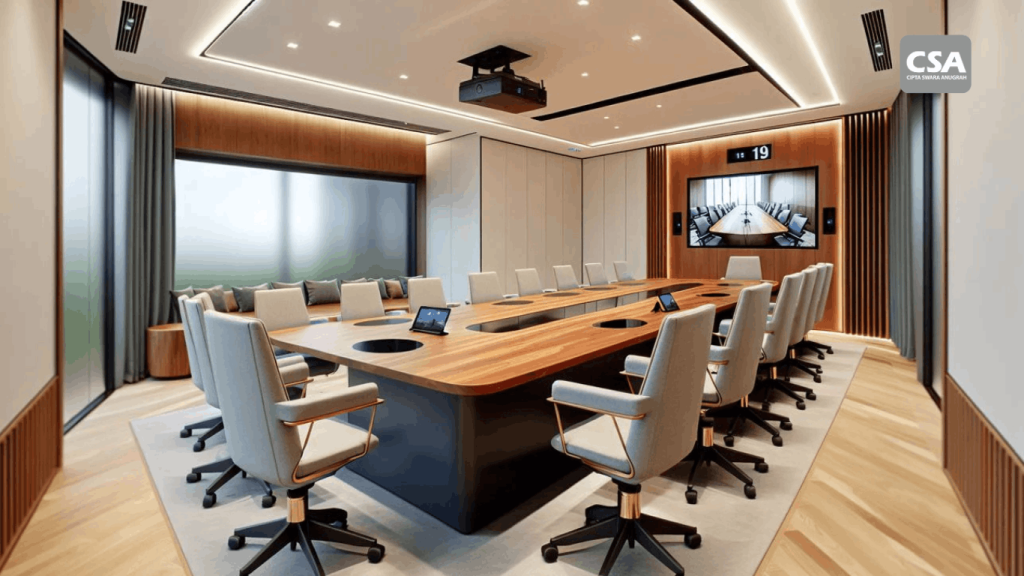
Huddle Rooms vs. Traditional Meeting Rooms
Both spaces support business communication, but their purposes and technical requirements can differ.
Traditional meeting rooms often accommodate more formal discussions, presentations, and larger groups. Their AV infrastructure may include multiple displays, distributed microphones, professional audio systems, video conferencing equipment, and centralized control interfaces.
Huddle Rooms focus more on spontaneous discussions and small-group collaboration. Their equipment is usually more compact, although the system still needs to deliver reliable audio and video performance.
The following comparison highlights their general differences:
| Aspect | Huddle Room | Traditional Meeting Room |
|---|---|---|
| Primary use | Informal discussions and collaboration | Formal meetings and presentations |
| Participants | Small groups | Varying group sizes |
| AV configuration | Compact and practical | May require more complex integration |
| Operation | Quick and straightforward | May involve centralized controls |
| Main priority | Flexible collaboration and hybrid communication | Structured meetings and presentations |
These differences do not mean that Huddle Rooms require less planning. Their compact layouts can make equipment placement and acoustic performance particularly important.
Common Activities in a Huddle Room
Companies can use these spaces for more than quick internal discussions.
Brainstorming sessions, project updates, team coordination, and client conversations are common examples. Participants can display documents, review information, and exchange ideas in a shared environment.
Huddle Rooms can also support remote collaboration. A properly configured camera and audio system allows remote participants to follow conversations and contribute to discussions.
Understanding these activities is the first step toward selecting the right AV configuration.
Essential AV Equipment for a Huddle Room
Each device contributes to a different part of the collaboration experience. Companies should evaluate the function of every component before deciding which products to install.
1. Display Systems for Presentations and Collaboration
A display serves as the primary visual interface in the room. Participants use it to view presentations, documents, reports, diagrams, and content shared by remote colleagues.
Commercial displays and Interactive Flat Panels are two common options. The right choice depends on how participants interact with visual content.
A commercial display is suitable for presenting information and viewing shared materials. An Interactive Flat Panel offers additional capabilities, such as touchscreen interaction, digital annotation, and direct engagement with content.
These interactive functions can support brainstorming sessions. Participants can write notes, highlight important information, and discuss ideas directly on the screen.
Display size should follow the room layout and viewing distance. Everyone should be able to read the content comfortably from their seating position.
2. Conference Cameras for Hybrid Meetings
A conference camera captures participants inside the room and transmits their video to remote attendees.
For Huddle Rooms, a wide-angle camera can help capture several participants within a compact seating arrangement. Depending on the selected model, features such as auto framing or speaker tracking may also improve the viewing experience.
Camera placement is equally important. A position that is too high, too low, or too far from the display can create an uncomfortable viewing angle.
Placing the camera near the display generally creates a more natural interaction. Remote participants can see the people speaking without feeling that the camera is disconnected from the conversation.
3. Microphones for Clear Voice Pickup
Audio quality plays a major role in hybrid communication. Even a high-quality camera cannot compensate for unclear conversations.
Microphones must capture participants’ voices from different seating positions. Companies can consider tabletop microphones, conference microphones, or microphones integrated into a video conference bar.
The appropriate option depends on the table arrangement, participant positions, and room acoustics.
Microphone coverage should be evaluated before installation. Participants should not need to lean toward the device or raise their voices to be heard.
Room materials also affect microphone performance. Glass walls and hard surfaces can create reflections that make speech sound reverberant.
For systems that require additional audio processing, a Digital Signal Processor (DSP) may help manage input levels, mixing, equalization, and other audio functions.
Companies can explore this technology in the article What Is a Digital Signal Processor (DSP)? Functions, How It Works, and Its Role in Integrated Audio Visual Systems.
4. Speakers for Consistent Audio Distribution
Speakers reproduce the voices of remote participants and other audio content during meetings.
Their placement should provide clear sound throughout the seating area. Poor positioning can create uneven audio coverage or feedback when speakers operate too close to microphones.
Some video conferencing devices already include integrated speakers. Other configurations may require separate loudspeakers to suit the room’s layout and acoustic characteristics.
The objective is not simply to achieve high volume. The system should deliver comfortable, intelligible sound without distracting participants.
5. Wireless Presentation for Convenient Content Sharing
Wireless presentation technology allows users to share content from laptops without connecting a physical HDMI cable every time.
This makes it easier for participants to take turns presenting information. Teams can move between speakers without interrupting the discussion for repeated cable changes.
However, companies should check device compatibility and network security requirements. The selected solution must support the devices employees use while following the organization’s IT policies.
Wired connections can also remain useful. Providing accessible HDMI or other appropriate connection points gives users an alternative when wireless presentation is unavailable or unsuitable.
6. Video Conference Bars for Integrated Communication
A video conference bar combines several conferencing functions into one device. Most models integrate a camera, microphones, and speakers.
This approach can simplify installation and reduce the number of separate devices required in the room.
However, an integrated device is not automatically suitable for every environment. Companies should evaluate microphone pickup range, camera coverage, speaker performance, platform compatibility, and available connectivity.
Room geometry and seating arrangements still influence the final result. Some spaces may require additional microphones or separate audio components.
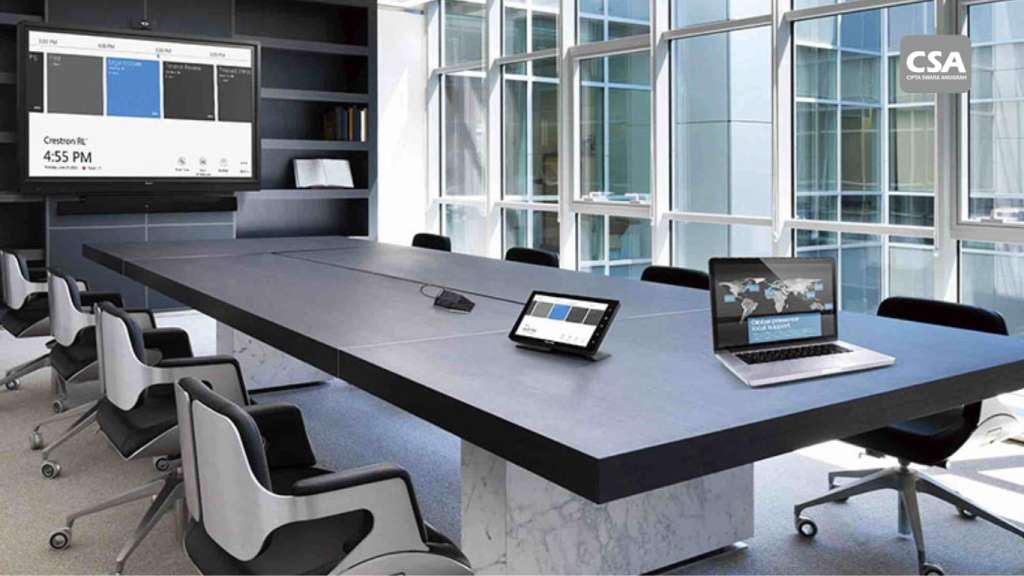
How AV Components Work Together as an Integrated System
Selecting individual devices is only part of the design process. The system must also provide a clear signal path between components.
Understanding these connections helps companies evaluate whether their planned configuration can support actual workplace activities.
Laptop-to-Display Presentation Workflow
When a participant shares a presentation, the laptop sends its video signal through an HDMI connection or wireless presentation solution.
The display receives the signal and shows the content to everyone in the room. Depending on the system design, a switcher or signal distribution device may manage the connection between different sources and displays.
A simplified signal path looks like this:
Laptop → HDMI or Wireless Presentation → Display
Some installations may include additional switching or processing equipment. These components become relevant when users need to select between several sources or distribute content to multiple screens.
Audio and Video Conferencing Workflow
During a video conference, the camera captures the people inside the room. The microphones collect their voices and send audio signals to the conferencing system.
The platform then transmits audio and video to remote participants. Incoming voices from remote attendees are reproduced through the room’s speakers.
The general workflow includes:
- The camera captures participants in the room.
- Microphones collect speech and send audio signals to the conferencing system.
- The conferencing platform transmits audio and video to remote attendees.
- Speakers reproduce incoming voices from remote participants.
Every stage affects communication quality. A camera with excellent image quality will not solve problems caused by poor microphone coverage or unstable network connectivity.
The Role of DSP in Audio Processing
A DSP can support more advanced audio management when the system requires it.
Depending on the device and configuration, it can perform functions such as mixing, equalization, level control, and other signal processing tasks.
It can also help manage multiple audio inputs and outputs. This becomes useful when a room requires a more flexible audio configuration.
However, not every Huddle Room needs a separate DSP. An integrated conferencing device may already provide sufficient audio processing for a straightforward installation.
The decision should follow the system’s complexity and performance requirements rather than the number of devices a company can install.
Designing an AV Configuration Around Room Requirements
No single configuration works for every company. The design should reflect the room’s purpose, available infrastructure, and users’ daily activities.
Identify Participant Capacity and Meeting Patterns
Start by understanding how many people typically use the room and what they do there.
A space used mainly for internal discussions may require a different configuration from one that regularly hosts hybrid meetings.
If video conferencing is a frequent activity, camera coverage and microphone performance should receive greater attention. If brainstorming is the main purpose, an Interactive Flat Panel may provide additional value.
Companies should also consider seating arrangements. The position of participants affects camera framing, microphone coverage, and display visibility.
Plan Device Placement and Room Layout
Device placement influences both usability and technical performance.
The display should remain visible from every seating position. The camera should capture the participants without obstruction, while microphones should cover the areas where people speak.
Speakers need suitable positioning to deliver clear sound without creating feedback.
Cable management also deserves attention. Poorly arranged connections can make the room difficult to maintain and create unnecessary obstacles for users.
For this reason, AV placement should be considered during the room design stage rather than after the furniture and interior work are complete.
Consider Room Acoustics and Interior Materials
Acoustic conditions affect how people hear conversations. Hard surfaces, glass partitions, and reflective flooring can create sound reflections.
Excessive reverberation can reduce speech intelligibility, especially during video conferences.
Companies may need to consider acoustic treatment based on the room’s characteristics. Suitable sound-absorbing materials can help control reflections and improve the listening environment.
AV planning should also coordinate with interior design. Both disciplines need to support the same functional requirements.
Check Network Infrastructure and Device Compatibility
Video conferencing and content sharing depend on reliable connectivity.
Companies should review network availability, connection points, bandwidth requirements, and security policies before installing the equipment.
Device compatibility also matters. Displays, cameras, microphones, speakers, and conferencing platforms must support the intended connections and workflows.
Power outlets and data connections should be included in the infrastructure plan. Preparing these requirements early can reduce installation changes later.
Make the System Easy to Operate
A Huddle Room should allow users to start meetings without requiring technical assistance every time.
Participants should be able to connect a laptop, select a display source, adjust audio, and launch a conference through a straightforward process.
A centralized control interface may help simplify operation when the room includes several devices or functions.
However, the control system should remain appropriate to the room’s complexity. Adding unnecessary controls can make a simple environment harder to use.
Companies can learn more about this approach in AV Control and Automation: Integrated Audio Visual Control Systems for Modern Commercial Spaces.
Example Huddle Room Configurations for Different Activities
The most suitable setup depends on how employees use the room. The following examples illustrate different approaches to AV planning.
Configuration for Internal Discussions
A room used mainly for face-to-face discussions may only require a display and a convenient presentation connection.
Participants can connect their laptops through HDMI or wireless presentation. An Interactive Flat Panel may provide additional value when the team frequently annotates documents or develops ideas together.
Additional speakers may be considered when the room requires better audio distribution.
A conference camera may not be a priority if remote meetings are uncommon. However, the company can prepare the infrastructure for future expansion.
Configuration for Hybrid Meetings
Hybrid meetings require a more complete communication setup.
A typical configuration may include a display, conference camera, microphones, speakers, and a video conferencing platform.
The camera should capture all participants, while the microphones need to collect speech from the seating area. Speakers then reproduce incoming audio from remote attendees.
Testing the system with participants at another location is important. Both sides should be able to see and hear each other clearly.
Configuration for Interactive Presentations
Teams that frequently conduct brainstorming sessions or collaborative presentations may benefit from an Interactive Flat Panel.
Participants can display content, add annotations, and discuss information directly on the screen.
If remote colleagues need to participate, the company can integrate a camera and conferencing system into the setup.
This configuration brings presentation and discussion activities into one environment. The selected applications and devices should support the team’s actual workflow.
Common Mistakes to Avoid When Designing a Huddle Room
A poorly planned system can limit the room’s functionality, even when the equipment has advanced features.
Several common mistakes deserve attention before installation begins.
Selecting Equipment Without Assessing Requirements
Choosing devices based only on specifications can lead to unnecessary costs or unsuitable configurations.
A camera with advanced tracking features may not be necessary for every room. Meanwhile, a space that regularly hosts hybrid meetings may require better microphone coverage than a basic presentation setup.
Companies should identify their main requirements before comparing products.
Overlooking Audio Quality
Organizations sometimes prioritize displays and cameras while giving less attention to microphones and speakers.
This can create problems during hybrid meetings. Remote participants may struggle to understand conversations, even when the video looks clear.
Microphone placement, speaker positioning, and room acoustics should therefore be included in the initial design.
Assuming Every Device Will Connect Seamlessly
Having compatible-looking ports does not guarantee that devices will work together as intended.
The technical team should review signal formats, connection requirements, software compatibility, and device capabilities.
Signal paths should follow the system design. This helps prevent issues during installation and daily operation.
Skipping Full System Testing
Testing should go beyond checking whether a display turns on or a camera produces an image.
The technical team should simulate real meeting activities. These tests may include laptop sharing, video calls, microphone checks, speaker playback, and source selection.
End users should also participate in the evaluation. Their feedback helps identify operational problems before the room becomes part of the company’s daily workflow.
The Role of an AV System Integrator in Huddle Room Projects
Designing a collaborative space with multiple AV components requires technical coordination.
An AV System Integrator helps translate business requirements into a practical system design. The work can involve needs assessment, equipment selection, signal planning, installation, integration, testing, and documentation.
This approach goes beyond purchasing separate devices. The integrator must ensure that every component supports the intended workflow.
Needs Assessment and Site Survey
The process begins with understanding how employees will use the room.
The technical team reviews participant capacity, meeting activities, conferencing platforms, and existing equipment.
A site survey helps identify physical and technical conditions. These may include room dimensions, furniture layout, lighting, acoustics, network infrastructure, and electrical availability.
The findings provide a foundation for selecting suitable equipment and defining the system configuration.
System Design and Integration
After identifying the requirements, the integrator develops a technical design.
This may include equipment placement, signal flow, connectivity, and operating methods. The design should also consider future adjustments when the company expects its requirements to change.
The installation team then connects the devices according to the approved configuration.
Each component needs to operate as intended. Audio and video signal paths must also work together to support the room’s activities.
Companies can explore the broader scope of this work in AV System Integrator Services for Companies: Solutions, Services, and Project Experience.
Testing, Commissioning, and Handover
Before employees begin using the room, the technical team should conduct comprehensive system testing.
The process covers display performance, camera coverage, microphone pickup, speaker output, presentation connections, and video conferencing functions.
If the room uses a control system, its operating functions should also be verified.
The handover process should include relevant system documentation and user guidance. These materials help employees understand the equipment and support future technical maintenance.
Ongoing Maintenance and Technical Support
An installed system still requires attention after handover.
Companies should periodically review device condition, connections, software configurations, and relevant updates.
System documentation is also important. Records of equipment, settings, and signal paths help technical teams troubleshoot problems and make future adjustments.
Maintenance activities should follow equipment recommendations and actual usage conditions.
For further guidance, read Sound System Maintenance: How to Keep Audio Quality at Its Best in Offices, Hotels, and Commercial Facilities.
Creating Collaborative Spaces That Support Modern Workplaces
A Huddle Room is more than a meeting space with a compact layout. It provides an environment where employees can exchange ideas, coordinate tasks, and communicate with colleagues across different locations.
Its effectiveness depends on how well the technology supports these activities.
Displays should make information easy to view. Cameras should capture participants from suitable angles, while microphones and speakers should maintain clear communication.
Companies also need to consider system integration and ease of operation. A complicated setup can undermine the convenience that a collaborative space is supposed to provide.
With careful planning, each device can work as part of a coordinated AV environment. The result is a space that supports both in-person interaction and hybrid collaboration.
Conclusion
Huddle Rooms require an AV design approach that prioritizes convenient collaboration and clear communication. Companies should select displays, cameras, microphones, speakers, and connectivity solutions according to their actual workplace requirements.
The quality of the final system does not depend on the number of devices installed. Integration, equipment placement, room acoustics, and user experience are equally important.
Through proper planning and professional system integration, CSA Indonesia helps organizations develop collaborative spaces that support both face-to-face discussions and hybrid meetings.
FAQ
1. What is a Huddle Room?
A Huddle Room is a collaborative meeting space designed for small groups. Companies use it for brainstorming, project discussions, team coordination, presentations, and hybrid meetings.
2. What equipment is needed in a Huddle Room?
Common equipment includes a display, conference camera, microphones, speakers, and a presentation system. The final configuration depends on room conditions and meeting requirements.
3. Does a Huddle Room need an Interactive Flat Panel?
Not necessarily. A commercial display can support standard presentations. An Interactive Flat Panel is more suitable when users need touchscreen interaction, annotation, and collaborative content editing.
4. Is a video conference bar sufficient for hybrid meetings?
A video conference bar can provide an integrated solution for certain room configurations. However, companies should evaluate its microphone coverage, camera field of view, speaker performance, and conferencing platform compatibility.
5. Why are room acoustics important in Huddle Room design?
Acoustic conditions affect speech clarity. Excessive sound reflections can make conversations difficult to understand, particularly during video conferences.
6. Why should companies work with an AV System Integrator?
An AV System Integrator helps assess requirements, design the configuration, connect equipment, test system performance, and prepare technical documentation. This approach helps ensure that the devices work together as intended.