
A Lighting Control System helps hotels, ballrooms, and commercial buildings manage illumination according to room functions, activities, and operational requirements. Through lighting zones, dimming, and preset scenes, facility teams can adjust the atmosphere without operating every light individually. When designed properly, the system can also support more efficient building operations.
Different areas require different lighting conditions. A hotel lobby needs welcoming illumination, while a ballroom must accommodate conferences, banquets, and entertainment events. Commercial buildings also need lighting arrangements that suit offices, meeting rooms, public areas, and shared facilities.
For this reason, lighting control involves more than selecting suitable fixtures. Building owners must consider how users operate the system, how lighting zones interact, and whether the controls should connect with other building technologies.
CSA Indonesia provides integrated Audio, Visual, Lighting, and Automation solutions for business environments. Its approach considers the purpose of each space, user requirements, and the relationship between different technologies. This helps project teams plan lighting as part of a coordinated building system rather than treating each device as a separate installation.
What Is a Lighting Control System?
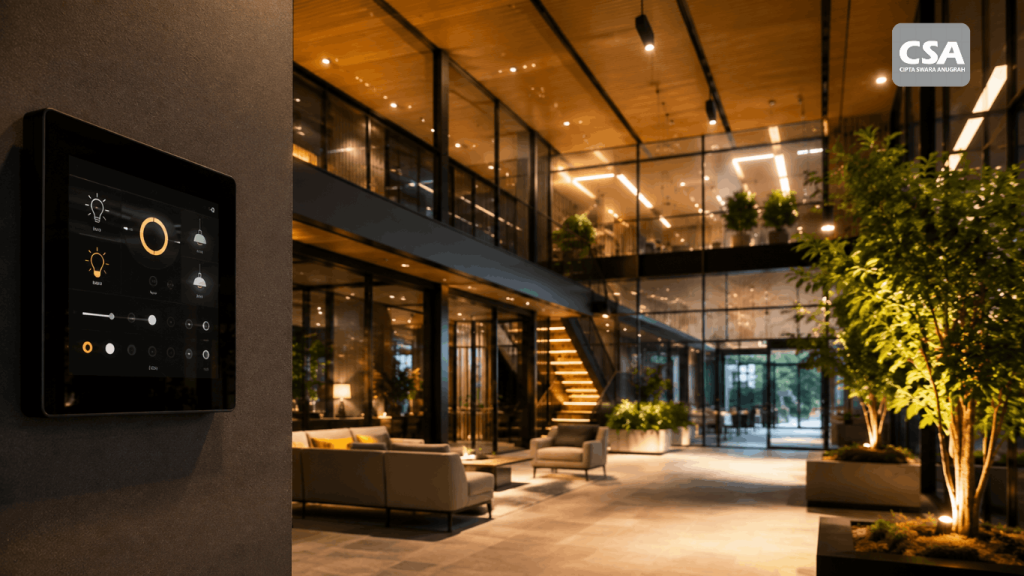
A lighting control system combines devices and controls that allow users to operate lighting through switches, control panels, touchscreens, sensors, or automation platforms. Depending on the configuration, it can support switching, dimming, scheduling, and preset lighting scenes.
Conventional switches may be sufficient for simple spaces. However, buildings with multiple rooms and changing operational requirements often need more flexible controls.
For example, a ballroom operator may prepare several lighting scenes for different event formats. The operator selects the appropriate scene, and the configured lighting groups adjust accordingly.
Conventional Lighting Controls vs. Integrated Controls
Conventional lighting controls generally rely on switches to turn individual fixtures or groups of fixtures on and off. When a room contains several lighting groups, users may need to operate multiple switches to achieve the desired result.
Integrated controls provide a more coordinated approach. Users can manage multiple zones through one interface, adjust compatible fixtures, or activate predefined scenes.
This difference becomes especially useful in multifunctional spaces. A conference room, for instance, may require one lighting arrangement for group discussions and another for presentations.
However, an integrated solution is not necessarily the right choice for every room. Building owners should match system complexity to actual operational needs rather than investing in features that users may never need.
Read Also: Benefits of Smart Lighting Automation Systems for Businesses and Commercial Spaces
Lighting Control Applications in Hotels
Hotels combine spaces with different lighting requirements. A well-planned control system helps operators adjust illumination according to each area’s function and the activities taking place.
Hotel Lobbies and Reception Areas
The lobby is one of the first spaces guests experience. Lighting should create a welcoming atmosphere while supporting visibility around the reception desk, seating areas, and circulation routes.
Operators can divide the lighting into separate zones, such as reception, decorative features, guest seating, and walkways. This allows staff to adjust specific areas without changing the entire lobby.
Hotels may also prepare different scenes for particular operating periods. Decorative lighting can create a distinctive atmosphere, but it should never compromise visibility or safety.
Guest Rooms
Guest rooms need lighting that supports different activities throughout a stay. General lighting serves everyday tasks, bedside lights support reading, and decorative fixtures contribute to the room’s atmosphere.
A well-designed control arrangement allows guests to choose settings without operating every fixture individually. Simple scenes may include reading, relaxing, and switching off the main lights.
The interface should remain intuitive for guests who are unfamiliar with the technology. Clear labels and straightforward controls can reduce confusion and help hotel staff address basic operating questions.
Restaurants and Hospitality Areas
Hotel restaurants may serve breakfast, lunch, dinner, and private events. Each activity can require a different lighting atmosphere.
Operators can control general illumination, dining areas, and decorative lighting separately. This makes it easier to adjust the environment without changing the fixtures or manually operating every light.
Bars and lounges may also need lighting scenes that reflect their operating hours and interior design. The final configuration should be coordinated with the hotel operator, lighting designer, and technical team.
Managing Ballroom Lighting for Different Events
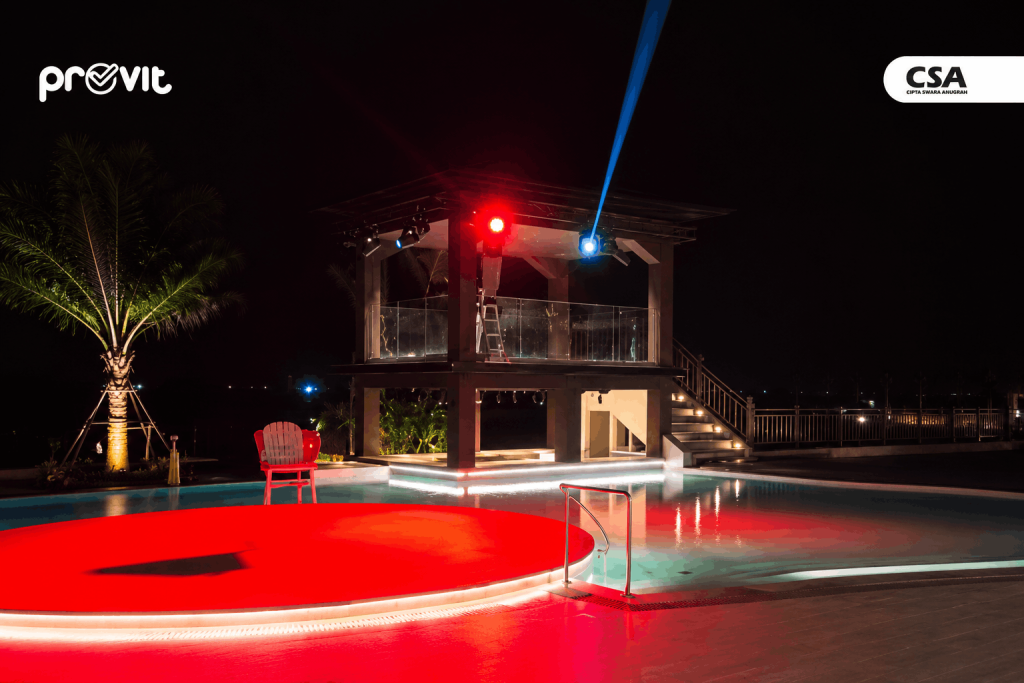
Ballrooms often require more flexible lighting arrangements because one venue can host many types of events. Corporate conferences, seminars, weddings, banquets, and product launches all create different visual requirements.
A lighting control system allows operators to prepare scenes for specific event formats. This can make transitions more practical and consistent throughout the event schedule.
Divide Lighting into Functional Zones
Zoning is an important part of ballroom planning. Each lighting group serves a specific purpose and can be controlled according to the activity.
Potential zones include:
-
Stage area: supports visibility for speakers, performers, or featured objects.
-
Audience area: provides sufficient illumination for reading and interaction.
-
Screen area: helps manage light that could affect presentation visibility.
-
Banquet area: creates comfortable conditions for dining and conversation.
-
Circulation areas: support safe movement throughout the venue.
The final zoning plan must reflect the actual ballroom layout. Fixture positions, ceiling height, stage configuration, and room finishes all influence lighting performance.
Create Scenes for Different Event Formats
A lighting scene stores settings for a particular activity. Operators can select the appropriate scene instead of adjusting every lighting zone from scratch.
During a conference, the system may maintain suitable illumination for attendees while adjusting lights near the presentation screen. A banquet scene may emphasize dining tables and decorative features. Entertainment events may combine general lighting with a dedicated stage-lighting setup.
These scenes do not require every fixture to change simultaneously. Each zone should follow a configuration that supports the event’s visual objectives and safety requirements.
Operators should also receive practical training. They need to understand how to select scenes, make permitted manual adjustments, and restore the room to its standard configuration after an event.
Integrate Lighting with Audio Visual Systems
Ballrooms often use large displays, projectors, microphones, and sound systems for presentations and entertainment. When compatible technologies are integrated, operators may be able to manage lighting alongside other room functions through a coordinated interface.
For example, a presentation scene can adjust the lighting near the screen while maintaining suitable illumination for attendees. This reduces the need to switch between separate controls for every task.
The approach is particularly relevant when lighting, audio, visual equipment, and control technologies need to work together. CSA Indonesia discusses this broader approach through its article on integrated lighting design with AV systems.
The integration design should account for device compatibility and operational priorities. Lighting changes must not disrupt other activities or reduce the illumination required for safe movement.
Lighting Control for Commercial Buildings
Commercial buildings typically contain multiple areas with different operating schedules. Facility managers must ensure that lighting supports each activity without forcing every zone to follow the same settings.
Offices and Meeting Rooms
Office lighting should support visual comfort during everyday work. Meeting rooms may require additional scenes for discussions, presentations, and video conferences.
Operators can divide fixtures into groups based on the room layout. For example, lights near a presentation display can operate separately from fixtures above the meeting table.
Where a room also uses audio visual technology, lighting controls can be planned alongside presentation equipment. This is especially relevant for businesses that want to simplify room operation. For more information about technology requirements in corporate environments, see CSA Indonesia’s article on audio visual systems for corporate offices.
Sensors and Operating Schedules
Occupancy sensors can help control lighting based on whether an area is being used. This can be useful in selected offices, support rooms, and other spaces that do not remain occupied throughout the day.
Daylight sensors can also help adjust artificial lighting according to natural light levels, provided the fixtures and control platform support the required functions. Scheduling offers another option by operating lights according to established building hours.
Sensor placement and configuration matter. Areas with specific safety requirements or a need for consistent illumination should not rely solely on occupancy detection without considering their operational needs.
Automation can also help businesses manage lighting more systematically. CSA Indonesia explores this topic in its article about the benefits of smart lighting automation for businesses and commercial spaces.
Maintaining Consistent Control Across Multiple Areas
Centralized controls can help facility teams manage several lighting zones through one interface. However, access permissions and available functions should reflect each user’s responsibilities.
Daily operators may only need basic controls, while technicians require access to configuration and maintenance functions. Separating these permissions helps prevent accidental changes to important settings.
Teams should also maintain clear documentation of lighting zones, device names, and scene configurations. This information makes troubleshooting and future adjustments easier.
Key Components of a Lighting Control System
A lighting control system relies on several components working together. Device selection should reflect technical specifications, room functions, and integration requirements.
Control Panels and User Interfaces
Control panels, digital switches, and touchscreens allow users to operate the system. The appropriate interface depends on how the room is used and how many functions need to be controlled.
A ballroom operator may need access to several event scenes, while a smaller room may work well with a simpler control arrangement.
Good interface design prioritizes frequently used functions. Clear labels and logical layouts can reduce operating errors and shorten the time needed to prepare a room.
Dimmers and Lighting Controllers
Dimmers allow users to adjust light intensity when the fixtures and control devices support dimming. This is useful in spaces that need different illumination levels throughout the day.
The technical team should check compatibility between fixtures, dimmers, controllers, and the selected control method. Incompatible devices can cause flickering, limited dimming ranges, or unreliable operation.
The design should also distinguish between lighting that needs variable brightness and lighting that only needs switching. This helps avoid unnecessary complexity.
Sensors and Automated Controllers
Occupancy sensors, daylight sensors, and scheduling functions can support automated lighting. Each feature should serve a clear operational purpose.
Sensors do not need to be installed everywhere if they provide little practical benefit. Their placement, sensitivity, and control logic should be tested to prevent unwanted responses to room conditions.
Networks and Device Integration
Larger installations may use controllers that communicate through a network or specific protocols. Designers must ensure that the selected devices can work together as intended.
The design should also consider what happens if communication fails. Important functions may require manual controls or other suitable operating procedures so users can maintain essential activities when part of the system becomes unavailable.
Lighting automation may form part of a broader building-control strategy. CSA Indonesia explains this approach in its article about automation system integration for corporate and hospitality environments.
How to Choose the Right System for a Building
Selecting a system should start with operational requirements rather than the number of available features. Careful planning helps building owners identify necessary functions and avoid unnecessary complexity.
Map the Function of Each Space
Identify which areas need lighting control, what activities take place there, and who will operate the system. A hotel may prioritize its lobby, restaurant, guest rooms, and ballroom. A commercial building may focus on offices, meeting rooms, and public areas.
This assessment provides a basis for determining the number of zones, required scenes, and suitable user interfaces.
Check Device Compatibility
The project team should review the specifications of fixtures, dimmers, sensors, controllers, and existing automation equipment. If the building has an older installation, the team should also assess the condition of its wiring and electrical panels.
Early technical checks help reduce the risk of redesigns and installation changes later in the project.
Consider Maintenance and Technical Support
A system should have clear configuration records, equipment lists, and maintenance procedures. Facility managers also need to understand basic troubleshooting steps and when to contact technical support.
Spare-part availability, service support, and future expansion are also worth considering. These factors affect how easily the system can be maintained over time.
Evaluate Energy Benefits Realistically
Automation can help optimize electricity use through scheduling, sensors, and dimming. However, the results depend on the fixtures, usage patterns, and system configuration.
Where possible, facility managers can compare energy consumption before and after implementation. This provides a more useful basis for evaluating whether the selected settings support the building’s operational goals.
How CSA Indonesia Supports Lighting System Integration
Lighting projects require coordination between user requirements, technical design, equipment selection, and other building systems. In environments that combine lighting, audio visual, and automation, this coordination helps each function operate according to the needs of the space.
CSA Indonesia provides Audio, Visual, Lighting, and Automation solutions for business environments. Project planning may consider room functions, lighting zones, control methods, equipment compatibility, and integration requirements.
Depending on the project scope, the process may involve needs assessment, system design, equipment selection, installation, integration, testing, and adjustments before handover. The actual scope depends on the building’s requirements and existing infrastructure.
For hotel operators, ballroom managers, and commercial building owners, early technical consultation can help define an appropriate solution. The objective is not to make the system as complex as possible. It is to ensure that lighting remains practical to operate, supports the intended activities, and can be maintained effectively.
Readers can explore CSA Indonesia’s capabilities and project experience through the CSA Indonesia project portfolio.
Conclusion
Lighting control helps hotels, ballrooms, and commercial buildings adjust room conditions, manage multiple zones, and simplify daily operations. Its effectiveness depends on thoughtful design, compatible equipment, and a clear understanding of user requirements.
Before selecting a technology, building owners should map the function of each area and determine which lighting scenes are genuinely necessary. With the right planning, lighting becomes part of a coordinated building system that is easier to operate, maintain, and adapt as requirements change.
FAQ
What is a lighting control system used for?
A lighting control system allows users to manage lights, brightness levels, lighting zones, schedules, and preset scenes according to the capabilities of the installed equipment.
Is a lighting control system suitable for hotels?
Yes. Hotels can use lighting controls in lobbies, guest rooms, restaurants, corridors, and ballrooms to support different activities and operational requirements.
What are the benefits of lighting control in ballrooms?
Operators can prepare lighting scenes for conferences, presentations, banquets, and entertainment events. This makes it easier to adjust the room’s atmosphere without manually changing every lighting group.
Can lighting control systems help reduce energy consumption?
They can help optimize energy use through scheduling, occupancy sensors, daylight controls, and dimming. Actual results depend on the equipment, configuration, and building usage patterns.
Can lighting controls integrate with audio visual systems?
Yes, provided the selected devices and control platforms support integration. This can help operators manage lighting alongside presentation equipment and other room functions.
What should building owners consider before choosing a lighting control system?
They should evaluate room functions, lighting zones, device compatibility, ease of operation, maintenance requirements, and the potential for future expansion.