
Boardroom Audio Visual Systems play an important role in supporting executive communication, strategic presentations, and business decision-making. Modern boardrooms require more than a large display and a conference speaker. They need integrated technologies that allow executives to share information, communicate clearly, and collaborate with participants in different locations without unnecessary technical interruptions.
For companies planning a modern executive meeting space, selecting the right equipment is only one part of the process. Displays, microphones, speakers, cameras, connectivity, and room control must work together as a coordinated system. Proper planning helps ensure that the technology supports the room’s purpose, user requirements, and long-term operational needs.
CSA Indonesia provides solutions across Audio, Visual, Lighting, and Automation for business environments. Through a system integration approach, companies can plan meeting room technology around actual workflows rather than treating every device as an independent installation. Organizations looking for broader guidance can also explore integrated meeting room solutions with CSA Indonesia.
Why Modern Boardrooms Need Integrated AV Systems
Boardrooms are often used for executive reviews, financial presentations, strategic planning, client discussions, and confidential meetings. These activities require reliable communication and a professional presentation environment.
When AV equipment operates independently, users may need to switch between multiple controls, troubleshoot connection issues, or ask technical staff to prepare the room before every meeting. Such problems can delay discussions and distract participants from important decisions.
An integrated system connects the room’s technologies through a coordinated design. Depending on the project, users may be able to control displays, select presentation sources, adjust audio, and start video conferences through a centralized interface.
The objective is to create a meeting environment that is easy to operate and consistent with the organization’s needs.
Companies can learn more about this approach through CSA Indonesia’s guide to audio visual system integration for effective hybrid meetings.
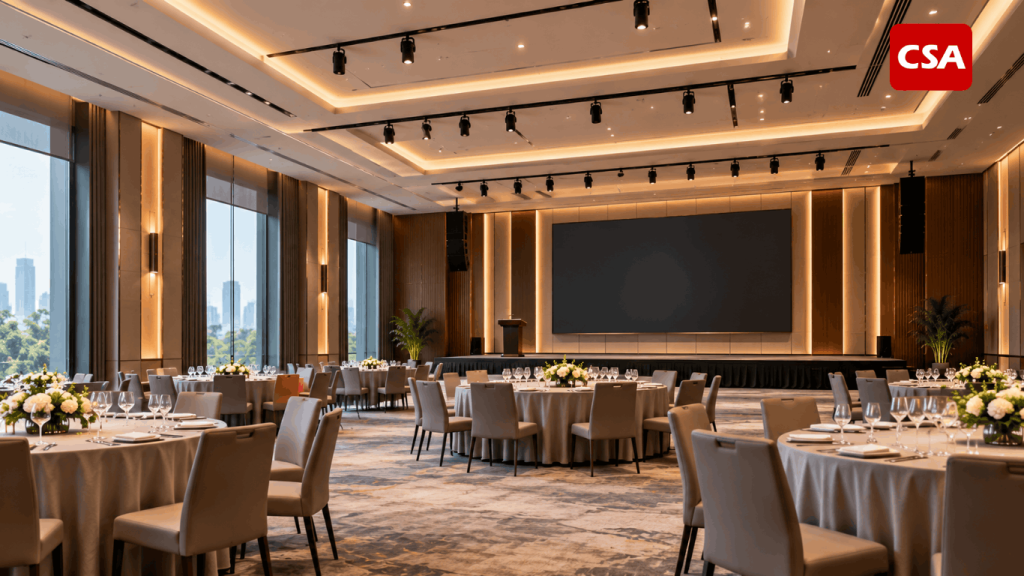
Read Also: Lighting Control System for Hotels, Ballrooms, and Commercial Buildings with CSA Indonesia
Essential Components of Boardroom AV Systems
The equipment required for an executive meeting room depends on its size, seating arrangement, meeting formats, and existing infrastructure. The following components are commonly considered during the planning process.
1. Professional Display Systems
Displays allow executives to review presentations, financial reports, dashboards, documents, and other business information. The selected display must provide sufficient visibility for everyone seated around the conference table.
Several factors influence display selection, including room dimensions, viewing distance, ambient lighting, resolution, and content type.
A professional display may be appropriate for a standard boardroom, while a larger executive space may require multiple screens or another visual presentation solution. The decision should reflect the information being presented and the way participants use the room.
Companies should also evaluate connectivity options. The display needs to support the presentation sources and conferencing equipment included in the overall system design.
2. Conference Microphones and Professional Audio
Clear speech is essential during executive discussions. Participants must be able to hear one another without excessive background noise, echo, or uneven volume.
Microphone selection depends on the table layout, number of participants, and expected meeting activities. Table microphones, ceiling microphones, and conference microphone systems can serve different applications.
The audio design may also include speakers, digital signal processors (DSPs), amplifiers, and other components required to distribute and manage sound.
Proper microphone placement and audio configuration are important. Installing more microphones does not automatically improve speech intelligibility. The system must be designed to capture voices effectively while managing unwanted noise and feedback.
For companies reviewing conference audio requirements, CSA Indonesia provides information about conference sound system installation for modern meeting rooms. This Indonesian-language resource covers a related application, while the broader principles remain relevant when planning meeting room audio.
3. Video Conferencing Cameras
Executive meetings increasingly involve participants joining from other offices, home offices, and international locations. Cameras help connect in-room participants with remote attendees.
Camera selection should consider room dimensions, seating arrangements, viewing angles, and the number of people who need to appear on screen.
Depending on the application, a boardroom may use a fixed camera, a pan-tilt-zoom camera, or a system with automated framing and speaker tracking.
However, camera performance alone does not determine the quality of a video conference. Microphones, speakers, displays, conferencing software, and network connectivity must also work together.
CSA Indonesia explains related technologies in its article on integrated intelligent video solutions for future smart meeting rooms.
4. Wireless Presentation and Connectivity
Executives may need to present information from laptops or other compatible devices during the same meeting. Wireless presentation technology can simplify this process by reducing the need to connect and disconnect cables repeatedly.
Before selecting a solution, companies should evaluate device compatibility, network requirements, supported operating systems, and security policies.
Wired connections may still be appropriate for specific devices or applications that require predictable connectivity. The final configuration should balance convenience, reliability, and the organization’s IT requirements.
Connectivity should be planned as part of the complete AV system rather than treated as a separate accessory.
5. Centralized Room Control
A boardroom may contain multiple displays, microphones, speakers, cameras, lighting controls, and conferencing devices. Managing every component independently can make the room unnecessarily complicated.
A centralized control system can simplify common operations through a touch panel or another suitable interface. Depending on the system design, users may be able to select a presentation source, adjust audio levels, control displays, or activate predefined meeting modes.
The interface should be designed around how employees use the room. Frequently used functions should be easy to access, and operating instructions should remain straightforward.
For projects that combine AV technology with lighting and room automation, companies can review CSA Indonesia’s article about automation system integration for corporate and hospitality environments.
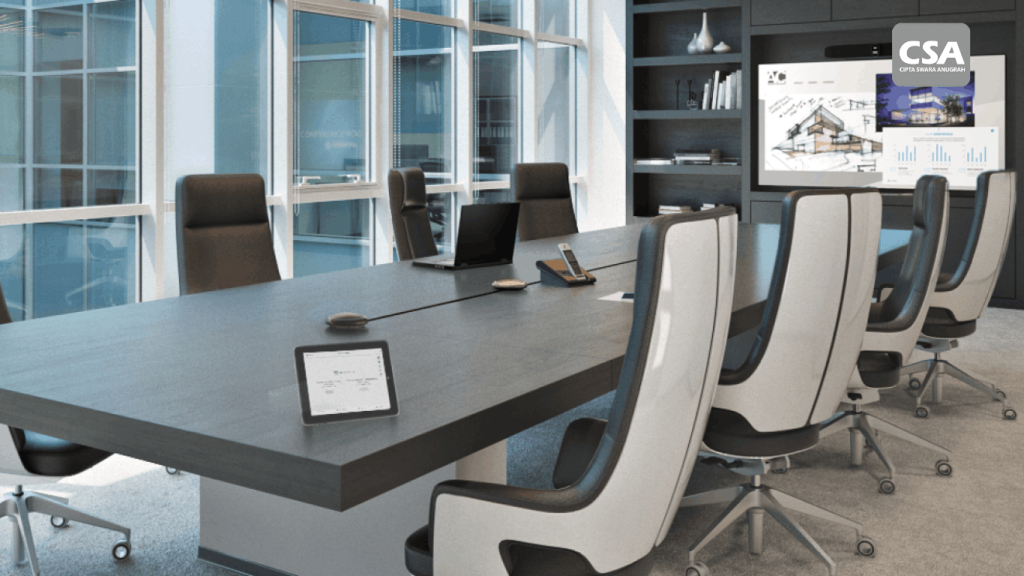
Read Also: Meeting Room Solution: The Key to Creating an Efficient and Professional Modern Meeting Space
Key Considerations When Designing a Boardroom AV System
A successful design begins with understanding the room and its users. Selecting equipment before identifying the requirements can lead to unnecessary costs, compatibility issues, or an inconvenient user experience.
Room Size and Seating Layout
Room dimensions influence display visibility, microphone coverage, speaker placement, and camera framing. A long conference table, for example, may require a different audio configuration from a smaller room with a compact seating arrangement.
The design should consider the positions of all participants rather than focusing only on the head of the table.
It should also account for viewing distances, equipment mounting locations, and pathways for cabling and maintenance.
Meeting Formats and User Requirements
Companies should identify the activities that take place most frequently in the boardroom.
These may include internal discussions, executive presentations, video conferences, hybrid meetings, or collaborative reviews involving several content sources.
Each scenario can create different technical requirements. A room used extensively for hybrid meetings may prioritize conference audio and camera coverage. A room focused on reviewing complex reports may require carefully planned displays.
A practical requirements assessment helps establish which features are essential and which are optional.
Existing Infrastructure and Compatibility
AV equipment depends on supporting infrastructure, including power, cabling, network connectivity, mounting structures, and equipment space.
Before finalizing the design, the project team should assess existing conditions and identify any upgrades that may be necessary.
Compatibility between devices is equally important. The system must support the intended signal paths, control methods, conferencing platforms, and user devices.
CSA Indonesia discusses these planning principles in its guide on how to design an audio visual system for a corporate meeting room.
Security and Access Management
Boardrooms can be used to discuss confidential financial information, business strategies, and sensitive organizational matters. Security should therefore be included in the technology planning process.
Companies should review access permissions, device administration, network configuration, wireless presentation settings, and software update procedures.
The appropriate measures depend on the organization’s IT policies and the technologies being deployed. Coordination between the AV team and internal IT personnel helps ensure that the system supports both usability and security requirements.
Maintenance and Future Expansion
Technology requirements can change as organizations introduce new conferencing platforms, devices, or meeting formats. A well-documented system makes future maintenance and upgrades easier to manage.
Documentation should identify equipment locations, signal connections, system configuration, and relevant operating procedures.
Companies should also consider whether the initial infrastructure can accommodate realistic future requirements. Planning for expansion does not mean installing every possible feature immediately. It means making practical design decisions that avoid unnecessary limitations later.
The Importance of Professional AV System Integration
Purchasing high-quality equipment does not automatically produce a reliable boardroom. Every component must be selected, configured, and connected according to the intended application.
For example, a professional camera may still deliver poor results if its position does not suit the seating layout. Similarly, advanced speakers cannot compensate for inadequate microphone placement or unsuitable audio configuration.
Professional integration addresses these relationships before and during implementation. The process can include requirements analysis, site surveys, system design, equipment selection, installation, configuration, testing, and commissioning.
CSA Indonesia supports business environments with solutions across Audio, Visual, Lighting, and Automation. Its approach focuses on coordinating technologies according to project requirements and the intended use of each space.
Companies evaluating an integration partner can also read Audio Visual System Integrator for Corporate, Office, and Commercial Buildings by CSA Indonesia.
The scope of each project should be clearly defined. This helps establish which systems will be included, how the components will interact, and what testing or support is required before handover.
How to Plan a Boardroom AV Integration Project
A structured implementation process helps reduce avoidable technical issues and aligns the final system with business requirements.
1. Conduct a Requirements Assessment
Begin by identifying the purpose of the room, the number of participants, typical meeting formats, and the technology already in use.
Document the problems the new system is expected to solve. These may include unclear audio, difficult content sharing, limited camera coverage, or complicated room operation.
2. Perform a Site Survey
A site survey allows the project team to assess room dimensions, furniture, power availability, network infrastructure, lighting, cable routes, and mounting locations.
This information provides a more accurate foundation for system design and helps identify potential installation challenges.
3. Develop the Technical Design
The design should explain how displays, microphones, speakers, cameras, presentation systems, and control devices connect.
It should also define equipment locations, connectivity requirements, and the intended user workflow.
Clear documentation helps align the design with the installation process.
4. Install and Configure the Equipment
During installation, devices and supporting infrastructure should follow the approved design. Configuration then establishes the intended signal routing, audio settings, display behavior, camera functions, and room controls.
The specific activities depend on the complexity and scope of the project.
5. Test and Commission the System
Before handover, the team should test the complete meeting workflow under realistic conditions.
Testing may include microphone performance, speaker coverage, camera framing, content sharing, video conferencing, switching between sources, and centralized control.
Users should also receive appropriate operating instructions so they can use the system confidently.
Common Mistakes to Avoid
Several mistakes can affect the performance of a boardroom AV installation.
Choosing equipment before defining requirements. This can result in features that do not address the room’s actual needs.
Ignoring seating and room acoustics. Poor microphone placement, reflections, and unsuitable camera angles can reduce meeting quality.
Treating every device as a separate system. Independent equipment can create complicated operating procedures and compatibility challenges.
Overlooking network and power infrastructure. These requirements should be evaluated before installation begins.
Skipping system testing. Equipment that powers on may still have problems with audio routing, camera coverage, or control functions.
Neglecting documentation and user training. A technically capable system may be difficult to operate if users do not understand its basic functions.
A coordinated design and implementation process helps address these risks before the room enters regular use.
Why Consider CSA Indonesia for Boardroom AV Integration?
Boardroom projects require a balance between technical performance, ease of use, and business requirements. The right approach depends on the organization’s meeting workflows, the existing infrastructure, and the intended scope of the installation.
CSA Indonesia provides solutions across Audio, Visual, Lighting, and Automation for business and commercial environments. Depending on the project, these technologies can be planned to support executive meeting rooms, video conferencing, presentation systems, and centralized room control.
Companies can explore the company’s broader capabilities through the CSA Indonesia or review examples of completed work in the CSA Indonesia project portfolio.
When discussing a potential project, organizations should clarify their requirements, site conditions, integration needs, and expectations for testing and handover. These details help establish a practical scope of work and a system design aligned with the intended application.
Conclusion
Boardroom Audio Visual Systems help organizations create meeting environments that support clear communication, effective presentations, and reliable collaboration. Their performance depends on more than the specifications of individual devices. Displays, microphones, speakers, cameras, connectivity, and room controls must work together as a coordinated solution.
Companies should begin with a clear understanding of room layout, participant needs, meeting formats, infrastructure, security, and future requirements. A structured process covering design, installation, integration, testing, and user training helps ensure that the finished system is practical and reliable.
With its focus on Audio, Visual, Lighting, and Automation solutions, CSA Indonesia can be considered as an integration partner for businesses planning boardroom technology according to their operational needs.
FAQ
1. What are Boardroom Audio Visual Systems?
They are integrated technologies used to support presentations, executive discussions, video conferencing, and collaboration in boardrooms. Common components include displays, microphones, speakers, cameras, connectivity, and room control.
2. What equipment is needed for a modern boardroom?
Typical equipment includes a professional display, conference microphones, speakers, video conferencing cameras, presentation connectivity, and a control system. The final configuration depends on room size, meeting formats, and user requirements.
3. Why is AV integration important in an executive meeting room?
Integration allows different devices to work together as a coordinated system. It can simplify operation, reduce unnecessary setup steps, and support a more consistent meeting experience.
4. Should a boardroom support hybrid meetings?
If executives frequently meet with participants in other locations, hybrid meeting capability is worth considering. The design should account for microphone coverage, speaker performance, camera framing, connectivity, and conferencing platform compatibility.
5. What does an AV system integrator do?
An AV system integrator can help assess requirements, survey the site, design the system, select compatible equipment, coordinate installation, configure devices, and test the completed solution.
6. How can a company choose the right boardroom AV solution?
Start by defining the room’s purpose, participant capacity, meeting scenarios, infrastructure, and security requirements. Then evaluate the proposed system for compatibility, usability, maintenance, and potential future expansion.