
Knowing how to design an audio visual system for a corporate meeting room starts with understanding how the room will actually be used. Choosing a display, microphone, camera, and speakers is only one part of the process.
A corporate meeting room may support internal discussions, client presentations, video conferences, hybrid meetings, and collaborative sessions. Each activity can require a different combination of audio, visual, connectivity, and control technologies.
That is why AV planning should begin with the room and its users rather than with individual equipment.
A properly designed system connects multiple technologies into one practical workflow. Employees can start meetings, share content, communicate with remote participants, and control the room without dealing with unnecessary technical complexity.
Why AV System Design Matters for Corporate Meeting Rooms
A modern meeting room can contain several devices that need to work together.
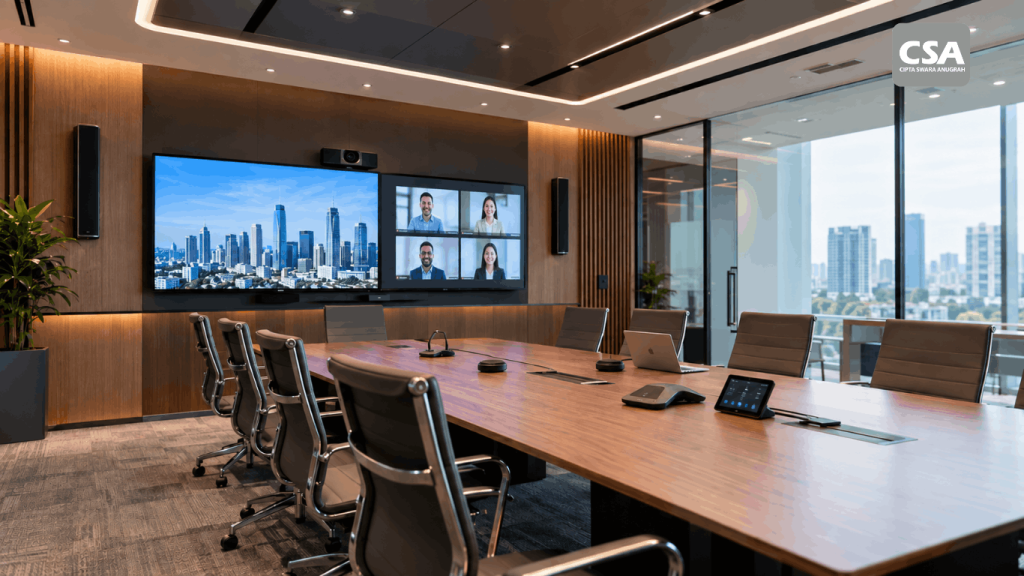
The display presents presentations and video content. Microphones capture conversations. Speakers distribute audio throughout the room. Cameras connect in-room participants with people working remotely.
If every device operates independently, the meeting experience can quickly become complicated.
Users may need to switch between multiple controls. A microphone may not properly capture someone sitting at the end of the table. Remote participants may struggle to hear the discussion. Presentation sources may also require different cables or adapters.
Good system design addresses these issues before installation begins.
Instead of treating each device as a separate purchase, the entire room becomes one integrated environment.
This approach also provides a better foundation for future upgrades. Companies can plan infrastructure and connections so the room remains adaptable as meeting requirements change.
For companies that want to understand the broader concept first, What Is AV System Integration? A Complete Guide for Modern Businesses provides a useful overview of how different AV technologies can work together as one system.
Baca Juga: Audio Visual for Corporate Offices: What Systems Are Needed?
1. Identify How the Meeting Room Will Be Used
The first step is to define the primary purpose of the room.
A small room used for internal meetings will have different requirements from an executive boardroom used for presentations and video conferences.
Start by identifying the most common meeting scenarios.
For example:
- Internal team meetings
- Client presentations
- Video conferencing
- Hybrid meetings
- Executive meetings
- Training sessions
- Collaborative presentations
- Meetings with multiple content sources
These scenarios provide a practical starting point for the AV design.
Consider the Number of Participants
Participant capacity also affects the system.
A small meeting room may only require a single microphone and display. A larger room may need several microphones, multiple speakers, wider camera coverage, and a larger display or multiple displays.
The goal is not to install the maximum number of devices.
The goal is to provide sufficient coverage for the people and activities inside the room.
Companies can also review Modern Smart Meeting Room Standards for Companies in 2026: 8 Essential Technologies You Need to understand the technologies commonly considered when developing a modern meeting environment.
2. Analyze the Room Layout
Room dimensions and furniture placement can directly affect AV performance.
The position of the conference table determines where participants sit. This influences microphone coverage, camera framing, and speaker placement.
Consider the viewing distance between participants and the display.
The screen should be large enough for participants to comfortably read presentations and other content from their seats.
Camera positioning also needs careful attention. A camera should provide an appropriate view of the meeting without unnecessary areas dominating the frame.
Think About User Movement
Some meeting rooms allow participants to move around during presentations. Others keep everyone seated around a conference table.
This difference can influence camera selection and microphone requirements.
A room used for presentations may require a wider camera view. A boardroom focused on discussion may benefit from a camera system designed around the conference table.
Understanding these details before selecting equipment helps prevent unnecessary changes during installation.
3. Review the Existing Infrastructure
AV equipment depends on the infrastructure surrounding it.
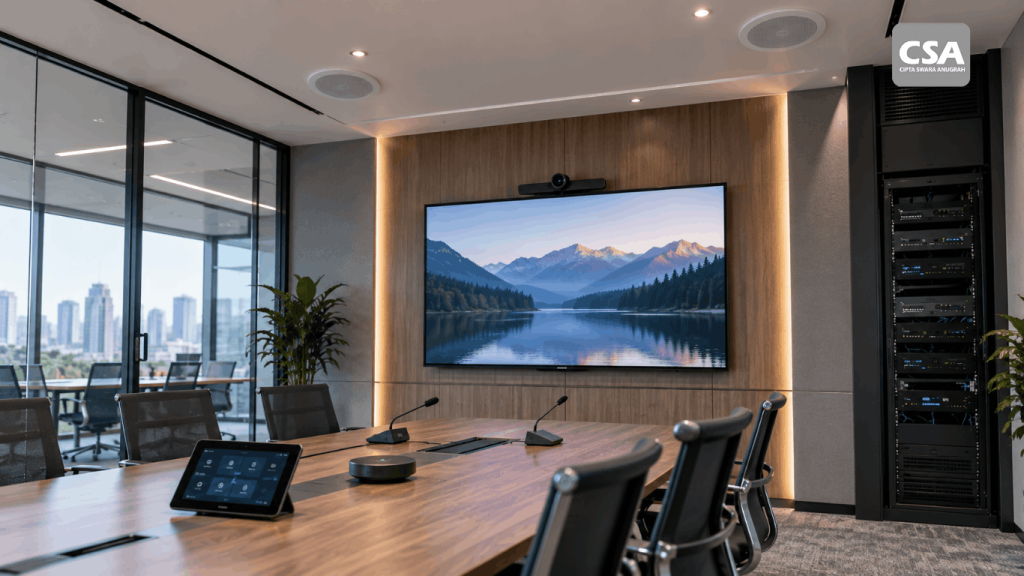
Before finalizing the design, review the available power, network, cable pathways, mounting locations, and equipment space.
Important considerations include:
- Power availability
- Network connectivity
- Cable routes
- Wall and ceiling conditions
- Equipment rack location
- Display mounting location
- Lighting conditions
- Existing building infrastructure
A site may look suitable for an AV installation but still require infrastructure adjustments.
For example, ceiling-mounted equipment needs an appropriate mounting structure and cable pathway. Network-based AV devices may also require suitable network infrastructure.
This assessment should take place before equipment selection is finalized.
For a closer look at the implementation stage, see Audio Visual Installation for Companies: Process, Benefits, and What You Need to Prepare.
4. Choose the Right Display Solution
The display is often the most visible part of a meeting room.
However, selecting the right display involves more than choosing the largest screen available.
Consider the room size, viewing distance, content type, lighting conditions, resolution requirements, and available connectivity.
A professional display may be suitable for many corporate meeting rooms. Larger spaces may require different visual solutions.
The type of content also matters.
A room primarily used for presentations may have different requirements from a room displaying detailed dashboards, spreadsheets, diagrams, or video content.
The display should therefore support the actual work performed in the room.
Companies should also consider whether they need a single display, multiple screens, or another visual presentation solution.
5. Design the Audio System Around Speech Clarity
Audio is critical in corporate meetings, particularly when the room supports video conferencing.
Everyone inside the room should be able to hear the discussion clearly. Remote participants should also receive clean and intelligible audio.
Microphone selection and placement need to follow the room layout.
A microphone should capture the intended speaking area without unnecessarily picking up noise from other parts of the room.
Speaker placement also matters.
Speakers should distribute sound evenly across the listening area rather than concentrating audio in one location.
For offices that want to explore the audio side in greater detail, Sound System for Offices: Professional Audio Solutions to Improve Productivity in Modern Companies discusses how professional audio solutions can support corporate environments.
Consider Room Acoustics
Room acoustics can significantly affect speech intelligibility.
Glass walls, hard floors, large tables, and other reflective surfaces can contribute to sound reflections.
This can make conversations harder to understand, especially during conference calls.
For more complex AV systems, a Digital Signal Processor can help manage audio processing and signal routing.
A dedicated DSP may handle functions such as signal processing, routing, mixing, and other audio management requirements depending on the system design.
For a deeper explanation, see What Is a Digital Signal Processor (DSP)? Functions, How It Works, and Its Role in Integrated Audio Visual Systems.
6. Plan the Camera and Video Conference System
If the room supports remote participants, the camera becomes an important part of the design.
The camera should provide a clear and useful view of the meeting participants.
Its position depends on the room layout and the expected meeting format.
A small room may only require a single camera. Larger rooms may require wider coverage or additional camera functionality.
Features such as PTZ movement or speaker tracking can be useful in certain environments.
However, companies should avoid selecting features simply because they are available.
The right camera is the one that matches the actual requirements of the room.
7. Plan Presentation and Connectivity
Sharing content should be straightforward.
Employees may connect laptops to the meeting room system to present slides, documents, videos, or other content.
Companies can choose between wired connectivity, wireless presentation, or a combination of both.
The choice depends on security requirements, user preferences, room design, and the type of meeting.
A good system minimizes the number of steps required to share content.
Users should be able to enter the room, connect their device, and begin presenting without requiring technical assistance for routine tasks.
Connectivity should also be considered as part of the overall integrated design rather than as an isolated feature.
8. Integrate the AV Components
Once individual requirements have been established, the next step is to connect the different technologies into one system.
The display, camera, microphone, speakers, presentation system, and conferencing platform should follow a logical workflow.
For example, selecting a meeting mode could activate the required display, camera, and audio system.
The user does not need to understand how every signal moves through the system.
They simply interact with the functions they need.
This is one of the key differences between a collection of AV equipment and an integrated AV system.
For a broader explanation of this approach, Why Should Audio Visual Systems Be Designed as One Integrated System? explains why integration should be considered during the design stage.
Companies can also review What Devices Are Included in an Integrated Audio Visual System? A Complete Guide for Smart Meeting Rooms and Modern Buildings for a closer look at the equipment commonly found in an integrated AV environment.
9. Consider Room Control
The number of devices in a meeting room can make operation more complicated.
Room control helps simplify that experience.
Depending on the design, users may be able to control:
- Displays
- Input sources
- Volume
- Cameras
- Lighting
- Meeting scenarios
A smaller meeting room may only need basic control functions.
A larger corporate environment may require more comprehensive automation.
The interface should remain simple. Employees should not need technical knowledge to perform basic meeting tasks.
For more information, What Is a Room Control System? How It Works and Its Benefits for Smart Meeting Rooms explains how centralized room control can simplify the operation of multiple technologies.
10. Consider Lighting Alongside AV Design
Lighting is often overlooked during AV planning.
Yet it can affect both the display experience and video conference quality.
Strong light directed toward a display can create reflections. Poor lighting around participants can also affect how they appear on camera.
The lighting design should therefore support both in-room viewing and remote communication.
This becomes particularly important for boardrooms and rooms frequently used for client presentations.
Lighting should also work alongside automated control when the meeting room forms part of a broader smart office environment.
11. Conduct a Site Survey
A site survey provides an opportunity to evaluate the actual conditions of the meeting room.
The survey can cover:
- Room dimensions
- Furniture layout
- Equipment locations
- Cable pathways
- Network infrastructure
- Power availability
- Ceiling conditions
- Lighting
- Acoustic conditions
This information helps the AV team develop a more accurate system design.
It can also identify installation challenges before equipment arrives at the site.
A detailed site survey can therefore prevent unnecessary revisions during installation.
The survey may also reveal limitations that are difficult to identify from architectural drawings alone.
12. Develop the System Design
After the requirements and site conditions have been reviewed, the system can be translated into a technical design.
The design should describe how the equipment connects and communicates.
For example, it may show how microphones connect to the DSP, how audio reaches the conferencing platform, and how presentation sources reach the display.
Equipment locations should also be defined.
Clear documentation gives the installation team a practical reference and can help future maintenance teams understand the system.
This becomes increasingly important as the number of integrated devices grows.
System design also helps align technical requirements with the intended user experience before installation starts.
13. Install and Configure the System
Once the design is approved, the installation process can begin.
Equipment should be installed according to the system design.
Cables, connectors, mounting systems, network connections, and supporting equipment all need to be checked during installation.
Configuration follows the physical installation.
The team configures the devices so they operate according to the intended workflow.
This stage can involve audio routing, display configuration, camera settings, control programming, and connectivity testing.
A structured installation process reduces the risk of inconsistencies between the original design and the final implementation.
14. Test the System Before Handover
A meeting room should not be considered ready simply because every device turns on.
The entire workflow needs to be tested.
A practical test can include:
- Turning on the system.
- Connecting a laptop.
- Displaying presentation content.
- Starting a video conference.
- Testing each microphone.
- Testing speaker coverage.
- Checking camera framing.
- Switching between input sources.
- Testing room control.
- Shutting down the system.
Testing should simulate real meeting conditions whenever possible.
This makes it easier to identify problems before employees begin using the room.
Audio feedback, incorrect signal routing, camera framing issues, connectivity problems, and control errors can all be identified during this stage.
15. Make the System Easy for Employees to Use
A technically advanced meeting room can still fail to deliver a good experience if users find it difficult to operate.
The interface should focus on common actions.
Employees typically need to perform simple tasks such as starting a meeting, sharing content, adjusting volume, or controlling the camera.
They should not have to understand technical terms or system architecture.
Clear instructions can also help users become familiar with the room.
For larger organizations, standardized room interfaces can make different meeting spaces easier to operate.
The best design is often the one that makes complex technology feel simple from the user’s perspective.
16. Design for Future Expansion
Corporate requirements can change.
A company may increase its workforce, change office layouts, adopt new collaboration platforms, or introduce additional meeting formats.
The AV system should account for these possibilities.
Future expansion can involve additional displays, cameras, microphones, connectivity options, or control functions.
Planning for flexibility during the initial design can make these changes easier later.
It can also reduce the need to redesign the entire system when only certain requirements change.
This is particularly relevant for companies developing multiple meeting spaces across an office.
A consistent design philosophy can make future expansion and maintenance easier to manage.
Common Mistakes When Designing a Corporate Meeting Room AV System
Several mistakes can reduce the effectiveness of an AV installation.
Choosing Equipment Before Defining the Room’s Needs
A device should solve a specific requirement.
Buying equipment first can result in unnecessary features or compatibility issues.
The system should follow the operational needs of the room.
Ignoring the Room Layout
The position of participants directly affects microphone, speaker, camera, and display requirements.
Even a high-quality device may perform poorly if the placement does not suit the room.
Focusing Only on Equipment Specifications
Higher specifications do not automatically mean better performance.
Compatibility and suitability are equally important.
A balanced system usually performs better than a collection of individually high-specification devices that were never designed to work together.
Underestimating Infrastructure
Power, network, cable pathways, mounting, and equipment space all need attention.
These requirements should be evaluated before installation begins.
Making the System Too Complicated
More automation does not always mean a better user experience.
The system should simplify meetings rather than introduce additional steps.
Skipping Testing
A system that has not been tested under realistic conditions may still contain problems that only appear during actual meetings.
Testing should therefore remain part of the implementation process rather than an optional final step.
When Should a Company Work with an AV System Integrator?
The need for an AV System Integrator usually increases as the complexity of the meeting room increases.
A company may benefit from an integrator when several AV technologies need to work together as one system.
An integrator can support multiple stages of the project, including requirements analysis, site survey, system design, equipment selection, installation, configuration, testing, and commissioning.
This approach allows the company to focus on the intended meeting experience rather than managing individual equipment separately.
Companies considering this approach can also read Why Large Companies Choose AV System Integrators Instead of Purchasing Equipment Independently.
The role becomes particularly important when the project involves multiple rooms, complex signal routing, room automation, centralized control, or hybrid meeting requirements.
Conclusion
Designing an AV system for a corporate meeting room requires more than selecting individual devices.
The process should begin with the room’s purpose, participant capacity, layout, infrastructure, and meeting scenarios. These factors then guide decisions around displays, audio, cameras, connectivity, room control, and system integration.
Testing and commissioning complete the process by ensuring that the technology works as intended.
The most effective meeting room is not necessarily the one with the most advanced equipment. It is the one where technology works together naturally and allows employees to focus on the meeting instead of the equipment.
FAQ
What should be considered when designing an AV system for a corporate meeting room?
Consider room size, layout, participant capacity, meeting scenarios, audio, display, camera coverage, connectivity, infrastructure, and ease of operation.
Does every corporate meeting room need video conferencing?
Not necessarily. The requirement depends on how frequently the company communicates with remote participants and how the room will be used.
Why is room layout important in AV design?
Room layout determines participant positions and affects microphone coverage, speaker placement, camera framing, and display visibility.
What is the role of an AV System Integrator?
An AV System Integrator helps plan, design, install, configure, test, and integrate different AV technologies into one functional system.
Why is room control useful?
Room control simplifies the operation of multiple devices through a centralized interface, making the meeting room easier for employees to use.
Why should an AV system be tested before handover?
Testing helps identify problems with audio, video, connectivity, control, and other functions before the room enters regular use.