
Modern businesses rely on meeting rooms for presentations, team discussions, client meetings, and hybrid collaboration. Yet, advanced equipment alone does not guarantee a productive meeting.
Employees can still lose valuable time connecting laptops, adjusting microphones, switching display inputs, or troubleshooting video conferencing systems. These interruptions may seem minor, but they can affect productivity when meetings take place every day.
How to create a more efficient meeting room with AV technology starts with understanding how people use the space. Audio, displays, video conferencing, room control, and automation should work together as one coordinated system.
With proper planning and integration, businesses can reduce technical interruptions, shorten meeting setup times, and create a smoother experience for both in-room and remote participants.
Why Meeting Room Efficiency Matters for Modern Businesses
A meeting can lose valuable time before the actual discussion even begins.
Employees may need to connect a laptop, select the correct display input, adjust the microphone, or troubleshoot a conferencing system. When these steps happen repeatedly, they can disrupt the meeting schedule.
An efficient meeting room should minimize unnecessary technical procedures. Users should be able to enter the room, start the system, share content, and begin the discussion with minimal assistance.
This is where AV technology provides practical value.
Instead of treating every device as a separate component, businesses can design the room around a connected workflow. The result is a workspace that supports communication rather than creating additional technical challenges.
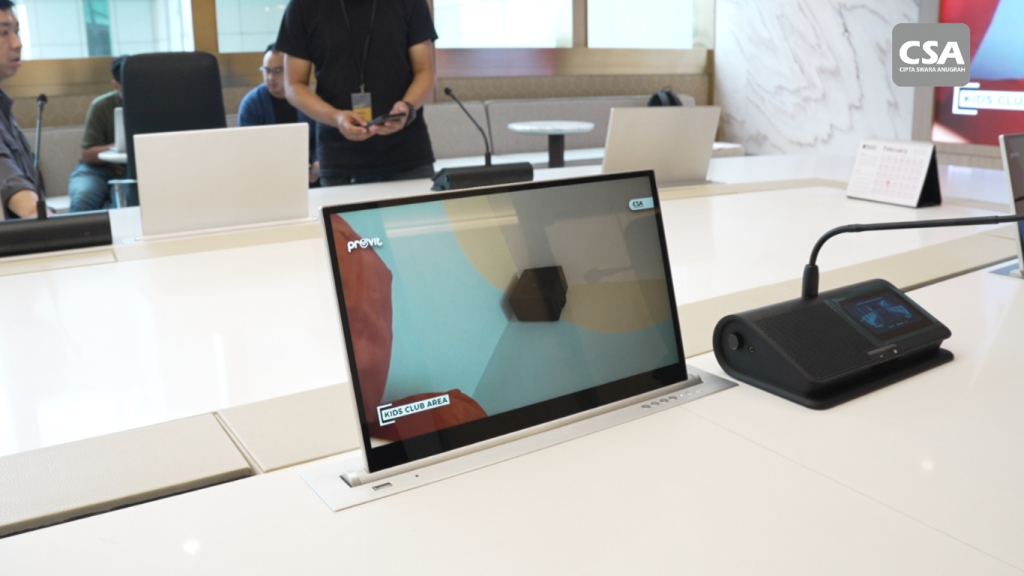
Read Also: Best Smart Meeting Room Vendor CSA Indonesia for Modern and Intelligent Meeting Solutions
Start by Understanding the Meeting Room Requirements
Every meeting room has different requirements.
A small huddle room does not need the same system as a large executive boardroom. Room dimensions, seating capacity, meeting formats, and collaboration requirements all influence the AV design.
Before selecting equipment, companies should consider several questions:
- How many people normally use the room?
- How often do remote participants join?
- Does the room require presentations or content sharing?
- How many microphones are necessary?
- What type of display suits the room?
- Does the room require centralized control?
- Will the system need future expansion?
These considerations help companies avoid purchasing equipment that does not match their actual needs.
A proper assessment should come before equipment selection. Companies can also review their audio visual requirements for the office to understand how room usage, infrastructure, and business objectives influence the system design.
The goal is to create a solution based on actual requirements rather than simply filling the room with technology.
Prioritize Clear and Consistent Audio
Audio plays a critical role in meeting effectiveness.
Participants may accept a basic presentation screen. Poor speech intelligibility, however, can quickly disrupt a discussion.
A professional meeting room should provide clear speech throughout the seating area. Participants should not need to move closer to microphones or repeatedly ask speakers to repeat themselves.
An audio system may include microphones, loudspeakers, DSP processing, and other components depending on the room.
A Digital Signal Processor can help manage audio signals and optimize system performance. Proper tuning can also improve speech clarity and help control unwanted noise.
Speaker placement matters as well. Microphone coverage should match the seating arrangement, while loudspeakers should distribute sound consistently throughout the room.
The objective remains simple: everyone should be able to hear and communicate clearly.
Choose the Right Visual System
Visual communication also affects meeting efficiency.
A display should provide comfortable viewing for everyone in the room. Screen size, viewing distance, room dimensions, and content type should influence the selection.
Content sharing should also remain simple.
Users may need to present presentations, documents, videos, or other materials. A complicated connection process can create unnecessary delays.
An efficient system reduces the number of steps required to share content.
Interactive displays can add another layer of collaboration. Teams can annotate documents, brainstorm ideas, or interact directly with visual content during discussions.
However, the display should not operate independently. It should become part of the larger AV workflow.
Integrate Video Conferencing for Hybrid Meetings
Hybrid meetings have become an important part of modern business communication.
Employees may sit in the same room while clients, managers, or colleagues join remotely. This setup requires more than simply placing a camera on a table.
The camera should capture the appropriate viewing area. Microphones should cover participants across the room. Speakers should deliver clear audio to everyone present.
The integration between video conferencing and the room’s audio system also matters.
A well-designed setup allows remote participants to hear conversations clearly while maintaining a natural communication experience for people inside the room.
Companies can explore video conferencing and sound system integration for hybrid meetings to understand why these technologies should work together rather than operate as separate systems.
The objective is to make remote participants feel like active members of the meeting.
Simplify Operations with Room Control
Even sophisticated AV equipment can create inefficiency when users need multiple remotes and complicated procedures.
A centralized room control system can solve this problem.
Users can manage displays, audio, video conferencing, lighting, and other functions through a centralized interface. The exact configuration depends on the room’s requirements and automation level.
For example, a meeting room can use predefined scenes for different activities.
A presentation mode can activate the display and select the required source. A video conference mode can prepare the camera, microphone, speakers, and display.
This reduces manual steps and helps users start meetings faster.
Companies can learn more about this approach through CSA Indonesia’s guide to room control systems and their benefits for smart meeting rooms.
The simpler the operation, the less time employees need to spend dealing with technology.
Make Every AV Component Work Together
The biggest difference between an integrated meeting room and a collection of devices lies in how the components communicate.
A room may have a camera, display, microphone, speaker, and control panel. However, simply installing these devices does not guarantee an efficient system.
The components need to follow a coordinated workflow.
For example, starting a video conference should not require users to configure every device individually. The system should activate the necessary functions according to the selected meeting mode.
This approach can also simplify troubleshooting and maintenance.
CSA Indonesia has previously discussed why audio visual systems should be designed as one integrated system. The principle is particularly important for companies that require consistent performance and simple operation.
Integration should therefore become part of the design process from the beginning, rather than something added after installation.
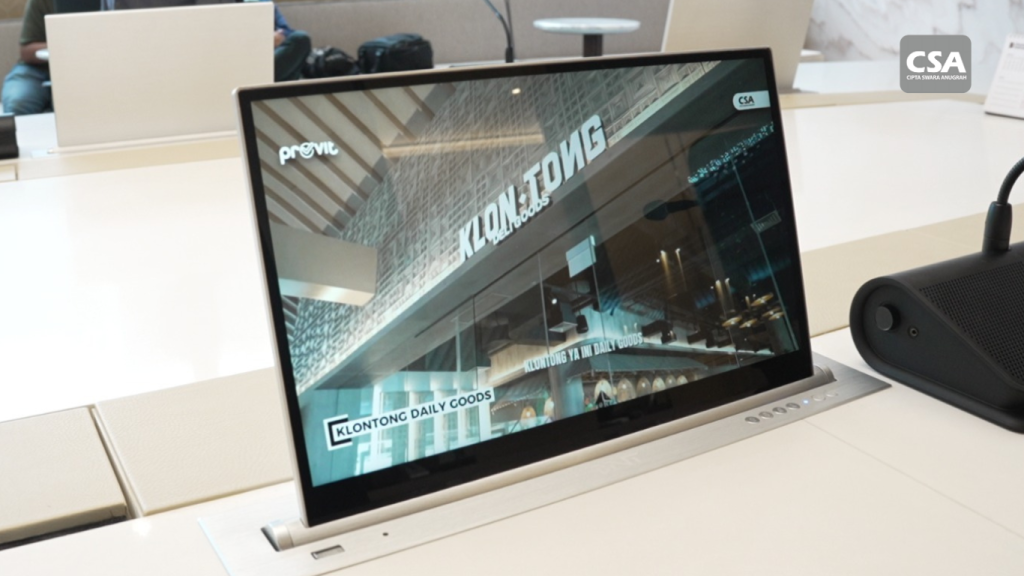
Read Also: Best Smart Meeting Room Vendor CSA Indonesia for Modern and Intelligent Meeting Solutions
Add Automation Where It Creates Real Value
Meeting room efficiency can extend beyond traditional AV equipment.
Lighting and room automation can also improve the overall experience.
Different lighting scenes can support different activities. Presentation mode may adjust lighting to improve screen visibility. Video conferencing mode can create more suitable lighting for camera use.
Automation can also connect room functions through predefined scenes.
This reduces repetitive manual actions and creates a more consistent experience for users.
However, automation should always serve a practical purpose. Companies do not need to automate every function simply because the technology is available.
The best system is one that makes everyday operations easier.
Design Around the User Experience
Technology should simplify meetings rather than create another technical obstacle.
Meeting rooms are used by people with different levels of technical knowledge. Employees, executives, clients, and visitors should be able to operate essential functions without extensive training.
The user interface should remain intuitive.
Starting a meeting, sharing content, adjusting volume, or joining a video conference should require as few steps as possible.
This becomes even more important when companies operate multiple meeting rooms.
A consistent interface across different rooms allows employees to move between spaces without learning an entirely new operating system each time.
Good AV design therefore considers both technical performance and user experience.
Follow Modern Smart Meeting Room Standards
An efficient meeting room should also reflect current workplace requirements.
Modern businesses increasingly expect meeting spaces to support collaboration, hybrid communication, content sharing, automation, and centralized control.
This does not mean every room needs the most advanced technology available.
Instead, companies should select technologies that provide practical value based on their meeting patterns and business objectives.
Businesses can refer to modern smart meeting room standards when evaluating the technologies that should be considered for a contemporary meeting environment.
The important point is to create a system that remains useful beyond the initial installation.
Consider Scalability from the Beginning
A meeting room may meet current requirements but become outdated as business needs change.
Companies should therefore consider scalability during the planning stage.
Future requirements may include additional meeting rooms, new conferencing platforms, larger displays, more advanced automation, or centralized management.
A scalable AV architecture can make future upgrades easier.
It can also help companies avoid replacing an entire system when only specific components require improvement.
This approach becomes especially important for organizations with multiple offices. Standardized system architecture can help create a consistent meeting experience across different locations.
Why Work with an AV Integrator?
Choosing equipment is only one part of developing an efficient meeting room.
The system also requires planning, design, installation, configuration, testing, and commissioning.
An AV integrator can evaluate the room and develop a solution around the company’s requirements.
This approach helps ensure that individual components work together properly.
Professional integration also considers factors such as room acoustics, cable management, network infrastructure, control systems, and future expansion.
For larger projects, selecting an experienced AV integration partner can therefore have a significant impact on system performance and long-term usability.
CSA Indonesia for Integrated Meeting Room Solutions
CSA Indonesia provides integrated audio visual solutions for modern business environments.
Its approach focuses on connecting different AV technologies into a system that supports the way companies actually use their meeting spaces.
Depending on the project, the solution can involve professional audio, visual systems, video conferencing, room control, and automation.
CSA Indonesia also works with professional integration platforms such as Q-SYS, Crestron, and Extron for projects that require advanced control and system integration.
The objective is not simply to install more equipment. It is to create a meeting environment that helps employees communicate, collaborate, and work more efficiently.
A professional assessment can also help businesses determine which technologies they actually need. This ensures the final system matches the room, users, workflow, and expected performance.
Key Considerations for a More Efficient Meeting Room
Before developing a meeting room AV system, companies should focus on several essential factors.
1. Room requirements
Understand room dimensions, seating arrangements, user capacity, and meeting formats.
2. Audio quality
Prioritize speech intelligibility and consistent microphone coverage.
3. Visual communication
Select displays and content-sharing systems according to viewing distance and presentation requirements.
4. Video conferencing
Ensure cameras, microphones, speakers, and conferencing platforms work together.
5. Room control
Reduce unnecessary manual operations through centralized control.
6. System integration
Connect different components into a coordinated workflow.
7. Scalability
Prepare infrastructure for future upgrades and changing business requirements.
8. Professional integration
Work with an AV integrator that can manage design, installation, configuration, testing, and commissioning.
Conclusion
Creating an efficient meeting room requires more than purchasing advanced equipment.
Businesses need to consider how every technology supports communication, collaboration, and everyday workflows.
Audio should remain clear. Displays should provide comfortable viewing. Video conferencing should connect remote participants effectively. Room control should simplify operation.
Most importantly, these technologies should work together as one integrated solution.
With proper planning and professional integration, businesses can reduce technical interruptions, shorten meeting setup times, and create a more consistent user experience.
For companies developing modern meeting spaces, CSA Indonesia can provide integrated AV solutions based on specific room requirements and business workflows.
Frequently Asked Questions
1. What makes a meeting room more efficient?
An efficient meeting room combines reliable audio, clear visual systems, video conferencing, simple room control, and integrated workflows. Users should be able to start and manage meetings without complicated procedures.
2. Why is AV integration important for meeting rooms?
AV integration connects different devices into one coordinated system. This can reduce manual operations, improve reliability, and create a more consistent meeting experience.
3. What AV equipment does a modern meeting room need?
Requirements depend on the room and its intended use. Common components include displays, microphones, loudspeakers, DSPs, cameras, video conferencing systems, content-sharing devices, and room control systems.
4. How does room control improve meeting efficiency?
Room control allows users to manage multiple functions through a centralized interface. It can reduce the need for multiple remotes and simplify common meeting workflows.
5. Is video conferencing necessary for every meeting room?
Not necessarily. The requirement depends on how the company communicates. Video conferencing becomes particularly valuable for businesses with remote employees, multiple offices, or frequent external meetings.
6. Why should companies work with an AV integrator?
An AV integrator can design, install, configure, test, and commission the system as a complete solution. This helps ensure that different components work together according to the room’s requirements.
7. Can an existing meeting room be upgraded with AV technology?
Yes. Existing rooms can often be upgraded depending on their infrastructure and current equipment. A professional assessment can identify which components should be retained, replaced, or integrated.
8. How can companies prepare a meeting room for future technology?
Companies should consider scalable infrastructure, network requirements, system architecture, and future expansion during the initial design. This can make future upgrades easier and reduce unnecessary replacement costs.