
Choosing an Office Sound System is not simply about finding speakers with high power output or equipment with the most advanced specifications. The system should match the room size, number of users, activities, acoustic conditions, and communication needs of the company.
Choosing the wrong equipment can result in uneven sound coverage, microphone feedback, unclear speech, or a system that is difficult to operate. These problems often happen because companies select equipment before understanding how the room will actually be used.
A good office audio system should support everyday activities. Meetings, presentations, training sessions, video conferences, and internal communication can all require different audio configurations.
That is why equipment selection should begin with the needs of the space rather than the product catalog.
Why Choosing the Right Audio System Matters
An office can contain several types of rooms, and each one has different requirements. A small meeting room does not need the same audio configuration as a boardroom, training room, auditorium, or multipurpose space.
The number of participants also affects the design. A room for ten people has different microphone and speaker requirements from a space used by dozens of employees.
The type of activity matters as well. A discussion-focused meeting requires clear speech reproduction. A presentation may need wider audio coverage. A hybrid meeting requires microphones and speakers that can communicate clearly with remote participants.
This is why companies should approach audio as part of a complete workplace system.
For a broader overview of corporate AV requirements, Audio Visual for Corporate Offices: What Systems Are Needed? explains how audio, displays, cameras, video conferencing, DSP, and room control can work together within a corporate environment.
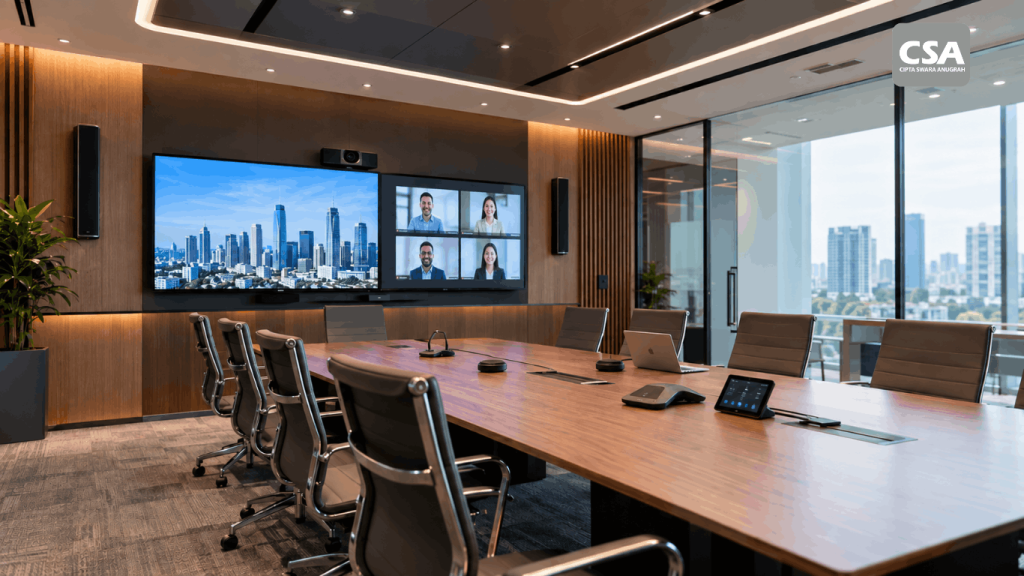
Read Also: Audio Visual for Corporate Offices: What Systems Are Needed?
1. Choosing Speakers Based Only on Power
One of the most common mistakes is assuming that speakers with higher wattage will always produce a better result.
Power output is only one part of speaker performance. Coverage pattern, sensitivity, room size, mounting position, and required listening level also influence the final result.
A speaker that is too powerful for a small room can make the audio unnecessarily loud. Meanwhile, an undersized speaker may struggle to provide sufficient coverage in a larger room.
The objective should not be maximum volume. It should be clear and consistent sound across the listening area.
Speaker placement matters just as much. Even a high-quality speaker can perform poorly when the position or direction does not match the room.
CSA Indonesia also discusses this principle in Why Sound System Design Matters More Than Choosing Expensive Speakers, where system design becomes the foundation for achieving the intended audio performance.
2. Ignoring Room Acoustics
Audio equipment is not the only factor that determines sound quality.
The room itself can affect speech intelligibility. Glass walls, hard floors, large tables, high ceilings, and other reflective surfaces can create unwanted sound reflections.
During a meeting, these reflections can make speech sound less focused. Participants may hear the words, but understanding the conversation becomes more difficult.
Companies should therefore consider acoustic conditions before selecting equipment.
This does not necessarily mean redesigning the entire room. Furniture placement, room materials, speaker positioning, and audio tuning can all influence the result.
For more complex environments, acoustic considerations should become part of the system design process from the beginning.
3. Failing to Calculate Audio Coverage
Another common mistake is installing speakers without first mapping the area that needs sound.
Participants rarely sit in one fixed location. A meeting room may have people sitting along the entire conference table. A training room can have participants spread across a much larger area.
If the speakers only cover one section effectively, users farther away may receive a weaker signal.
The typical reaction is to increase the volume. That creates another problem because people sitting close to the speakers may find the sound uncomfortably loud.
The better approach is to design the coverage properly.
Speaker quantity, mounting position, direction, and listening area should be considered before installation. The objective is to create a more consistent listening experience throughout the room.
4. Choosing Microphones Without Considering the Room
Microphone selection should follow how people use the room.
A small meeting room with one presenter has different requirements from a boardroom where several people participate in discussions.
A training room also presents another challenge. The trainer may move around while speaking, which means microphone selection should accommodate movement and presentation style.
For video conferences, microphone coverage becomes even more important. Participants should be able to speak naturally without leaning toward a microphone or constantly adjusting their position.
The table layout, participant count, speaking pattern, and conferencing requirements should therefore influence microphone selection.
Choosing the microphone first and figuring out the room afterward can create unnecessary limitations.
5. Overlooking the Risk of Feedback
Feedback is one of the most disruptive problems an office audio system can experience.
It occurs when sound from a loudspeaker enters a microphone and gets amplified again. The result can be a high-pitched ringing or squealing sound.
Feedback does not always mean the microphone is defective.
Speaker placement, microphone position, gain, volume, equalization, room acoustics, and DSP configuration can all affect the risk.
A properly designed system should consider these elements together.
This is particularly important in meeting rooms where microphones and speakers operate at the same time. Good positioning and proper signal processing can help maintain clear communication without unnecessary feedback.
6. Buying Devices Separately Without Considering Integration
A company can purchase speakers, microphones, displays, cameras, and control equipment from different sources.
That does not automatically mean the resulting system will work well.
Each device may perform perfectly on its own but still create an inconvenient user experience when the equipment does not operate as one coordinated system.
For example, users may need to switch on several devices manually, select different inputs, adjust multiple controls, and prepare the video conference separately.
The problem becomes more noticeable as the number of devices increases.
An integrated approach considers how every component communicates and how users interact with the room.
This is one of the key roles of an AV System Integrator. What Is an AV System Integrator? Understanding the Role and AV System Integration Process explains how requirement analysis, site surveys, system design, equipment selection, installation, configuration, testing, and commissioning form part of a professional integration process.
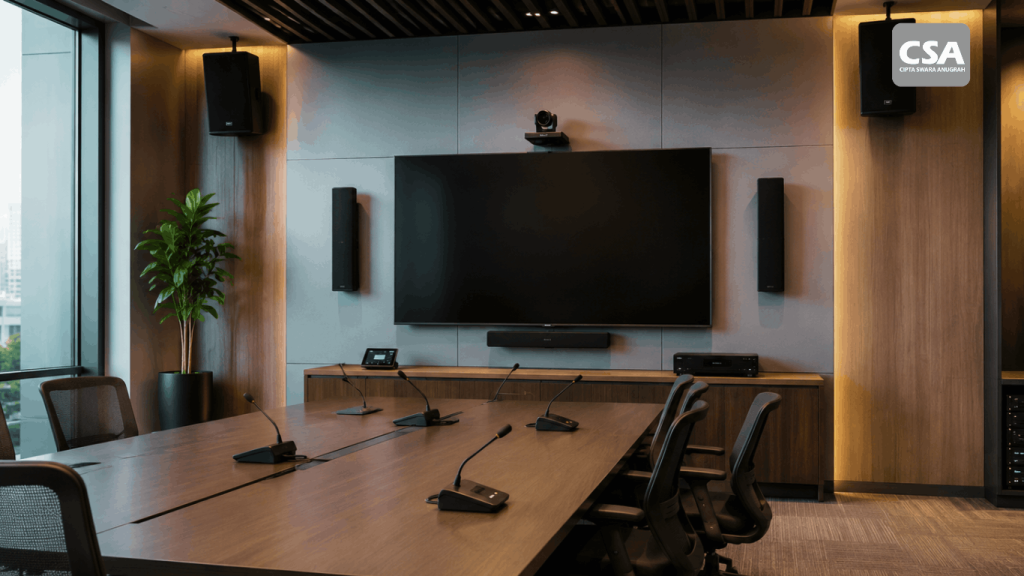
Read Also: Sound System for Offices: Professional Audio Solutions to Improve Productivity in Modern Companies
7. Forgetting About Video Conferencing
Office audio is no longer limited to people sitting in the same room.
Video conferencing has become an important part of corporate communication. Participants may join from another office, home, or another country.
This means the audio system needs to work properly with cameras, displays, conferencing platforms, and room controls.
A common mistake is using standard speakers and microphones and then connecting them to a video conferencing system without considering the complete signal flow.
The result can include echo, low audio levels, inconsistent microphone pickup, or remote participants who struggle to hear the discussion.
The entire communication workflow should therefore be considered during the design stage.
For companies planning a corporate meeting space, How to Design an Audio Visual System for a Corporate Meeting Room covers the importance of room purpose, layout, infrastructure, audio, visual systems, video conferencing, and control.
8. Ignoring Ease of Use
A technically advanced system is not automatically a user-friendly system.
If employees need technical assistance every time they want to start a meeting, the system can become a source of inefficiency.
Companies should consider who will operate the room every day. Most employees should be able to handle basic meeting functions without needing detailed technical knowledge.
A room control system can simplify this process.
Depending on the design, users can control displays, presentation sources, volume, cameras, lighting, and meeting modes from a centralized interface.
CSA Indonesia discusses this approach in What Is a Room Control System? How It Works and Its Benefits for Smart Meeting Rooms.
The interface should remain simple. Technology should reduce operational steps, not add more of them.
9. Not Planning for Future Expansion
Office requirements can change.
The company may add employees, renovate rooms, introduce new conferencing platforms, or expand its collaboration technology.
A system that works perfectly today may become difficult to expand if the original design does not provide enough infrastructure.
Scalability should therefore become part of the initial planning process.
Cable pathways, equipment racks, network infrastructure, control architecture, and system capacity can all be considered before installation.
This approach can make future upgrades more manageable.
The company does not necessarily need to replace the entire system whenever a new requirement appears.
10. Focusing Too Much on Equipment Price
Price is an important part of any project budget, but it should not become the only deciding factor.
Two proposals can have different prices because their equipment, design, installation scope, programming, testing, and support are different.
Companies should therefore compare the complete project scope rather than comparing individual product prices.
A lower equipment price does not automatically mean lower ownership costs.
Installation quality, configuration, maintenance, system compatibility, and future expansion can all influence the long-term value of the investment.
The more important question is whether the proposed system can perform the required functions reliably.
How to Choose the Right Office Audio System
Avoiding these mistakes starts with a structured planning process.
Start With the Room’s Function
Identify what the room will be used for.
Will it support internal meetings, client presentations, training, video conferencing, or several activities?
The answer provides the foundation for determining the required audio configuration.
Understand the Room Layout
Look at the position of tables, chairs, presenters, displays, and other equipment.
The layout affects microphone coverage, speaker placement, camera framing, and the overall user experience.
Review the Acoustic Environment
Consider reflective surfaces and potential noise sources.
If the room has acoustic challenges, address them as part of the overall design rather than trying to solve every issue through volume adjustments.
Define the Integration Requirements
Determine which devices need to communicate with one another.
The system may include microphones, speakers, amplifiers, DSP, displays, cameras, video conferencing equipment, and room control.
Every component should have a clear role.
Plan for Long-Term Use
Consider how the company may use the room several years from now.
A flexible design can make future upgrades easier and reduce the need for major reconstruction.
Why System Design Matters
A successful office audio installation starts before the first device reaches the site.
System design determines how the equipment will connect, where it will be installed, how signals will flow, and how users will operate the room.
This is different from simply purchasing several devices and asking an installer to connect them.
The design should translate business requirements into a practical technical solution.
For example, a boardroom may require multiple microphones, displays, cameras, DSP processing, video conferencing, and centralized control. A smaller meeting room may require a simpler configuration.
The system should reflect those differences.
A professional integrator can also evaluate the existing infrastructure before recommending equipment.
This can help identify cable pathways, power requirements, network conditions, equipment locations, and other technical considerations before installation.
Why an AV System Integrator Can Make a Difference
The more complex a corporate AV project becomes, the more important system integration becomes.
A professional integrator does not only supply or install equipment. The team should understand how different technologies interact and how the final system will be used.
Companies should evaluate several factors before selecting a partner.
These include project experience, system design capabilities, equipment compatibility, installation quality, testing procedures, documentation, and post-installation support.
CSA Indonesia has also outlined these considerations in 7 Things to Consider Before Choosing an AV System Integrator.
The goal is to select a partner that can support the entire project rather than simply provide individual devices.
Testing Is Part of the Process
Installation does not mean the project is finished.
The completed system needs to go through testing and commissioning to confirm that each function works according to the design.
Audio levels should be checked. Microphone coverage should be tested. Video conferencing should be evaluated with realistic meeting scenarios.
Control interfaces should also be tested by considering how employees will actually use them.
Testing can reveal issues that were not obvious during installation.
It also gives the integrator an opportunity to fine-tune the system before handover.
For larger projects, documentation becomes equally important. Future maintenance teams can use system drawings, equipment information, and configuration records when troubleshooting or expanding the system.
Maintenance Should Not Be Overlooked
Even a properly designed system can experience performance changes over time.
Equipment may be used intensively. Connections can change. Software and firmware may require updates. Rooms may also change their function.
Regular maintenance helps companies identify these issues before they become major disruptions.
Maintenance can include checking audio equipment, microphones, DSP configuration, connections, system performance, and other supporting components.
This becomes particularly valuable for offices where meeting rooms are used throughout the day.
A reliable system is not only about the initial installation. It also depends on how well the system is maintained throughout its operational life.
CSA Indonesia for Corporate Audio Visual Integration
Choosing an office audio system should not begin with the question, “Which speaker should we buy?”
A better starting point is, “What does this room need to accomplish?”
From there, the company can determine the required audio coverage, microphone configuration, visual equipment, video conferencing requirements, room control, infrastructure, and future expansion.
CSA Indonesia approaches corporate AV projects through system integration. The scope can include consultation, requirement analysis, system design, equipment selection, installation, configuration, integration, testing, commissioning, and technical support.
This approach helps ensure that audio equipment becomes part of a coordinated workplace system rather than a collection of independent devices.
For companies developing meeting rooms, boardrooms, training spaces, or other professional environments, the right system should support users without creating unnecessary technical complexity.
Conclusion
Choosing an office audio system involves more than comparing speaker specifications and prices.
Common mistakes include selecting speakers based only on power, ignoring room acoustics, overlooking coverage, choosing microphones without considering the room, and failing to plan for integration or future expansion.
The better approach is to start with the room, understand its activities, and design the system around those requirements.
For complex corporate projects, CSA Indonesia can support the process through Audio Visual system integration, from planning and design to installation, testing, and ongoing technical support.
FAQ
What is the most common mistake when choosing an office sound system?
Choosing equipment based only on price or power is one of the most common mistakes. Room size, acoustics, coverage, user activities, and integration also need consideration.
Are higher-wattage speakers always better for an office?
No. Speaker power should match the room size, required listening level, coverage, and overall system design.
Why do office microphones experience feedback?
Feedback can result from the relationship between microphones and speakers. Positioning, gain, volume, acoustics, and DSP configuration can all influence the problem.
Does every office need a DSP?
Not necessarily. DSP becomes particularly useful when an audio system has multiple microphones, speakers, sources, or more advanced signal-processing requirements.
When should a company use an AV System Integrator?
An integrator is particularly useful when multiple AV devices need to work together or when the project involves complex meeting rooms, video conferencing, room control, or multiple spaces.
Can an office audio system be upgraded later?
Yes. A properly planned system can accommodate future changes. Scalability should be considered from the beginning so upgrades do not require unnecessary reconstruction.