
Audio Visual for Corporate Offices: What Systems Are Needed? This is an important question when companies begin planning meeting rooms, boardrooms, training rooms, and presentation areas. Each space has different technology requirements, so choosing equipment cannot be based on the type of device alone.
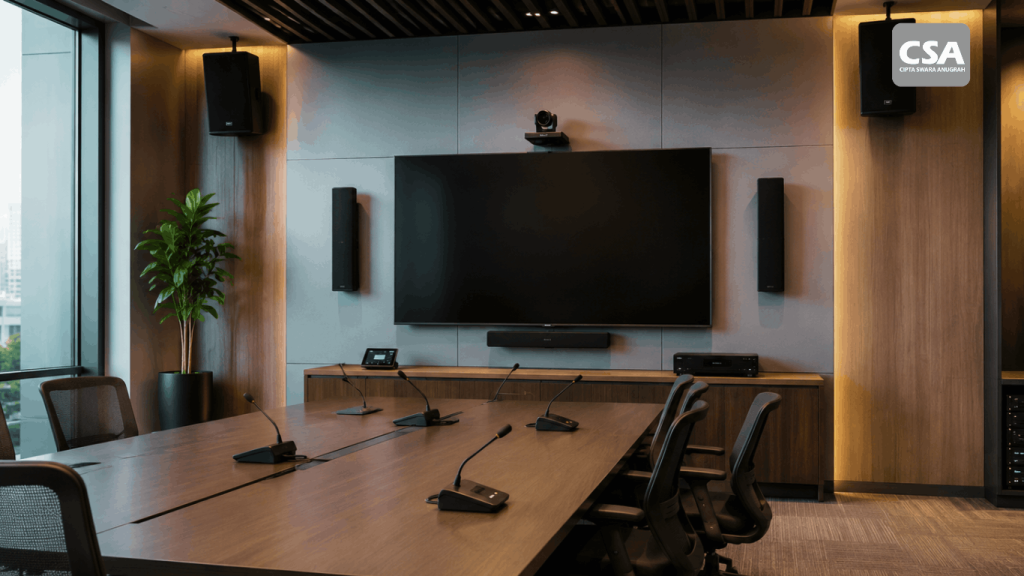
A corporate office may use displays, projectors, microphones, speakers, cameras, video conferencing systems, and room control systems. Each device has its own function, but the final result depends heavily on how these components are designed and integrated.
For this reason, companies need to view audio visual technology as a complete system rather than simply purchasing several devices and installing them in a room.
Proper planning can help companies create a system that is easier to operate, suitable for the room’s activities, and ready to adapt as requirements change.
Why Is Audio Visual Important for Corporate Offices?
Office activities are no longer limited to face-to-face communication. Meetings with clients, presentations, training sessions, remote conferences, and internal discussions all require different types of technology.
Meeting rooms are one of the clearest examples. Participants need a display that is easy to see, clear audio, and communication tools that can connect people inside and outside the office.
Without proper planning, users may face various challenges. They may need to operate multiple remotes, switch connections manually, or deal with audio problems during meetings.
A well-designed AV system can reduce this complexity. Users can access the main functions of the room through a simpler and more coordinated workflow.
This approach is also consistent with the principle that audio visual equipment should be designed as an integrated system. For a deeper discussion, see Why Should Audio Visual Be Designed as an Integrated System?.
Read Also: Sound System for Offices: Professional Audio Solutions to Improve Productivity in Modern Companies
What Audio Visual Systems Are Needed?
There is no single configuration that works for every corporate office. System requirements depend on the room’s function, number of users, room size, and activities taking place inside it.
However, several components are commonly used in corporate environments.
1. Professional Display
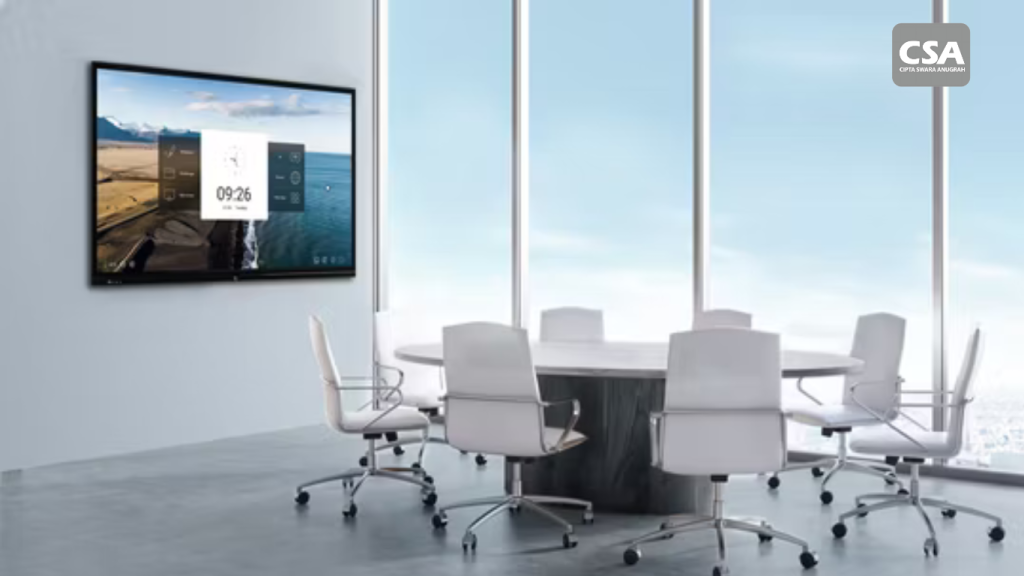
A display is one of the primary devices used in meeting and presentation rooms.
Companies can use displays to show presentations, documents, videos, dashboards, and other content.
The display should be selected based on the room size and viewing distance. A screen that is too small may make content difficult to see for participants sitting farther away.
Companies should also consider resolution, brightness, connectivity, and mounting requirements.
For some rooms, a single display may be sufficient. Larger spaces may require multiple displays to ensure that information remains visible from different seating positions.
2. Projector and Projection System
Projectors remain relevant for rooms that require large-format visuals.
They can be used in training rooms, presentation rooms, auditoriums, and other spaces with larger audiences.
Projector selection should take into account lighting conditions and the required image size.
The position of the projector and screen should also be considered during the design stage. Poor placement can affect viewing comfort and overall presentation quality.
3. Sound System
An audio system is an important part of many corporate office environments.
It may include speakers, amplifiers, microphones, mixers, and signal processing equipment.
The configuration depends on the room. A meeting room requires clear audio for conversation, while an auditorium requires broader sound coverage.
Speaker placement also affects the final result. A good audio system requires careful planning to ensure sound reaches the intended listening areas.
For a more specific discussion of corporate audio requirements, see Office Sound System: Professional Audio Solutions for Modern Corporate Productivity.
4. Microphone System
Microphones are used to capture speakers during meetings, presentations, and conferences.
The type of microphone should match the characteristics of the room. Table layout, participant numbers, speaker positions, and communication requirements can all influence equipment selection.
In meeting rooms, microphones also need to work effectively with the rest of the audio system. Proper configuration helps maintain clear speech throughout a conversation.
Companies should not choose microphones based solely on appearance or product specifications. The room and intended use should remain the primary considerations.
5. Video Conference System
Video conferencing has become an important part of corporate communication for companies working with participants in different locations.
A video conference system can combine cameras, microphones, speakers, displays, and conferencing platforms.
Each component performs a different role. Cameras capture participants, microphones capture speech, and speakers deliver audio from remote participants.
When these components are properly integrated, users can conduct meetings more efficiently.
This is particularly useful for companies adopting hybrid meeting environments. For a deeper discussion, see Audio Visual Integration for Effective Hybrid Meetings: Modern Collaboration Solutions.
6. Conference Camera
A conference camera helps capture participants during meetings.
Camera selection should take room size and participant positioning into account. A small meeting room has different requirements from a larger boardroom.
Camera placement should also provide an appropriate view of the participants.
In more complex systems, the camera can become part of the overall video conferencing and room control environment.
This allows users to operate the system without manually adjusting each device before a meeting.
7. Digital Signal Processor or DSP
A DSP is an important component in more advanced audio systems.
It processes audio signals before they are sent to other devices.
In corporate offices, DSPs may be used when a system includes multiple microphones, speakers, audio sources, or specific signal-processing requirements.
DSP implementation should follow the overall system design. It is not simply an additional piece of equipment, but part of the audio architecture.
For a closer look at this technology, see What Is a Digital Signal Processor (DSP)? Functions, How It Works, and Its Role in Integrated Audio Visual Systems.
8. Room Control System
As the number of AV devices increases, operating the room can become more complicated.
A room control system helps simplify this process. Users can operate multiple functions through a single interface.
For example, one control panel can be used to manage the display, select a presentation source, adjust volume, or activate specific equipment.
This type of system can make meeting rooms easier to use.
For more information about this technology, see What Is a Room Control System? How It Works and Its Benefits for Smart Meeting Rooms.
Read Also: Smart Office Room Is a Modern Workplace Solution for Productivity and Digital Collaboration
9. Connectivity and Signal Distribution
Every AV device requires an appropriate connection.
Displays need to receive video sources. Cameras need to connect to conferencing systems. Microphones need to connect to the audio system. Some devices may also require network connectivity.
Connectivity should therefore be considered during the design stage.
Signal distribution also becomes important when one content source needs to be displayed across multiple devices.
Planning these requirements early can help avoid unnecessary installation changes after the system has been completed.
How Should an AV System Be Matched to Each Room?
Technology requirements should follow the function of the room.
A small meeting room does not require the same configuration as an auditorium. Likewise, a boardroom has different requirements from a training room.
Meeting Room
A meeting room typically requires a display, microphones, speakers, a camera, and video conferencing.
A control system can be added to simplify operation.
Boardroom
A boardroom usually requires a more structured communication system.
Microphones, displays, video conferencing, speakers, and control systems can form part of the configuration.
Ease of operation is also important. Users should be able to access the main functions without following complicated procedures.
Training Room
A training room requires a system that supports the delivery of learning materials.
A display or projector becomes the primary visual component. The audio system helps ensure participants can clearly hear the trainer.
If trainers frequently connect their own laptops, input connectivity should also be considered.
Auditorium
An auditorium has larger-scale requirements.
The audio system needs to cover the audience area effectively. The visual system must also provide clear content from different viewing positions.
For projects of this scale, design and integration become increasingly important because more devices are typically involved.
Executive Meeting Room
An executive meeting room requires a balance between quality and ease of use.
Users generally expect the system to be ready without lengthy setup procedures.
Room control and video conferencing integration can therefore become important parts of the design.
What Should Companies Consider Before Choosing an AV System?
Equipment selection should begin with the needs of the room.
Room Size and Layout
Room dimensions influence display size, speaker quantity, microphone positioning, and camera coverage.
The shape of the room and seating arrangement should also be considered.
Number of Participants
The number of users affects audio and visual requirements.
As participant numbers increase, the need for broader sound coverage, larger displays, and appropriate camera coverage also increases.
Type of Activities
Companies should identify the main activities taking place in the room.
Will it be used primarily for presentations? Will video conferencing be frequent? Will trainers need to connect their own laptops?
The answers help determine the appropriate system configuration.
Ease of Use
Advanced technology should not make the room difficult to operate.
The control interface should match user requirements. Frequently used functions should be easy to access.
Existing Infrastructure
Network infrastructure, power availability, ceilings, walls, and cable pathways can affect installation.
A site survey is therefore an important part of project planning.
Future Expansion
Corporate requirements can change over time.
Companies may add rooms, replace conferencing platforms, or introduce new devices.
A flexible system is easier to expand when those changes occur.
Why Should AV Design Come Before Installation?
Installation should not be the first stage of an AV project.
Before equipment is installed, the project team needs to determine equipment locations, connection paths, power requirements, and relationships between devices.
Design helps ensure these requirements have been considered in advance.
It can also prevent situations where equipment is already available but does not have an ideal installation position.
For this reason, system design serves as the foundation for implementation.
CSA also discusses the importance of this stage in Why Is Audio Visual Design an Essential Step Before Installation?.
Why Is Integration More Important Than Simply Buying Equipment?
Companies can purchase AV equipment individually. However, those devices may not deliver a good user experience when combined without proper planning.
For example, a high-quality display still requires suitable input sources and connectivity.
Speakers and microphones also require appropriate placement and configuration.
This is why companies should view each piece of equipment as part of a larger system.
This approach helps ensure that every component has a clear function and can work effectively with the others.
When Does a Corporate Office Need an AV System Integrator?
Companies can consider working with an AV System Integrator when a project involves multiple devices or several rooms.
An integrator can help analyze requirements, conduct site surveys, develop system designs, select equipment, carry out installation, and test the completed system.
This approach can help reduce the risk of equipment incompatibility.
An integrator can also consider operational requirements and future system expansion from the beginning.
For a deeper understanding of the integrator’s role in corporate projects, see Audio Visual System Integrator: From Planning to Implementation of Integrated AV Systems for Modern Companies.
Conclusion
Audio visual systems for corporate offices can include a range of components designed around the function of each room. Displays, projectors, sound systems, microphones, cameras, video conferencing, DSPs, room control, and connectivity are among the technologies commonly used.
However, companies do not need every type of equipment in every room. Requirements should follow the room size, number of users, activities, and level of integration required.
The most important consideration is not simply choosing equipment with high specifications. Companies need to ensure that every device can operate as part of a well-planned system.
With the right approach, AV technology can support meetings, presentations, collaboration, and corporate communication more effectively.
FAQ
What AV systems are commonly needed in a corporate office?
Common systems include displays, projectors, sound systems, microphones, cameras, video conferencing, DSPs, room control, and connectivity solutions.
Does every office need the same AV configuration?
No. Meeting rooms, boardrooms, training rooms, and auditoriums have different requirements based on their function, size, and number of users.
What is the purpose of a room control system?
A room control system allows users to operate multiple devices through a single interface, making the room easier to manage.
Is video conferencing part of a corporate AV system?
Yes. Video conferencing can integrate cameras, microphones, speakers, displays, and conferencing platforms into a single environment.
Why is AV system design important?
Design helps determine equipment placement, connections, cable pathways, and device relationships before installation begins.
When should a company use an AV System Integrator?
An integrator can be valuable when a project involves multiple devices, several rooms, or complex integration and control requirements.