
Understanding the audio visual installation cost for a meeting room is an important step when planning a new corporate meeting space or upgrading an existing one. The total investment depends on more than the price of displays, microphones, and speakers. Companies also need to consider installation requirements, room conditions, system integration, configuration, and testing.
Every meeting room has different operational requirements. A small room used for internal discussions may need only a display and a simple conferencing setup. An executive boardroom, on the other hand, may require multiple microphones, professional audio processing, video conferencing cameras, and centralized control.
These differences make it difficult to apply one standard budget to every project. A more reliable approach is to identify the room’s intended use, determine the required equipment, and evaluate the complete scope of work before requesting quotations.
This guide explains the main cost factors, typical equipment requirements, differences between meeting room configurations, and practical steps companies can take to plan their budgets more effectively.
What Does Meeting Room AV Installation Include?
Audio visual installation involves preparing, connecting, and configuring equipment so that the complete system works as intended. The process may include site assessment, equipment installation, cable management, system configuration, integration, and performance testing.
The exact scope depends on the project. Some rooms require a straightforward presentation setup, while others need a fully integrated environment for hybrid meetings and collaborative work.
Common components include:
- Displays: Professional screens or other visual presentation solutions.
- Microphones: Devices that capture participants’ voices throughout the room.
- Speakers: Equipment that reproduces speech and other audio clearly.
- Video conferencing cameras: Cameras that capture in-room participants for remote attendees.
- Presentation systems: Technologies that allow users to share content from laptops or other sources.
- Audio processors: Devices that manage audio signals and support functions such as echo cancellation.
- Control systems: Interfaces that simplify the operation of connected equipment.
- Cabling and infrastructure: Connections that support power, signal transmission, and network communication.
Not every meeting room requires all these components. The right configuration depends on room size, seating arrangements, meeting formats, and the company’s existing technology infrastructure.
For a broader understanding of system design, see How to Design an Audio Visual System for a Corporate Meeting Room.
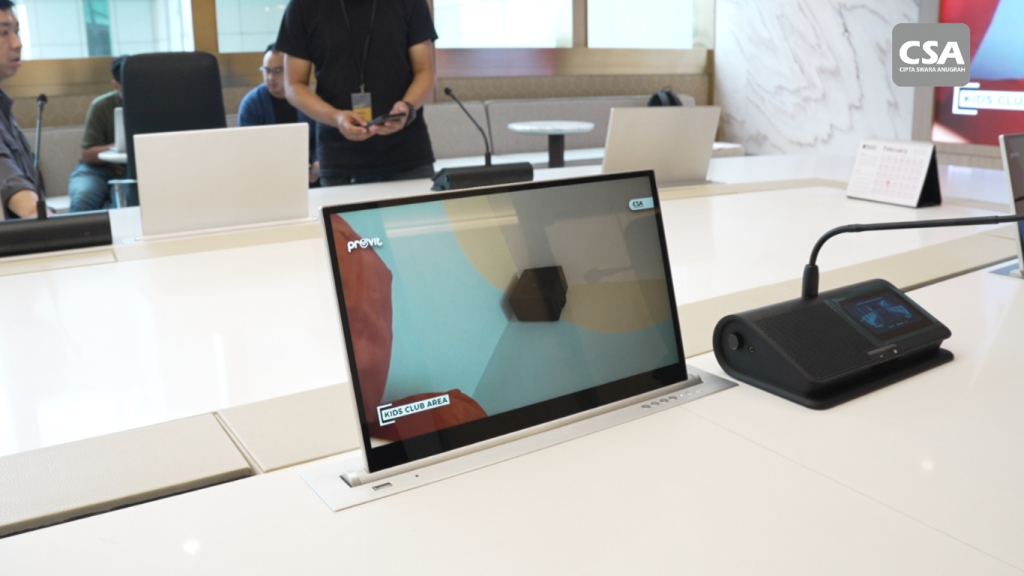
Read Also: Best Smart Meeting Room Vendor CSA Indonesia for Modern and Intelligent Meeting Solutions
7 Factors That Affect Meeting Room AV Installation Costs
Several factors influence the overall project budget. Understanding them helps companies prioritize essential functions and compare quotations more accurately.
1. Room Size and Seating Capacity
Room dimensions influence equipment selection, placement, and coverage requirements. A small meeting room may work well with one display and a compact conferencing system.
Larger rooms often require additional equipment. These may include larger displays, multiple microphones, cameras with wider coverage, and speakers positioned to distribute sound throughout the space.
Seating arrangements also matter. A system designed for a small group sitting around one table may not capture voices effectively in a long boardroom.
Display placement is equally important. Participants should be able to read presentation materials comfortably from their seats.
A site assessment helps determine the appropriate configuration before the company commits to equipment purchases. This reduces the risk of selecting devices that do not suit the room.
2. Equipment Type and Specifications
Equipment selection is one of the most important elements of the budget. Different models offer different capabilities, connection options, and performance characteristics.
For visual systems, companies should consider display size, resolution, brightness, and viewing distance. The requirements for reviewing detailed presentations may differ from those for displaying simple meeting materials.
Audio equipment requires a similarly careful evaluation. Microphones and speakers must suit the room’s dimensions, acoustic conditions, and expected number of participants.
Video conferencing cameras also vary in their coverage and functionality. Some rooms need a straightforward camera setup, while larger boardrooms may benefit from more advanced camera capabilities.
Choosing the most expensive equipment does not automatically produce the best result. The priority should be compatibility, practical performance, and suitability for the intended application.
3. Video Conferencing and Hybrid Meeting Requirements
A room used exclusively for in-person discussions has different requirements from one that regularly connects employees, clients, and partners across multiple locations.
Hybrid meeting environments may require cameras, microphones, speakers, conferencing devices, and compatible collaboration platforms. These components must work together to provide a consistent experience for both in-room and remote participants.
For example, a high-quality camera cannot compensate for microphones that fail to capture conversations clearly. Likewise, excellent audio equipment will not resolve problems caused by incompatible conferencing devices.
Companies should also consider how users start and manage meetings. A well-designed system should minimize unnecessary manual configuration.
For further information, read Audio Visual System Integration for Effective Hybrid Meetings: A Modern Collaboration Solution with CSA Indonesia.
4. Existing Infrastructure and Installation Complexity
The condition of the room can significantly affect the amount of installation work required.
A room with suitable cable pathways, power outlets, network connections, and mounting points may need fewer modifications. An unfinished space or an existing room with limited infrastructure may require additional work.
Installation complexity can involve cable routing, mounting equipment, coordinating installation schedules, and adjusting device positions around furniture or architectural features.
Acoustic conditions also deserve attention. Reflections, background noise, and poor speaker placement can affect speech intelligibility, even when the equipment itself is suitable.
A site survey helps identify these requirements before installation begins. Companies should ask their integrator to document any assumptions, exclusions, or additional work that could affect the final quotation.
5. System Integration and Centralized Control
Some meeting rooms operate with separate devices that users control individually. Others connect multiple technologies through a centralized control system.
A centralized interface can allow users to manage supported displays, audio equipment, cameras, presentation sources, and lighting through a single control point.
For example, a programmed meeting scenario may activate the display, select the correct input, and prepare compatible conferencing equipment through one command.
However, this functionality requires appropriate hardware, compatible devices, configuration, and testing. The complexity depends on the number of connected systems and the required automation.
Companies should evaluate whether centralized control solves a genuine operational problem. A simple room may not need advanced automation, while a frequently used boardroom could benefit considerably from a more coordinated workflow.
Learn more in How Integrated AV Systems Work for Modern Workplaces and Smart Meeting Rooms.
6. System Design, Configuration, and Testing
A reliable AV installation starts with a clear technical design. This stage translates business requirements into an equipment layout and an implementation plan.
Depending on the project, the work may include device selection, connection diagrams, cable planning, equipment placement, and control interface design.
After installation, technicians must configure and test the system. Testing may cover audio clarity, display sources, camera operation, network connectivity, and communication between connected devices.
Integrated systems also require verification of programmed commands and operating scenarios. These checks help identify problems before the system is handed over to the client.
When reviewing a quotation, companies should confirm whether design, configuration, commissioning, documentation, and user training are included. These items should be clearly distinguished from equipment supply and physical installation.
7. Maintenance, Technical Support, and Future Expansion
The initial installation is only one part of the investment. Companies should also consider the resources needed to maintain the system and address technical issues.
Depending on the equipment and service agreement, ongoing requirements may include troubleshooting, software updates, inspections, and technical support.
Future expansion is another consideration. A room that initially supports basic presentations may later need additional conferencing equipment, displays, or control functions.
A scalable design can make those changes easier to manage. However, future compatibility depends on the selected platform, available infrastructure, and the capacity of existing equipment.
Companies should therefore evaluate both current requirements and realistic future needs before finalizing the system design.
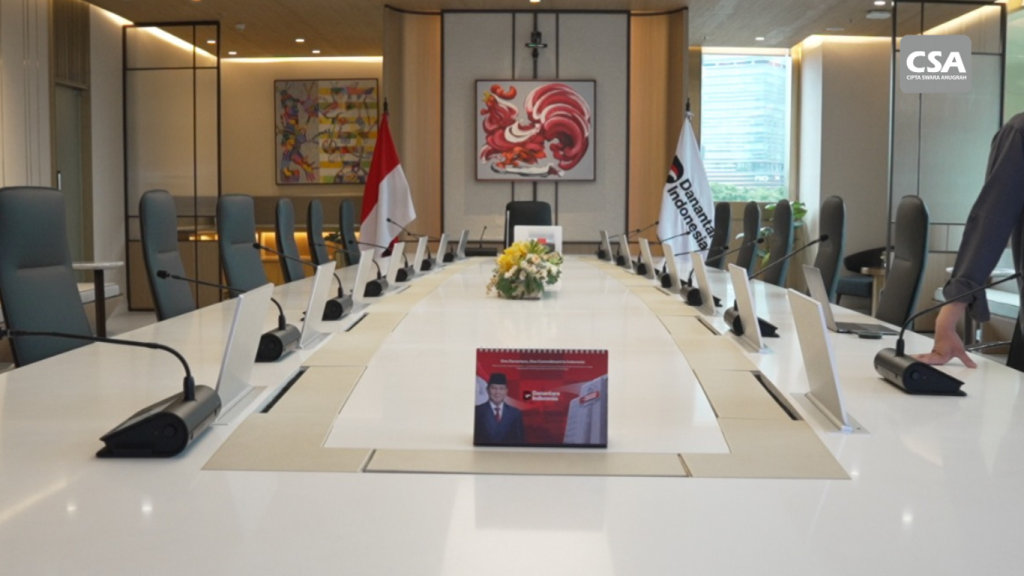
Read Also: Professional Meeting Hall Sound System: Integrated Solutions by CSA Indonesia
Comparing Meeting Room Configurations
Different room types require different equipment and levels of integration. The following examples illustrate how those differences affect project scope. They are configuration examples, not price estimates.
| Meeting room type | Typical requirements | Main cost considerations |
|---|---|---|
| Basic meeting room | Display, presentation connectivity, suitable audio equipment | Display specifications, connectivity, mounting, and installation |
| Hybrid meeting room | Display, conferencing camera, microphones, speakers, conferencing equipment | Camera coverage, audio performance, platform compatibility, and integration |
| Executive boardroom | Professional visual and audio systems, conferencing equipment, centralized control where required | System design, multiple devices, programming, commissioning, and testing |
Basic Meeting Room
A basic meeting room typically supports internal discussions and presentations. The priority is a clear display, convenient content sharing, and audio that suits the room’s size.
A straightforward configuration may be sufficient when users do not need extensive conferencing or automation functions. Keeping the design focused on essential requirements can help avoid unnecessary complexity.
Hybrid Meeting Room
A hybrid meeting room must support communication between people in the room and participants joining remotely.
The design should account for microphone coverage, camera positioning, speaker performance, and conferencing compatibility. Testing should confirm that participants can hear conversations and view presentation materials clearly.
These requirements can increase the complexity of both equipment selection and system configuration.
Executive Boardroom
An executive boardroom may support presentations, video conferences, strategic discussions, and meetings involving multiple stakeholders.
Depending on the requirements, the room may need multiple microphones, several content sources, professional audio processing, conferencing cameras, and centralized control.
The design must also prioritize usability. Executives and employees should be able to operate the room without navigating unnecessarily complicated technical settings.
How to Prepare a More Accurate Project Budget
Companies can improve budget planning by preparing the necessary information before requesting quotations.
Define the Room’s Main Purpose
Start by identifying the activities that take place in the room. Consider whether it will support internal discussions, presentations, executive meetings, training, or hybrid conferences.
This information helps determine which devices and functions are essential. It also allows the company to distinguish core requirements from optional upgrades.
Prepare Room Information
Provide the room dimensions, seating layout, available infrastructure, and existing equipment list. Floor plans and site photographs can also help an integrator evaluate the initial requirements.
A physical site survey may still be necessary to confirm cable routes, mounting positions, power availability, and other technical conditions.
Request an Itemized Quotation
Ask the provider to explain the proposed equipment, installation work, cabling, integration, configuration, testing, and support arrangements.
The quotation should also identify exclusions. For example, some projects may require additional electrical or construction work that falls outside the AV installation scope.
Clear documentation makes it easier to understand the actual investment required.
Compare Equivalent Solutions
When evaluating several proposals, compare equivalent equipment specifications and project deliverables.
A lower quotation may cover only equipment supply and basic installation. Another proposal may include detailed system design, programming, commissioning, and user training.
Comparing the total price without considering the scope can lead to misleading conclusions. Companies should assess how well each proposal meets their requirements.
For additional guidance, see 7 Things to Consider Before Choosing an AV System Integrator.
Common Budgeting Mistakes to Avoid
One common mistake is selecting equipment before defining the room’s requirements. This can lead to unnecessary spending or a system that lacks essential functions.
Another mistake is focusing exclusively on equipment prices. Installation, cabling, configuration, integration, and testing may represent important parts of the project scope.
Companies should also avoid overlooking room acoustics. Even suitable microphones and speakers may perform poorly if the room has excessive reflections or the devices are positioned incorrectly.
Usability is equally important. A complicated interface can create frustration and increase the need for technical assistance.
Finally, companies should review warranty terms, documentation, and post-installation support before approving a proposal. These considerations help clarify what happens after the equipment has been installed.
A practical budget should reflect the complete solution, not simply the purchase price of individual devices.
The Role of an AV System Integrator in Cost Planning
An AV System Integrator helps translate operational requirements into a coordinated technical solution. The scope may include consultation, site surveys, system design, equipment selection, installation, integration, configuration, and commissioning.
This approach helps companies understand how each component contributes to the intended outcome. It also provides a clearer basis for evaluating equipment choices and installation requirements.
When selecting an integration partner, companies should assess relevant project experience, technical capabilities, proposal clarity, testing procedures, documentation, and after-sales support.
The objective is not simply to install equipment. It is to create a system that supports the way people use the room.
CSA Indonesia works with audio, visual, lighting, and automation technologies for commercial environments. Companies planning a new meeting room or upgrading an existing installation can learn more from AV System Integrator Services for Companies: Solutions, Services, and Project Experience.
Before discussing a project, companies should prepare the room dimensions, participant capacity, primary meeting formats, existing equipment, and initial budget expectations. These details can help make the technical assessment more focused.
Conclusion
Meeting room AV installation costs depend on several factors, including room size, equipment specifications, hybrid meeting requirements, existing infrastructure, system integration, and the scope of installation work.
There is no single configuration or price that fits every project. Companies should begin by identifying operational needs, assessing the room, and requesting quotations with clearly defined deliverables.
A well-planned project balances functionality, usability, and long-term requirements. This helps companies invest in the right technology rather than paying for features that do not support their actual needs.
FAQ
1. How much does audio visual installation cost for a meeting room?
The cost depends on the equipment, room dimensions, existing infrastructure, installation requirements, and level of integration. An accurate estimate requires project details and an assessment of the site.
2. What is usually included in an AV installation quotation?
Depending on the agreed scope, a quotation may include equipment, mounting, cabling, configuration, integration, testing, commissioning, and technical support. Companies should confirm each item before approving the proposal.
3. Does a small meeting room need a centralized control system?
Not necessarily. A simple configuration may be sufficient if the room has limited equipment and straightforward operating requirements. Centralized control becomes useful when it simplifies recurring tasks.
4. Why is a site survey important before installation?
A site survey helps identify room dimensions, mounting positions, cable routes, network conditions, and additional installation requirements. This information supports more accurate project planning.
5. How should companies compare AV installation quotations?
Compare equipment specifications, installation scope, integration, testing, warranty, documentation, and technical support. Ensure that each quotation covers comparable deliverables.
6. Why should a company work with an AV System Integrator?
An AV System Integrator helps design and connect equipment into a coordinated solution. This can simplify implementation and ensure the system reflects the company’s operational requirements