
Modern commercial spaces require more than attractive interiors and high-quality equipment. They need technology that supports communication, improves visibility, and creates the right atmosphere for different activities. This is where audio visual lighting becomes an important consideration in commercial space planning.
Audio systems deliver clear sound, visual systems communicate information, and lighting influences visibility and the overall environment. When these elements are planned together, they can support a more consistent and functional experience for employees, guests, clients, and event participants.
However, installing high-quality equipment does not automatically guarantee an effective result. Poor speaker placement, screen glare, unsuitable lighting levels, and complicated controls can reduce system performance. These problems often occur when each component is designed independently rather than as part of a coordinated solution.
An integrated approach considers how people use a space, how equipment interacts, and how different activities should be supported. This is particularly relevant to corporate offices, meeting rooms, hotels, ballrooms, auditoriums, restaurants, and other commercial environments.
Through its integrated Audio, Visual, Lighting, and Automation solutions, CSA Indonesia supports businesses that need technology designed around their operational requirements.
Read Also: Audio Visual System Integrator for Corporate, Office, and Commercial Buildings by CSA Indonesia
Understanding Audio, Visual, and Lighting Integration
Audio, visual, and lighting systems serve different purposes, but their performance is closely connected.
An audio system supports speech, presentations, music, and announcements. A visual system displays presentations, videos, digital information, and other content. Lighting provides suitable illumination while helping define the atmosphere and function of a space.
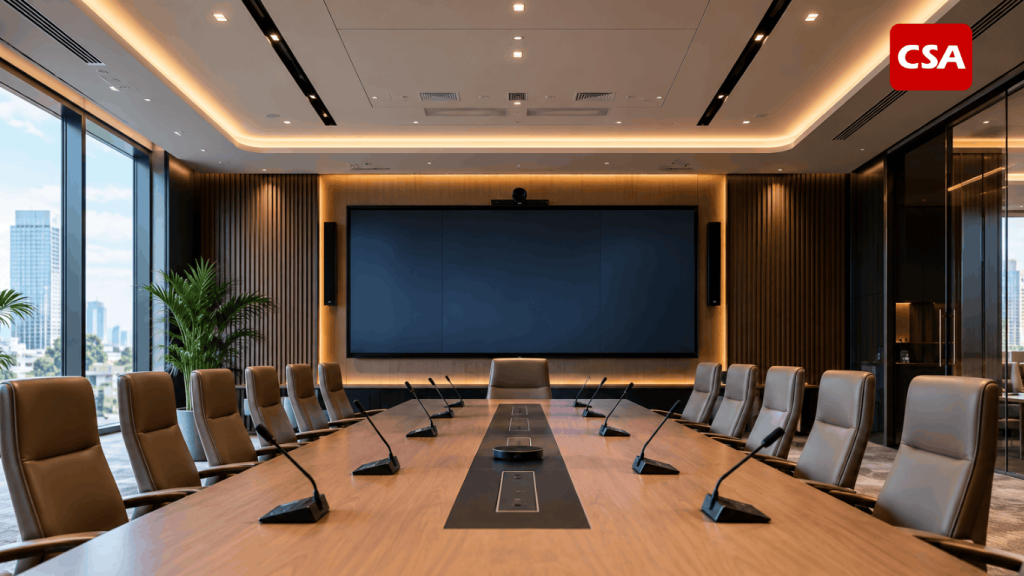
In a meeting room, for example, microphones and speakers support communication, a display presents meeting materials, and lighting helps participants see the screen without compromising their visibility on camera.
A ballroom has different requirements. The sound system must accommodate speeches, music, and announcements. Screens may display presentations or event content, while lighting needs to adapt to conferences, banquets, and entertainment.
The objective is not simply to connect equipment. It is to ensure that each component supports the intended activity.
Audio Systems: Supporting Clear Communication
Audio quality directly affects how people receive information. Poor speech intelligibility can make meetings tiring, reduce audience engagement, and create difficulties for people sitting farther from the speaker.
A commercial audio system may include speakers, microphones, amplifiers, mixers, and digital signal processors (DSPs). The appropriate configuration depends on room dimensions, acoustic conditions, audience size, and the type of activity.
Speaker placement is particularly important. A system with powerful speakers may still perform poorly if sound coverage is uneven or reflections create excessive reverberation.
For businesses planning a new sound system, CSA Indonesia’s audio solutions provide a starting point for understanding the role of professionally designed audio technology in commercial spaces.
Visual Systems: Making Information Easier to See
Visual technology helps businesses communicate information clearly and effectively. Common solutions include professional displays, projectors, LED walls, interactive displays, and digital signage.
The right equipment depends on the content, viewing distance, ambient lighting, and number of people using the space.
A small meeting room may require a professional display, while a large auditorium may need a projection system or a large-format screen. Retail environments and hospitality venues may use digital signage to communicate information to customers and visitors.
The system should also make it easy for users to switch between content sources. A well-planned configuration reduces unnecessary setup steps and supports smoother presentations.
Lighting: Balancing Visibility, Comfort, and Atmosphere
Lighting influences how people perceive and use a space. Its intensity, direction, distribution, and colour characteristics can affect visual comfort, concentration, and the overall atmosphere.
A presentation room needs enough light for note-taking while maintaining screen visibility. A hotel ballroom may require different lighting scenes for a conference, dinner, or live performance. A restaurant may need lighting that complements its interior design and dining experience.
These requirements make lighting design an essential part of technology planning, rather than a finishing detail.
Businesses can explore CSA Indonesia’s lighting design solutions to understand how lighting can be planned around the function and character of a commercial environment.
Why Integrated Systems Matter in Commercial Environments
Read Also: AV System Integrator Services for Companies: Solutions, Services, and Project Experience
A coordinated system can help businesses manage multiple technologies according to the way a space is used. Its value extends beyond convenience: the design can influence operational consistency, user experience, and long-term system management.
1. Simplifying Everyday Operations
When every device operates independently, users may need to manage several remotes, interfaces, and connection procedures. This can complicate routine activities, especially in facilities used by many different people.
An integrated control system can provide a more consistent way to operate compatible devices. Depending on the configuration, users may select a predefined room mode that prepares the display, audio system, and lighting for a specific activity.
For example, a presentation mode may select the appropriate display input and apply a suitable lighting scene. A video conferencing mode may use a different configuration to support camera visibility and communication.
The available functions depend on the equipment and control platform. They should be defined around actual user requirements rather than added simply because the technology is available.
2. Creating Consistent User Experiences
Commercial spaces often serve several purposes throughout the day. A corporate meeting room may host presentations in the morning, collaborative workshops in the afternoon, and remote meetings later in the day.
Each activity places different demands on the technology. A coordinated design helps ensure that equipment settings support these changes without requiring users to configure every component manually.
In hotels and event venues, this flexibility can be especially valuable. Operators may need to prepare the same space for conferences, banquets, and entertainment with different audio, visual, and lighting requirements.
3. Improving System Management
Integrated technology also requires proper documentation, configuration management, and maintenance planning.
A clear system design helps technical teams understand equipment connections, control logic, and troubleshooting procedures. It can also make future upgrades easier to evaluate.
Integration does not eliminate technical failures. Equipment compatibility, installation quality, network infrastructure, and regular maintenance remain important to reliable operation.
For a broader look at this approach, read Lighting Design Integrated with AV System with CSA Indonesia.
Applications Across Different Commercial Spaces
The best system configuration depends on the purpose of the space. A design that works well in a corporate office may not be suitable for a ballroom or restaurant.
Understanding these differences helps businesses avoid unnecessary equipment and focus on the functions that matter most.
Corporate Offices and Meeting Rooms
Corporate offices use technology for presentations, collaboration, training, and communication with remote participants.
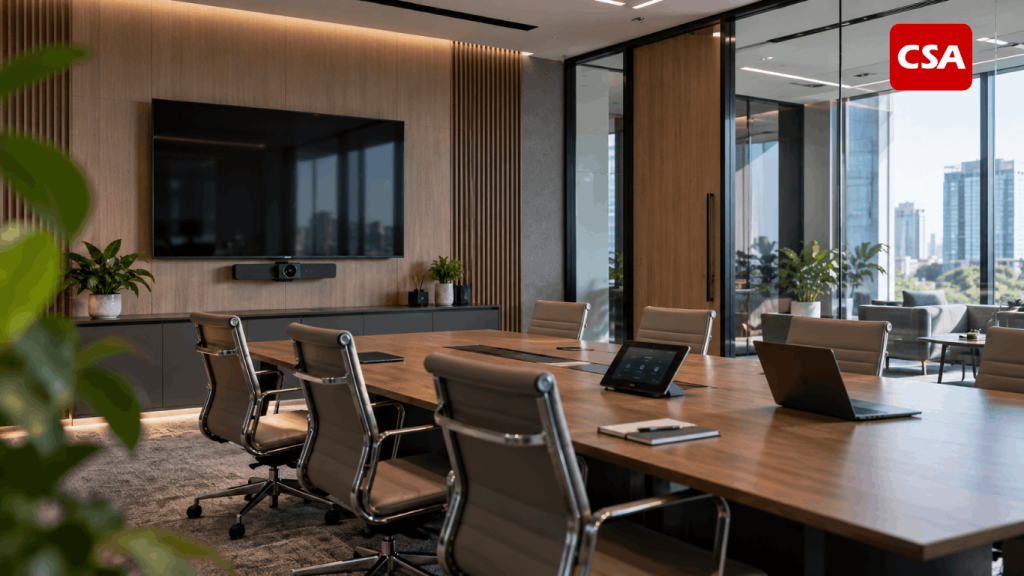
A typical meeting room may combine microphones, speakers, cameras, professional displays, video conferencing equipment, and room controls. Lighting must also support both screen viewing and camera performance.
For example, a bright light positioned directly behind a participant can make their face appear too dark during a video call. Similarly, lighting reflected on a display can make presentation content difficult to read.
These issues are easier to address when the audio, visual, and lighting requirements are considered during the same design process.
Companies planning workplace technology can also explore Audio Visual System Integrator for Corporate, Office, and Commercial Buildings by CSA Indonesia for related considerations.
Hotels and Ballrooms
Hotels and ballrooms frequently accommodate events with different technical requirements. These may include conferences, weddings, corporate presentations, banquets, and entertainment programmes.
The audio system must provide suitable sound coverage for speeches and music. Visual equipment may display presentations, videos, or event branding. Lighting needs to adapt to the activity while maintaining an appropriate atmosphere.
A ballroom used for a conference may require clear presentation visibility and controlled lighting around the screen. The same room may later need stage lighting and a different atmosphere for an evening event.
A coordinated design helps operators manage these changes more efficiently. However, each scene should be tested to confirm that the connected equipment responds as intended.
For more detail on one part of this process, see Lighting Control System for Hotels, Ballrooms, and Commercial Buildings with CSA Indonesia.
Auditoriums and Event Venues
Auditoriums introduce additional challenges because of their size, seating arrangements, and acoustic characteristics.
Audio coverage must support speech intelligibility throughout the audience area. Visual displays must remain readable from different viewing positions, while lighting should distinguish the stage from the audience when required.
These systems need to be considered alongside the room’s physical design. Ceiling height, reflective surfaces, screen placement, and seating layout can all affect performance.
For venues that host different types of events, programmable lighting and room control may provide useful flexibility. The level of integration should match the venue’s actual operating model.
Restaurants and Hospitality Spaces
Restaurants, lounges, and hotel public areas require technology that supports the guest experience without becoming intrusive.
Background music should be distributed appropriately, displays should serve a clear purpose, and lighting should complement the space’s atmosphere and function.
A restaurant may require different lighting levels between dining areas and service counters. A hotel lobby may need a different audio arrangement from a private lounge or conference area.
Equipment placement also matters. Speakers, displays, and lighting fixtures must work with the interior layout, furniture, circulation paths, and daily activities of staff.
The goal is to make technology a natural part of the environment rather than an obstacle to its use.
Coordinating Lighting Design with Visual Technology
Lighting and visual systems have a particularly close relationship because ambient light can affect how clearly content appears on a screen.
Excessive light directed toward a display can create glare or reflections. In projection-based environments, ambient lighting may reduce the perceived contrast of the projected image. Poorly positioned lighting can also affect camera performance during video conferencing.
These challenges require more than choosing brighter displays or adding more light fixtures. The design should consider light direction, screen position, viewing distance, window placement, and the activities taking place in the room.
For example, a meeting room may benefit from separate lighting zones for the presentation area and the participants’ seating area. This arrangement can help maintain screen visibility while allowing people to read documents and interact comfortably.
In a ballroom, different lighting scenes may be required for presentations, dining, and stage performances. The system should allow operators to adjust the room according to the event’s requirements.
Where compatible equipment and control platforms are available, lighting may be coordinated with other room functions through predefined scenes. The specific behaviour depends on the system design and configuration.
For a related discussion, explore Lighting Design Integrated with AV System.
The Role of Automation in Integrated Systems
Automation can connect compatible devices and allow them to respond to predefined commands or operating scenarios.
In a commercial meeting room, a user may select a presentation mode that activates the display and applies a suitable lighting configuration. In a hotel, operators may use different scenes to prepare a ballroom for a conference or banquet.
The purpose is to reduce unnecessary manual steps and make the technology easier to operate.
However, automation should be planned carefully. A system with too many functions can become difficult to manage if its interface does not reflect how people actually use the space.
The design should account for user permissions, control interfaces, device compatibility, network requirements, and procedures for handling faults. Manual operation may also be necessary for selected functions.
Businesses with more complex requirements can learn about Automation System Integration for Corporate and Hospitality Environments.
Key Considerations Before Designing an Integrated System
A successful project begins with a clear understanding of the space and its operational requirements. The equipment list should follow the design, not determine it.
Define the Primary Purpose of the Space
Start by identifying the main activities the room needs to support. Is it intended for meetings, presentations, training, conferences, dining, or live events?
If a space serves several functions, document each use case and determine which features are essential. This helps the design team identify the appropriate devices and control requirements.
Evaluate the Physical Environment
Room dimensions, ceiling height, surface materials, windows, seating arrangements, and existing infrastructure can influence system performance.
A site assessment should also consider power availability, network connectivity, cable routes, equipment locations, and installation constraints.
For audio systems, acoustic conditions and speaker coverage deserve particular attention. For visual systems, screen visibility and ambient light are important. Lighting design must account for the intended activities and potential glare.
Check Device Compatibility
Audio, visual, lighting, and control devices need to communicate according to the proposed system architecture.
The design team should assess available interfaces, supported protocols, network requirements, and integration capabilities before finalising equipment selections.
Compatibility should be confirmed through technical documentation and, where necessary, testing. A device that works independently may not automatically support every desired integration function.
Plan for Maintenance and Future Expansion
Commercial requirements can change over time. Businesses may add rooms, upgrade displays, introduce new conferencing platforms, or change how spaces are used.
A scalable design can make future changes easier to plan. This may involve suitable infrastructure, documented configurations, accessible equipment locations, and a clear understanding of system limitations.
Maintenance planning is equally important. Equipment inspection, software updates where applicable, configuration backups, and technical support can help keep the system operating as intended.
Choosing the Right System Integration Partner
An integrated project involves more than selecting equipment. It requires coordination between system design, installation, configuration, testing, and ongoing support.
A qualified integration partner should begin by understanding the client’s goals and the conditions of the space. The design should explain why particular components are required and how they will work together.
A structured process typically includes:
- Consultation and requirements analysis: Identify the space’s purpose, users, operational needs, and project constraints.
- Site assessment and system design: Review the physical environment, infrastructure, equipment placement, and technical requirements.
- Equipment selection and integration planning: Confirm device compatibility and define how systems will communicate.
- Installation and configuration: Install equipment, establish connections, and configure the required functions.
- Testing and handover: Verify performance, document the system, and explain its operation to the relevant users.
- Maintenance and technical support: Establish a plan for troubleshooting, maintenance, and future changes.
Businesses can review CSA Indonesia’s services to learn more about its audio, visual, lighting, and automation capabilities. Additional company information is available on the CSA Indonesia About page.
Selecting a partner should involve evaluating technical experience, project requirements, proposed equipment, documentation, and after-installation support. The right solution is the one that addresses the actual needs of the facility, not necessarily the one with the largest number of devices.
Conclusion
Audio, visual, and lighting systems play complementary roles in modern commercial spaces. Their effectiveness depends not only on the quality of individual devices but also on how well those devices support the activities taking place in the room.
A coordinated design can improve screen visibility, support clear communication, simplify daily operation, and help staff adapt spaces to different uses. It can also make system management and future upgrades easier to plan.
Every project still requires a solution tailored to its environment. Room function, physical conditions, user needs, device compatibility, and maintenance requirements should guide the design process.
By treating technology as a coordinated system rather than a collection of separate components, businesses can create commercial spaces that are more practical to operate and better suited to their long-term needs.
CSA Indonesia provides audio, visual, lighting, and automation solutions for corporate and hospitality environments. Businesses planning a new installation or system upgrade can explore its integrated technology solutions to assess options that align with their project requirements.
Frequently Asked Questions
1. What does audio visual lighting mean?
The term refers to audio, visual, and lighting technologies used together to support the function of a space. These systems may be coordinated through a shared design and, where appropriate, integrated controls.
2. What are the benefits of integrating audio, visual, and lighting systems?
Integration can simplify operation, support consistent room configurations, improve the coordination of equipment, and help the technology match different activities. The results depend on the quality of the design and the capabilities of the devices.
3. Where can integrated systems be used?
They can be applied in corporate offices, meeting rooms, hotels, ballrooms, auditoriums, restaurants, retail spaces, and other commercial environments. Each application requires a configuration suited to its purpose.
4. Do all commercial spaces need a central control system?
No. A central control system can be useful when multiple compatible devices need to operate together, but simpler spaces may only require basic controls. The decision should reflect the complexity of the room and the needs of its users.
5. How does lighting affect audio visual performance?
Lighting can affect screen visibility, projection contrast, camera images, and visual comfort. Appropriate fixture placement, lighting zones, and control settings help address these considerations during system design.
6. What should businesses consider before installing an integrated system?
Businesses should evaluate the room’s purpose, dimensions, acoustic conditions, lighting, visual requirements, infrastructure, equipment compatibility, maintenance needs, and potential future expansion.
7. What does an AV system integrator do?
An AV system integrator assesses requirements, designs the system, selects compatible equipment, coordinates installation, configures the technology, and tests its operation. The scope of work depends on the project.
8. Can an integrated system be upgraded later?
Yes, if the existing architecture and infrastructure support the required changes. Proper documentation and early consideration of future needs can make upgrades easier to evaluate and implement.