
Corporate training plays an important role in developing employee skills, improving productivity, and sharing knowledge across an organization. To deliver effective training sessions, companies need more than well-prepared materials and experienced instructors. They also need a training environment that supports clear communication, audience engagement, and smooth interaction between participants.
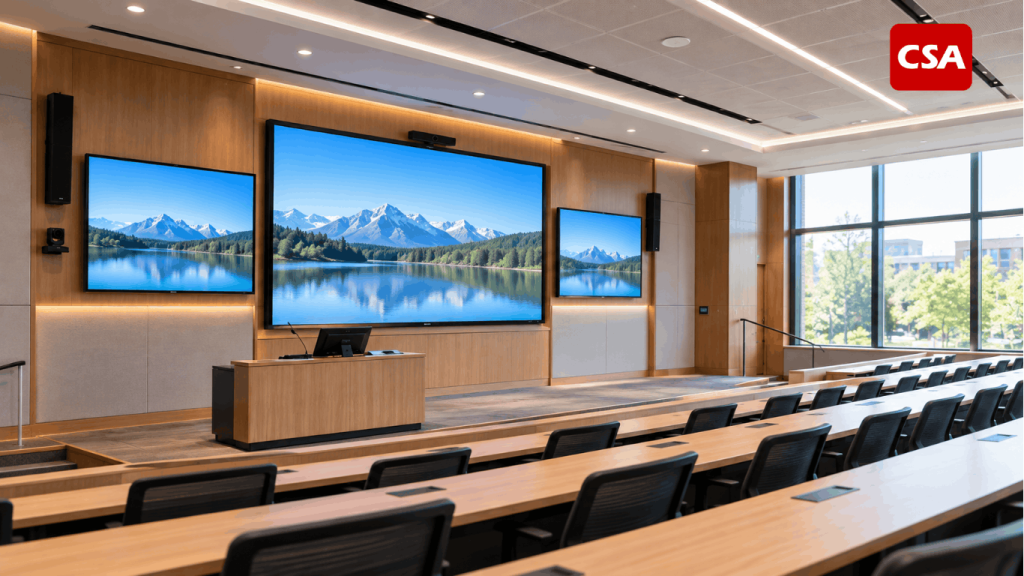
Audio visual systems for corporate training rooms help create this environment by combining professional audio equipment, presentation displays, connectivity solutions, video conferencing, and control technologies. When these components work together, trainers can deliver information more effectively while participants can focus on learning rather than dealing with technical interruptions.
However, installing individual devices does not automatically produce an effective training facility. Equipment must be selected according to room dimensions, participant capacity, training activities, and the organization’s operational requirements.
This article explores the essential components, design considerations, and integration strategies that help companies create functional and reliable corporate training rooms.
Why Audio Visual Technology Matters in Corporate Training
Corporate training rooms support a variety of activities, including employee onboarding, technical workshops, product demonstrations, leadership development, and internal knowledge-sharing sessions. Each activity places different demands on the room’s technology.
A presentation-based session may require a large display, clear sound, and straightforward laptop connectivity. A practical workshop may need several microphone options and the flexibility to move between presentation materials and live demonstrations. Hybrid training also requires reliable communication between participants in the room and those joining remotely.
A well-planned AV system supports these different activities in several ways.
Improving Communication and Information Delivery
Participants need to hear the instructor clearly and see presentation materials without straining. Poor audio coverage, unreadable slides, or unreliable connections can interrupt the learning process and reduce engagement.
Professional sound and display systems help minimize these distractions. Trainers can concentrate on explaining concepts, while participants can follow the material more comfortably.
Supporting Different Learning Formats
Modern training programs often combine presentations, instructional videos, software demonstrations, group discussions, and remote participation. A flexible AV setup makes it easier to move between these activities without complicated equipment changes.
Creating a Consistent User Experience
Companies may use the same training facility for different departments, instructors, and programs. A standardized operating interface can simplify room preparation and reduce the need for technical assistance during routine sessions.
For organizations planning several interconnected spaces, it is useful to understand how audio visual systems should be designed as one integrated system. The same principle applies to training facilities: each component should support the overall workflow rather than operate independently.
Read Also: Integrated Audio Visual Solutions for Lecture Halls and University Classrooms
Essential Components of a Corporate Training Room AV System
The right configuration depends on room size, seating capacity, training activities, existing infrastructure, and budget. Nevertheless, several components are commonly considered when designing a professional training environment.
1. Professional Audio Systems
Clear audio is essential for effective training. Participants should be able to hear explanations comfortably from different seating positions without excessive volume, distracting feedback, or inconsistent sound levels.
A professional audio system may include speakers, amplifiers, digital signal processors (DSPs), and other supporting components selected according to the room’s acoustic conditions.
Speaker placement is particularly important. A configuration suitable for a small training room may not provide sufficient coverage in a larger facility with multiple seating rows. The goal is to deliver consistent speech intelligibility throughout the room.
Room acoustics must also be considered. Hard surfaces, background noise, and excessive reverberation can make spoken information difficult to understand, even when high-quality equipment is installed.
The system design should therefore consider both the equipment and the physical environment in which it operates.
2. Microphones for Trainers and Participants
Microphones help capture speech clearly and deliver it through the sound system. The appropriate type depends on how instructors and participants use the room.
Common options include:
- Wireless handheld microphones: Suitable for presentations, demonstrations, and question-and-answer sessions.
- Lapel microphones: Allow trainers to speak while moving around the room.
- Headset microphones: Useful for instructors who need consistent microphone positioning and freedom of movement.
- Tabletop microphones: Appropriate for discussion-based sessions where participants speak from fixed positions.
Not every room needs all these options. Companies should identify the actual training activities before deciding which microphone types are necessary.
For hybrid sessions, microphone coverage becomes even more important. Remote participants need to hear questions and discussions from different parts of the room, not just the instructor standing at the front.
3. Displays and Projection Systems
Visual materials are often central to corporate training. Slides, diagrams, software demonstrations, instructional videos, and technical illustrations must remain readable from different seats.
Depending on the application, a suitable solution may involve a professional display, an interactive flat panel, or a projector and screen.
A professional display can work well in smaller rooms where sharp images and straightforward operation are priorities. An interactive display may be useful when instructors need to annotate content, explain concepts visually, or encourage participants to collaborate directly on the screen.
Projectors may be appropriate for larger spaces or applications requiring a bigger projected image. Their suitability depends on projection distance, screen size, ambient lighting, brightness, and maintenance requirements.
The final decision should consider viewing distance, room lighting, content type, and the way the display will be used during training.
4. Presentation and Connectivity Solutions
Training sessions frequently involve laptops, presentation files, online resources, and live demonstrations from different devices. Reliable connectivity helps instructors share content without wasting valuable session time troubleshooting connections.
Depending on the requirements, the system may include HDMI connections, wireless presentation technology, USB connectivity, and signal distribution equipment.
For larger rooms, signal management may be necessary when a single source needs to reach multiple displays. The design should maintain reliable signal transmission while keeping the operating process straightforward.
Trainers should be able to connect a device, select the correct source, and begin presenting without navigating complicated technical settings. Ease of use should be treated as a core design requirement rather than an afterthought.

Read Also: Audio Visual Systems for Corporate Town Halls: Supporting Communication and Collaboration
5. Video Conferencing Equipment
Many organizations conduct hybrid training sessions involving employees who attend in person and others who join remotely.
A video conferencing setup may include a conference camera, microphones, speakers, displays, and compatible conferencing equipment or software. Camera positioning should allow remote participants to see the instructor and, where appropriate, other participants.
Audio performance is equally important. A camera may provide a clear image, but the experience will still suffer if remote attendees cannot hear questions or follow discussions.
Microphones, speakers, cameras, and conferencing platforms should be selected and configured as parts of one coordinated system.
For a closer look at the relationship between conferencing technology and professional audio, see The Importance of Integrating Video Conferencing and Sound Systems in Meeting Rooms for More Effective Hybrid Meetings.
Although that article focuses on meeting rooms, its discussion of audio clarity and hybrid communication is also relevant to corporate training facilities.
6. AV Control Systems
As the number of connected devices increases, operating a room can become unnecessarily complicated. Trainers may need to switch display sources, adjust volume, activate video conferencing, and manage other functions before a session begins.
A centralized control system can simplify these tasks by bringing compatible equipment together through a consistent operating interface.
For example, a trainer may be able to select a presentation mode, adjust audio levels, or prepare the room for a video conference without controlling every device separately.
The level of automation should reflect the room’s complexity. A compact training room may only need straightforward controls, while a larger facility with multiple displays, cameras, and conferencing functions may benefit from more advanced integration.
Designing AV Systems Around Room Size and Acoustics
Selecting high-quality equipment is only one part of a successful installation. The physical characteristics of a training room influence how effectively the system performs.
Small Training Rooms
Smaller rooms generally require a straightforward configuration with suitable audio coverage, an appropriately sized display, and convenient presentation connectivity.
The main priority is usability. Equipment should be easy to access and operate without taking up unnecessary space or creating complicated procedures for instructors.
Medium-Sized Training Rooms
Medium-sized rooms may accommodate more participants, longer seating arrangements, and a wider range of training activities. Speaker coverage, display visibility, and microphone requirements therefore need more careful consideration.
If the room supports hybrid sessions, camera positioning and microphone coverage should also be evaluated.
Large Training Rooms
Larger facilities may require distributed speakers, multiple displays, projection systems, additional microphones, or more advanced control and signal management.
The system should be designed so participants throughout the room can hear the instructor and see the presented content comfortably.
The Importance of Room Acoustics
Room acoustics affect speech intelligibility. Hard surfaces, excessive reverberation, background noise, and poorly positioned speakers can make spoken information difficult to understand.
These factors should be evaluated during the planning stage. Depending on the room, improvements may involve repositioning speakers, adjusting equipment, or introducing acoustic treatment.
Addressing these conditions early helps avoid problems that cannot be solved simply by increasing the volume.
Integrating AV Technology for Hybrid Training
Hybrid learning requires the in-room and remote experiences to work together.
Participants attending physically need clear sound, readable visuals, and convenient access to presentation materials. Remote participants also need to hear discussions, see relevant content, and contribute without unnecessary delays or technical interruptions.
A well-integrated setup considers the entire communication process. This includes capturing the instructor’s voice, transmitting participant questions, displaying shared content, and managing camera views.
Compatibility between devices is another important consideration. Cameras, microphones, conferencing equipment, and control systems should be selected and configured to work together as intended.
Companies should also consider future requirements. If training programs are likely to expand or incorporate additional collaboration tools, the initial design should account for potential upgrades where practical.
Why AV System Integration Matters
Purchasing individual devices does not automatically create a reliable training environment. Each component has its own specifications, connection requirements, and operating procedures. Without proper planning, the result may be a collection of equipment that is difficult to operate as a complete system.
AV system integration addresses these challenges by considering the room, equipment, signal flow, control requirements, and user experience as a whole.
The process may involve assessing the site, defining technical requirements, selecting suitable equipment, preparing the system design, installing and configuring components, and testing the complete setup before handover.
Companies can learn more about what an AV system integrator does and how the integration process works.
Although each project has different requirements, the core principle remains the same: equipment must be designed to work together according to the needs of the people using it.
Training rooms also have specific priorities. Compared with a conventional meeting room, a training facility may require greater instructor mobility, flexible presentation sources, consistent visibility, and support for several learning formats.
The system should therefore be designed around the room’s intended function rather than copied directly from another installation.
Planning, Installation, and Maintenance
A successful AV project begins with a clear understanding of how the room will be used.
Before selecting equipment, companies should identify the expected number of participants, typical training activities, room dimensions, available infrastructure, and requirements for remote participation. These details help determine which components are necessary and where investment will have the greatest impact.
The next step is to establish a system design that accounts for equipment compatibility, installation requirements, cable routing, connectivity, control, and future expansion.
Installation and configuration should then be followed by comprehensive testing. This may include checking audio coverage, display visibility, source switching, microphone performance, video conferencing, and control functions.
Training for the people who will operate the room is also important. A technically capable system offers limited value if employees do not know how to use its essential functions.
Ongoing maintenance helps preserve reliability. Regular inspections, connection checks, applicable software updates, and testing of frequently used equipment can identify issues before they disrupt a scheduled training session.
Companies planning a project should also determine who will be responsible for technical support and maintenance after the installation is complete.
Choosing the Right AV Solution for Your Training Facility
There is no single configuration that suits every corporate training room. The right solution depends on the organization’s training objectives, room characteristics, budget, existing infrastructure, and plans for future use.
A small room used primarily for presentations may need a professional display, a suitable sound system, and straightforward connectivity. A larger facility used for interactive workshops and hybrid learning may require more advanced audio, video conferencing, signal distribution, and centralized control.
The objective is not to install the largest number of devices or select the most expensive equipment. It is to create a reliable environment that makes communication easier and allows trainers to concentrate on delivering effective learning experiences.
Companies should evaluate equipment based on its intended function, compatibility with other components, ease of operation, maintenance requirements, and potential for future expansion.
A structured assessment helps establish priorities before equipment selection begins. It also reduces the risk of investing in features that are unnecessary for the room’s actual use.
Conclusion
A well-designed audio visual system can transform a corporate training room into a more effective learning environment. Clear audio, readable displays, reliable connectivity, and suitable video conferencing technology support better communication between trainers and participants.
However, the overall result depends on more than individual equipment specifications. Room acoustics, seating arrangements, system compatibility, ease of operation, and future requirements must also be considered.
Through proper planning and system integration, companies can develop training facilities that support different learning formats while remaining practical to operate and maintain.
For organizations planning a new training room or upgrading an existing facility, working with an experienced AV system integrator can help align the technology with real operational needs. The result should be a coordinated system that supports the training process rather than adding complexity to it.
Frequently Asked Questions (FAQ)
1. What equipment is needed for a corporate training room?
Common equipment includes speakers, microphones, a professional display or projector, presentation connectivity, and a control system where needed. Video conferencing equipment may also be required for hybrid training. The final configuration depends on room size, training activities, and participant capacity.
2. Why is AV system integration important for training rooms?
Integration ensures that compatible audio visual components work together as a coordinated system. It can simplify daily operation, improve reliability, and reduce the need for trainers to manage multiple devices separately.
3. Should a training room use a professional display or a projector?
A professional display may suit smaller rooms that prioritize sharp images and straightforward operation. A projector may be appropriate when a larger projected image is required. The decision should consider room size, ambient lighting, viewing distance, content, and budget.
4. Does a corporate training room need video conferencing?
Video conferencing is useful when training involves remote employees, external instructors, or participants from different locations. If the room is used exclusively for in-person sessions, the requirement may be different. Companies should assess their current and anticipated training formats before making a decision.
5. What does an AV system integrator do for a training room?
An AV system integrator assesses the room’s requirements, develops the system design, selects compatible equipment, manages installation and configuration, and tests the integrated solution. Depending on the project scope, the service may also include operator training and ongoing technical support.
6. How can a company choose the right AV solution for its training facility?
Start by defining the room’s purpose, participant capacity, training formats, and technical requirements. Then evaluate audio coverage, display visibility, connectivity, conferencing needs, ease of operation, and opportunities for future expansion. An experienced integrator can help translate these requirements into a suitable system design.