An integrated audio visual system requires more than proper equipment selection and professional installation. Every component must continue to perform as expected throughout its operational life. Audio Visual Maintenance plays an important role in keeping these systems reliable through regular inspections, performance testing, configuration reviews, and technical troubleshooting.
Businesses rely on AV technology for daily operations. Meeting rooms, auditoriums, hotels, training facilities, and corporate offices use connected audio and visual equipment to support communication and collaboration.
A problem with one component can affect the entire system. A display that loses its video signal can interrupt a presentation. A microphone that fails to connect can disrupt an important meeting.
These issues do not always originate from faulty equipment. They may involve cables, connectors, signal routing, network communication, software, or system configuration. This is why maintenance should examine the entire installation rather than focus only on individual devices.
What Is Audio Visual Maintenance?
Audio visual maintenance refers to the inspection, testing, servicing, and troubleshooting of AV equipment and integrated systems. Its purpose is to keep every component operating according to its intended function and the facility’s requirements.
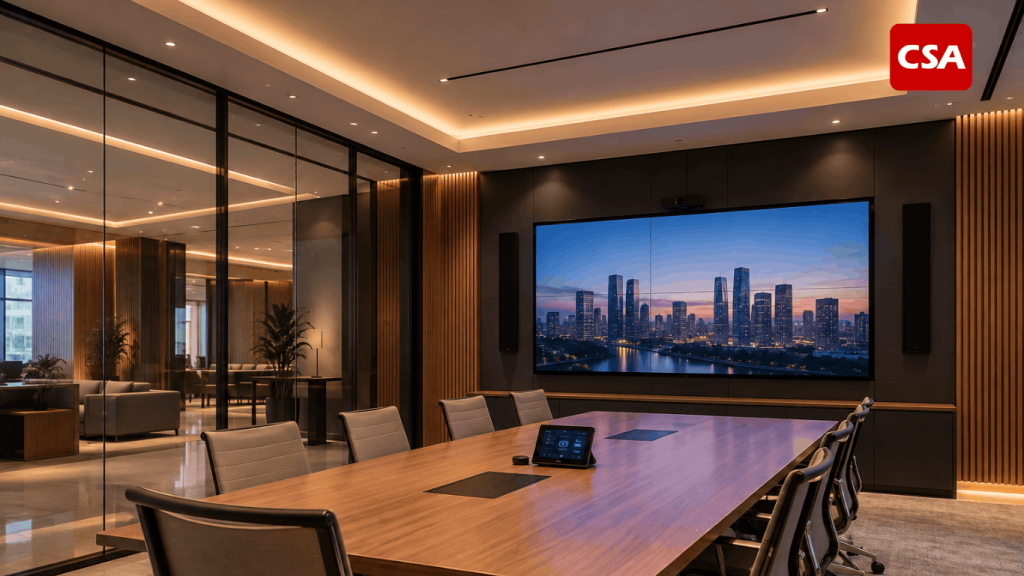
The scope depends on the complexity of the installation. A basic setup may include a display, speakers, and presentation equipment. A larger commercial facility may use multiple devices connected through centralized control and signal distribution systems.
Common components that require regular inspection include:
- Audio systems: Microphones, speakers, amplifiers, mixers, audio processors, and Digital Signal Processors (DSP).
- Visual systems: LED displays, professional displays, video walls, and projectors.
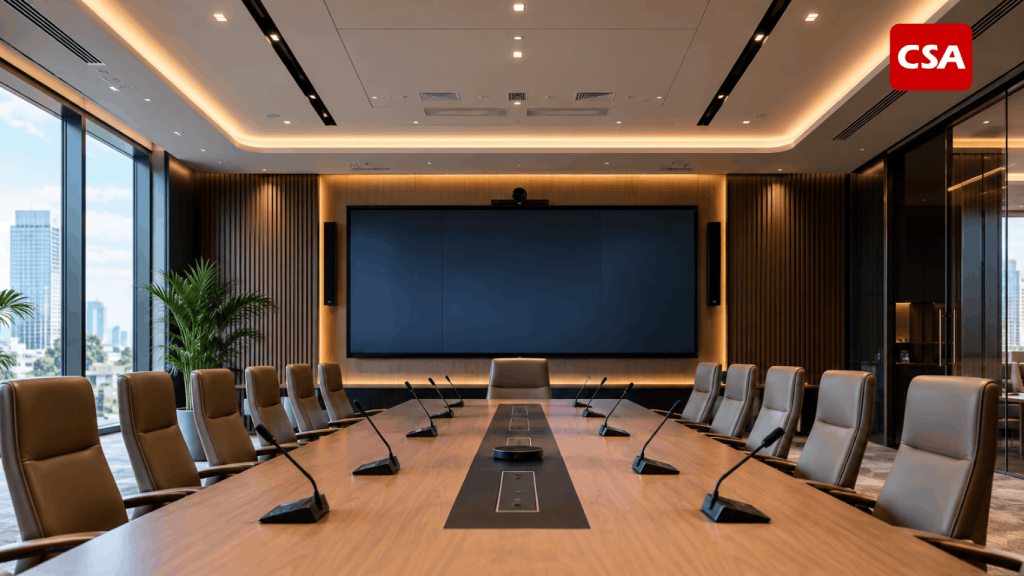
- Video conferencing systems: Conference cameras, microphone arrays, codecs, and collaboration devices.
- Signal distribution equipment: AV matrix switchers, video scalers, transmitters, receivers, and signal extenders.
- Control systems: Touch panels, control processors, and automation devices.
- Supporting infrastructure: Cables, connectors, network equipment, AV racks, and power distribution components.
Maintenance involves more than checking whether each device powers on. Technicians must verify that components receive the correct signals, communicate properly, and deliver the expected output.
For example, a microphone may turn on but still fail to deliver audio to the room speakers. A technician must inspect the input connection, DSP processing, signal routing, amplifier, and speaker output.
This approach evaluates the installation as one connected system. It also helps identify problems that may not be visible during a basic equipment inspection.
Read Also: Audio Visual Lighting: How Integrated Systems Improve Modern Commercial Spaces
Why Do Integrated AV Systems Require Regular Maintenance?
An AV system that works properly after installation may not maintain the same performance indefinitely. Usage intensity, environmental conditions, configuration changes, and software updates can affect its operation.
Regular inspections help businesses identify potential issues before they develop into more serious disruptions.
1. Maintain Consistent System Performance
Each AV component has different operating requirements. Speakers must deliver appropriate audio output, displays must produce stable images, and control systems must respond to user commands.
Small changes can affect the overall user experience. Examples include unbalanced audio levels, intermittent video flickering, and delayed touch panel responses.
Technicians can evaluate these conditions through functional testing and configuration reviews. They can then identify adjustments needed to restore the intended performance.
2. Reduce Operational Downtime
AV failures can interrupt business activities. An important meeting may be delayed when a conference camera stops working. A presentation may also become impossible when a display loses its input signal.
Scheduled inspections help businesses identify early warning signs. Technical teams can arrange repairs before equipment problems affect daily operations.
This is particularly important for facilities that depend on AV systems throughout the working day. Reliable equipment availability supports smoother meetings, presentations, and collaborative activities.
3. Preserve Equipment Condition and Service Life
Environmental conditions can affect electronic equipment. Dust, temperature, humidity, and inadequate ventilation may interfere with normal operation.
Loose connections and damaged cables can also create recurring problems. If left unresolved, these issues may affect other components within the installation.
Regular inspections help businesses monitor equipment condition. Technical teams can determine whether a device remains suitable for operation or requires further attention.
4. Maintain Compatibility Between Devices
Integrated AV installations often combine equipment from different manufacturers. Each device may have specific connection requirements, communication protocols, and configuration settings.
A firmware update or configuration change on one component can sometimes affect its compatibility with other devices.
Technicians should therefore verify system compatibility after significant changes. They must also test whether the installation continues to support its intended operating scenarios.
5. Improve Repair Planning and Cost Management
Minor faults can develop into more complex problems when businesses leave them unresolved. A loose connector, for example, may cause intermittent signal loss.
Recurring issues may eventually require technicians to inspect a wider range of components before identifying the source.
A structured maintenance plan helps businesses organize repair requirements. Equipment records also provide useful information when deciding whether to repair, upgrade, or replace a component.
Key AV Components That Require Regular Maintenance
Each device has different maintenance requirements. Technicians should adapt inspection procedures to the equipment’s function, operating conditions, and system design.
1. Audio Systems and Digital Signal Processors
Audio inspections cover microphones, speakers, amplifiers, mixers, and signal processing equipment. Technicians must ensure that every component delivers the expected sound performance.
Key inspection points include:
- Physical condition of speakers and amplifiers.
- Audio quality and output level balance.
- Mixer input and output functionality.
- Wired and wireless microphone connections.
- Equalizer and audio processor settings.
- DSP configuration and audio signal routing.
For systems that use DSP, technicians should evaluate signal processing settings. These may include equalization, delay, routing, gain structure, and output distribution.
Consider a conference room that uses ceiling microphones connected to a DSP. The processor manages the audio before sending it to the amplifier and speakers.
If the sound becomes unbalanced, technicians need to trace the audio path. The issue may come from DSP settings, connections, or output components.
Businesses can learn more about this equipment in What Is a Digital Signal Processor (DSP)? Functions, How It Works, and Its Role in Integrated Audio Visual Systems.
2. LED Displays, Professional Displays, and Video Walls
Visual equipment requires regular inspection to maintain image quality and connection stability. The inspection process depends on the display technology.
For LED displays, technicians may examine module conditions, pixel performance, color consistency, brightness, and control systems. They should also verify that signal distribution works properly.
Professional displays and video walls require additional checks. These may include resolution settings, video inputs, image synchronization, and display configuration.
The installation environment also matters. Inadequate ventilation can affect equipment operation and should be addressed during inspections.
3. Video Conferencing Systems
Modern meeting rooms often combine cameras, microphones, speakers, codecs, and other conferencing devices. These components must work together to support clear communication.
Technicians should inspect camera performance and audio clarity. They must also test platform connectivity and supporting equipment.
Typical inspection points include:
- Camera functionality and viewing angles.
- Audio input and output quality.
- Network connectivity.
- Compatibility with conferencing platforms.
- Audio processing and echo cancellation.
- Integration with room control systems.
Testing should reflect actual meeting scenarios. This allows technicians to evaluate whether video, audio, and two-way communication perform as expected.
4. Signal Distribution and Connectivity Infrastructure
Signal distribution plays an important role in integrated AV installations. Components such as matrix switchers, transmitters, receivers, scalers, and cables carry signals from source devices to their intended destinations.
For example, a video signal path may follow this configuration:
Laptop → AV Matrix Switcher → Video Distribution → LED Display.
Technicians must verify that each connection follows the system design. They should also examine routing, connectors, signal formats, and resolution compatibility.
Problems do not always originate from the main equipment. Damaged cables, loose connectors, or incorrect input settings can also cause signal loss.
A step-by-step inspection helps technicians narrow down the possible source of a fault. They can test each connection point until they identify the affected section.
5. Control Systems and Automation
Control systems allow users to operate multiple devices through a centralized interface. A touch panel may control displays, audio levels, cameras, and other room functions.
Maintenance should confirm that every command works correctly. Technicians must also inspect communication between the control processor and connected devices.
The inspection may cover touch panel responsiveness, button configuration, network connections, and control programming.
If the control system stops responding, technicians need to investigate the cause. The issue may involve network connectivity, software, programming, or communication with the controlled equipment.
Read Also: Audio Visual System Integrator for Corporate, Office, and Commercial Buildings by CSA Indonesia
Preventive Maintenance vs. Corrective Maintenance
Businesses should understand two maintenance approaches when managing AV facilities. Each serves a different purpose and can be applied according to equipment condition and operational requirements.
Preventive Maintenance
Preventive maintenance involves scheduled inspections and servicing designed to reduce the risk of equipment failure. Technicians perform these activities before a fault disrupts normal operations.
Typical activities include physical inspections, functional testing, connection checks, configuration verification, and system performance evaluations.
For example, a technician may inspect every audio signal path in a conference room. They test microphones, DSP processing, amplifiers, and speakers based on the room’s intended use.
This approach helps businesses identify early warning signs. It also allows technical teams to schedule corrective work before problems affect users.
Corrective Maintenance
Corrective maintenance involves repairing equipment or systems after a fault or failure occurs. Its purpose is to restore normal operation.
For example, a display may stop receiving a video signal. A technician needs to inspect the laptop, cables, matrix switcher, distribution path, and input configuration.
The repair process should begin with fault identification. Replacing equipment without understanding the root cause may allow the same problem to return.
Why Do Businesses Need Both Approaches?
Preventive and corrective maintenance serve complementary roles. Scheduled inspections help reduce the likelihood of faults, while corrective actions address problems that have already occurred.
Businesses should not rely entirely on repairs after equipment fails. However, regular inspections cannot guarantee that every technical issue will be prevented.
Combining both approaches provides a more structured way to manage AV installations. It also gives technical teams a clearer basis for prioritizing maintenance work.
Essential AV Maintenance Checklist
A structured inspection checklist helps technicians cover important components consistently. It also allows businesses to record equipment conditions across different maintenance periods.
1. Physical and Environmental Inspection
Technicians should inspect equipment, AV racks, ventilation, and installation areas. They must also identify physical damage that could affect normal operation.
Important inspection points include:
- Cable and connector conditions.
- Equipment ventilation and airflow.
- Air circulation inside AV racks.
- Physical condition of displays and speakers.
- Cable organization and routing.
- Power supply and protection equipment.
Cleaning procedures should follow manufacturer recommendations. Using unsuitable liquids or cleaning methods may damage sensitive components.
2. Functional and Performance Testing
After the physical inspection, technicians should test equipment functionality. The objective is to confirm that every component produces the expected output.
Audio testing may include microphones, speakers, amplifiers, and signal processing. Visual testing may cover image quality, resolution, and input stability.
Testing should also include common operating scenarios. Examples include running a presentation, starting a video conference, and activating the room audio system.
3. Signal Flow Verification
Signal flow describes how signals travel from source devices to output equipment. Verifying this path helps ensure that distribution follows the intended system design.
Technicians should test every input and output path. They must also check routing, connections, and signal format compatibility.
If they discover a fault, they can trace the signal path step by step. This method helps narrow down the possible cause of the problem.
4. Software and Firmware Inspection
Modern AV equipment often relies on software to manage its functions and communication. Technicians should therefore review software versions, firmware, and system configurations.
Updates should never be applied without proper evaluation. Technicians must confirm compatibility with connected devices and assess whether an update could affect existing configurations.
Before making changes, they should document the current settings. A configuration backup should also be retained when the equipment supports it.
This makes recovery easier if an update causes unexpected issues. Version records also help technical teams track previous system changes.
5. Control System and Network Testing
Control systems should be tested through their main operating commands. Technicians can verify whether the touch panel successfully activates displays, selects input sources, adjusts audio, and runs other room functions.
For network-connected equipment, inspections may cover connectivity, device addressing, communication between components, and network conditions that support AV operations.
Network configuration changes must be controlled and documented. Unrecorded settings can make future troubleshooting more difficult.
6. Maintenance Records and Technical Reports
Every inspection should produce records that businesses can review later. Documentation helps track equipment conditions and previous maintenance activities.
Useful information includes:
- Equipment name and location.
- Equipment model and identification.
- Inspection date.
- Component condition.
- Functional test results.
- Identified faults.
- Repair actions.
- Configuration changes.
- Recommended follow-up actions.
These records provide a reference for future repairs, system upgrades, and equipment replacement decisions.
How Often Should AV Systems Be Maintained?
There is no single maintenance schedule that applies to every AV installation. Inspection frequency depends on usage intensity, equipment type, environmental conditions, and system criticality.
A conference room used every day has different requirements from a presentation room used occasionally. Auditoriums and ballrooms may also require closer attention because they contain multiple connected devices.
Businesses can determine their schedules by considering several factors.
Equipment Usage Intensity
Equipment that operates every day requires consistent monitoring. Higher usage generally makes regular functional and connection checks more important.
Businesses should also consider the role of each system. A fault in equipment used for critical operations may require a higher maintenance priority.
Installation Environment
Dust, temperature, humidity, and ventilation can affect equipment condition. Installations in challenging environments may require more frequent inspections.
For example, enclosed equipment racks need proper attention to airflow and operating temperature.
System Complexity
Installations with multiple devices and signal distribution paths require more comprehensive inspections. Integration between audio, video, networks, and control systems adds further areas to evaluate.
A change to one component may also affect other connected devices. Businesses should account for this complexity when preparing maintenance schedules.
Manufacturer Recommendations
Different manufacturers provide specific operating and maintenance guidelines. Businesses should use these recommendations as one of the foundations for their inspection plans.
Daily, weekly, monthly, or other periodic checks may be appropriate depending on the installation. These intervals should reflect actual operating conditions rather than serve as universal standards.
Common Signs That an AV System Needs Professional Attention
Not every AV problem causes equipment to stop working immediately. Some faults develop gradually and may be difficult for users to recognize.
Businesses should pay attention to the following signs.
Declining Audio Quality
Unbalanced sound, background noise, or intermittent audio may indicate a technical problem. Possible causes include connections, DSP configuration, microphones, amplifiers, or speakers.
Technicians should inspect the audio path to identify the source. Adjusting volume levels alone may not solve the issue if the underlying cause involves connectivity or configuration.
Unstable Visual Output
Flickering images, signal loss, or incorrect resolution settings require further inspection.
Technicians should evaluate the video source, distribution path, processing equipment, and display settings. Step-by-step testing helps avoid replacing equipment that still functions properly.
Unresponsive Control Devices
A slow touch panel or unresponsive control system may indicate a communication issue. The cause could involve the network, control processor, software, or device configuration.
Testing should cover communication between the control panel and every connected device.
Recurring Technical Problems
If the same fault continues after repairs, businesses should investigate its root cause.
Addressing symptoms without resolving the source only delays the next failure. Technicians should therefore document inspection results and previous corrective actions.
Integration Problems Between Devices
Equipment may operate independently but fail to work properly as part of an integrated system. If audio, displays, cameras, and controls do not follow the intended operating sequence, technicians should inspect system configuration and communication.
Why Should Businesses Work with an AV System Integrator for Maintenance?
Integrated AV installations require technical knowledge beyond individual equipment inspection. Technicians must understand how devices, signal paths, configurations, and room requirements work together.
This is where an AV System Integrator becomes relevant. Integrators understand how different components operate as one system. They can evaluate overall performance and investigate faults based on the installation design.
Understanding the Entire System Architecture
An AV System Integrator can evaluate device relationships based on the system design. This knowledge helps make fault identification more systematic.
They can also assess whether existing configurations still match the facility’s requirements.
Handling Complex Troubleshooting
AV problems do not always originate from the equipment that appears faulty. The cause may involve signal paths, software settings, networks, or communication between devices.
Technical professionals can trace these issues systematically. They can also recommend corrective actions based on inspection findings.
Maintaining Technical Documentation and Configurations
Technical documentation helps businesses manage their systems over time. Information such as connection diagrams, DSP settings, signal paths, and control configurations makes future inspections easier.
Documentation also helps technicians understand previous system changes. This becomes particularly important when an installation uses equipment from multiple manufacturers.
Supporting Future System Upgrades
Business requirements can change over time. Adding meeting rooms, adopting new conferencing platforms, or replacing displays may affect existing installations.
An integrator can evaluate the impact of these changes. This helps businesses plan upgrades without overlooking compatibility and device integration.
Businesses can learn more about this role in 7 Things to Consider Before Choosing an AV System Integrator.
What to Consider When Choosing an AV Maintenance Provider
Choosing a maintenance provider should involve more than comparing prices or checking whether a company can repair individual devices. Businesses need a provider that understands the characteristics of their AV installation.
Experience with Integrated AV Systems
Choose a provider familiar with audio, visual, signal distribution, and control systems. Experience with integrated installations supports a more comprehensive inspection process.
Businesses can ask about previous projects and the types of facilities the provider has handled. Experience with similar system requirements can also be useful.
Troubleshooting Capabilities
A reliable provider should follow a structured inspection process. They should be able to identify fault sources and explain the corrective actions required.
Replacing components should not be the only response to equipment failure. Providers should also understand the underlying cause to help prevent recurring problems.
Knowledge of Different Brands and Technologies
AV installations may combine equipment from different manufacturers. A maintenance provider should understand the characteristics and compatibility requirements of each component.
This is particularly important when audio, visual, network, and control equipment come from different brands.
Technical Documentation and Reports
Inspection reports help businesses monitor system conditions. Providers should record findings, repair actions, configuration changes, and recommended follow-up work.
Businesses can use these reports as references when preparing future maintenance schedules.
Technical Support and Follow-Up
Maintenance is not always a one-time activity. Businesses should consider the availability of technical support when equipment develops faults or requires adjustments.
The scope of work, troubleshooting process, and support arrangements should be clear from the beginning. This helps both parties understand their responsibilities.
For more information about the scope of integration services, read AV System Integrator Services for Companies: Solutions, Services, and Project Experience.
The Role of CSA Indonesia in Integrated AV System Requirements
CSA Indonesia provides audio visual solutions and AV System Integration for different facility requirements. Its integration approach considers how individual devices work together within a complete system.
Understanding system design and component relationships is also relevant when evaluating maintenance requirements. An inspection should consider equipment functions, signal distribution, configuration, and user needs.
Businesses looking to discuss their AV system requirements can consider a consultation based on their existing installation and operational objectives. This evaluation can help identify which areas require inspection, correction, or further development.
To understand the role of an integrator in greater detail, read What Is an AV System Integrator? Understanding the Role and AV System Integration Process.
Conclusion
Maintaining an integrated AV installation requires attention to every factor that affects system performance. Physical inspections alone are not enough without evaluating signal flow, configuration, software, connectivity, and device integration.
Businesses should combine preventive maintenance with appropriate corrective actions. Inspection schedules should also reflect equipment usage and system complexity.
With technical support from professionals who understand the entire AV architecture, businesses can maintain reliable facilities and plan their long-term system requirements more effectively.
FAQ
What is audio visual maintenance?
Audio visual maintenance is the process of inspecting, testing, servicing, and repairing AV equipment and integrated systems. It covers devices, connectivity, configurations, software, and communication between components.
What is the difference between preventive and corrective maintenance?
Preventive maintenance involves scheduled inspections to reduce the risk of equipment failure. Corrective maintenance focuses on repairing equipment after a fault or failure occurs.
Which equipment requires regular AV maintenance?
Common equipment includes speakers, amplifiers, microphones, LED displays, professional displays, conference cameras, DSPs, matrix switchers, and control systems.
How often should an integrated AV system be inspected?
Inspection frequency depends on equipment usage, environmental conditions, installation complexity, and manufacturer recommendations. Businesses should prepare schedules based on their actual facility requirements.
Why should businesses use professional AV maintenance services?
Integrated systems involve multiple devices and communication paths. Technical professionals can inspect component relationships, troubleshoot complex faults, and evaluate system configurations.
What is included in an AV system maintenance checklist?
A typical checklist covers physical equipment condition, audio and visual performance, signal paths, connectivity, configurations, firmware, software, control systems, and technical documentation.