
A Command Center AV System helps organizations monitor information from multiple sources through an integrated control room. By combining video walls, operator workstations, signal distribution, audio equipment, and centralized control, organizations can create a more structured environment for monitoring and operational coordination. These solutions can support government institutions, industrial facilities, corporate operations, and infrastructure management centers.
An effective monitoring room requires more than a collection of large displays. Operators need clear information, reliable connections, intuitive controls, and a layout that supports their daily responsibilities. Without proper planning, even high-quality equipment can become difficult to manage when every component operates independently.
This is why system design should begin with operational requirements rather than an equipment list. Organizations need to consider room dimensions, information sources, network infrastructure, user workflows, and long-term maintenance. These considerations also connect with the work of CSA Indonesia, an AV and Smart Technology System Integrator serving corporate, government, and industrial requirements.
What Is a Command Center and Why Does AV Integration Matter?
A command center is a centralized environment where operators monitor information, assess situations, and coordinate operational activities. Depending on the organization, it may support facility monitoring, infrastructure management, industrial operations, security observation, or communication between different teams.
Audio visual technology provides the interface through which operators access and interpret information. Video walls display multiple sources, individual monitors support detailed analysis, and audio systems facilitate communication. Control interfaces allow operators to manage compatible equipment through a more consistent workflow.
Integration becomes particularly important when operators need to work with several information sources simultaneously. They may need to display operational dashboards, enlarge a camera feed, compare information from different systems, or switch screen layouts during a developing situation.
Without proper integration, operators may have to use separate remotes, applications, and control interfaces. This can introduce unnecessary steps and complicate routine tasks.
A well-designed solution connects compatible technologies according to a defined system architecture. However, AV integration does not replace specialized operational platforms, industrial control systems, or safety systems. Each technology retains its designated function and interacts with other systems according to the agreed technical design.
Organizations that want to understand this concept in greater detail can explore CSA Indonesia’s article, What Is Audio Visual Integration? Understanding How It Works, Its Benefits, and Applications for Modern Businesses.
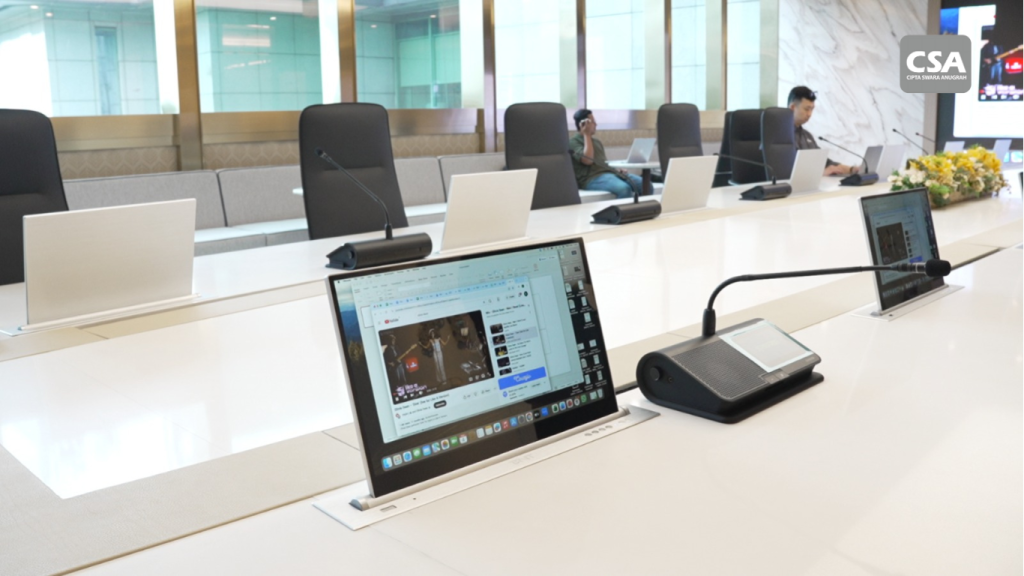
Key Components of an Integrated Monitoring Room
The equipment required for a monitoring room depends on its purpose, the number of operators, the information being monitored, and the complexity of the environment. The following components form the foundation of many professional AV installations.
1. Video Walls for Centralized Information Display
A video wall combines multiple displays into one large visual surface. It allows operators to observe several information sources without switching between individual screens.
Depending on the application, the display may show maps, camera feeds, operational dashboards, facility status, or other visual information. Operators can also prioritize selected content by allocating more screen space to important sources.
Selecting the right video wall requires consideration of resolution, brightness, viewing distance, screen dimensions, and content characteristics. Small text and detailed dashboards require sufficient image clarity to remain readable from operator positions.
The physical installation also matters. Mounting arrangements, access for maintenance, ventilation, and operating requirements should be evaluated before equipment selection.
A video wall should support the operator’s workflow rather than simply maximize the amount of information displayed.
2. Operator Workstations and Individual Monitors
While a video wall provides an overview, individual workstations allow operators to investigate information in greater detail.
A workstation may provide access to monitoring applications, dashboards, camera management software, or other operational platforms. The number of monitors should reflect each operator’s responsibilities and the applications they need to use.
Ergonomics also plays an important role. Operators should be able to read their screens comfortably while maintaining a practical viewing position toward the main display.
Desk dimensions, chair positions, keyboard placement, and monitor height all contribute to the working environment. Organizations should involve actual users during the planning stage to ensure that the proposed layout reflects real operational needs.
3. Video Processors and Signal Distribution Systems
A video processor manages how visual content appears across displays. Depending on its capabilities, it may arrange several sources into different layouts, resize content, or control which sources appear in selected areas of a video wall.
Signal distribution serves a different purpose. It delivers content from source devices to the appropriate displays or processing equipment.
Sources may include computers, cameras, conferencing systems, and operational monitoring platforms. The selected architecture must accommodate the required resolutions, connection formats, transmission distances, and compatibility requirements.
Designers should also consider latency and the number of simultaneous sources. These factors can influence how effectively operators interact with the system.
Rather than selecting equipment based only on input and output counts, organizations should evaluate how each device contributes to the complete signal path.
4. Audio Systems for Communication and Coordination
Audio remains important even in environments dominated by visual monitoring. Operators may need to communicate with field personnel, participate in coordination meetings, or listen to information from connected sources.
Depending on the requirements, the audio system may include microphones, speakers, audio processors, and communication interfaces.
Clear sound depends on more than equipment specifications. Speaker placement, microphone selection, room acoustics, and background noise all influence communication quality.
For example, a room used for both monitoring and remote meetings may require a different configuration from a facility dedicated to observation. These differences should be identified before equipment selection.
CSA Indonesia also discusses practical audio considerations in Common Mistakes When Choosing an Office Sound System. Although a monitoring room has different requirements from a conventional office, the article provides useful context for evaluating audio design and equipment selection.
5. Centralized Control Systems
A centralized control system allows users to manage compatible AV devices through one interface. Depending on the design, operators may be able to switch sources, change display layouts, adjust audio levels, or activate predefined operating scenarios.
For example, an operator might select a monitoring layout that displays several information sources simultaneously. During a coordination meeting, the same system could switch to a presentation layout.
These functions depend on the devices, programming, and control architecture selected for the project.
The interface should remain intuitive. An unnecessarily complicated control panel can slow operators down, especially when they need to respond quickly.
System testing should confirm that each programmed command works as intended. User training is also essential so operators understand the available functions and the correct procedures for using them.
For a broader perspective on integrated control technology, see CSA Indonesia’s article on Automation System Integration for Corporate and Hospitality Environments. This particular reference is published in Indonesian, so it is most useful for readers comfortable with that language.
6. Network Infrastructure, Equipment Racks, and Power
Some monitoring environments use network infrastructure to exchange data or distribute audiovisual content. The design team should therefore coordinate with the organization’s IT department before finalizing the architecture.
Supporting infrastructure may include network switches, cabling, equipment racks, power distribution, and cooling systems. Each component must be positioned to support reliable operation and practical maintenance.
Cable management deserves particular attention. Clearly organized connections make it easier for technicians to identify signal paths and troubleshoot problems.
Power requirements should follow equipment specifications and applicable safety requirements. For facilities with critical operational needs, organizations may also evaluate uninterruptible power supplies, backup power arrangements, or redundant components.
These measures should reflect the consequences of a potential interruption rather than being added without a clear operational reason.
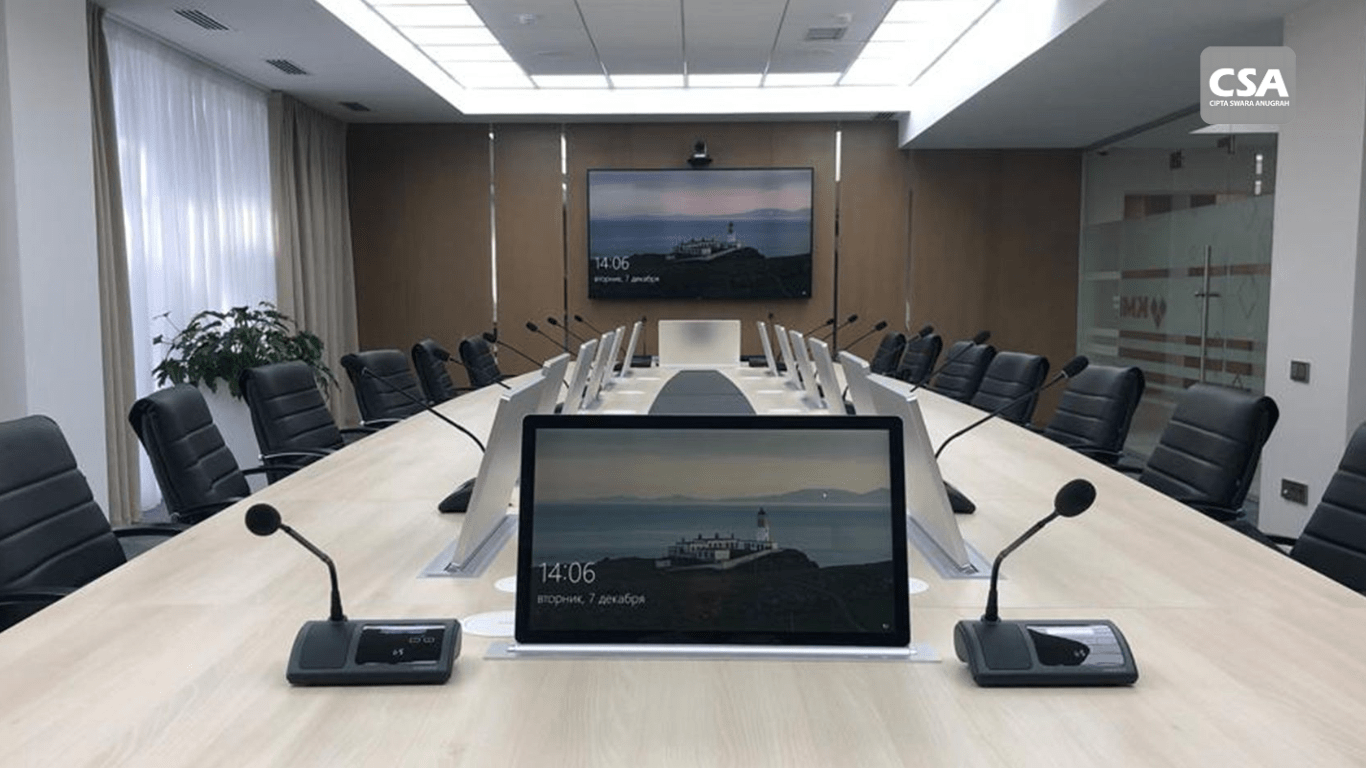
Read Also: Audio Conference System Meeting Room Solutions with CSA Indonesia
Applications Across Different Industries
The purpose of a monitoring room determines how the AV system should be designed. Different industries require different information sources, operator workflows, and levels of integration.
Government and public services
Government institutions may use monitoring centers to observe infrastructure, public services, or regional conditions. Centralized displays can help authorized personnel review information from multiple sources and coordinate appropriate responses.
The design should account for information priorities, user permissions, and applicable security policies. Sensitive information should only be accessible to authorized personnel.
Industrial facilities
Industrial organizations may use control rooms to monitor production activities, facility conditions, or operational performance. A centralized visual interface can help operators review relevant information without manually switching between multiple independent displays.
However, an AV system does not replace industrial automation or dedicated safety systems. Any integration with these platforms must follow the technical and operational requirements of each system.
Infrastructure and transportation
Infrastructure and transportation operations may require maps, camera feeds, service status dashboards, and information from multiple locations.
Operators need a clear visual hierarchy that helps them identify important information quickly. A well-organized layout can support the transition from an overall view to more detailed information when necessary.
Corporate operations
Companies may use monitoring rooms to oversee facilities, review operational performance, or coordinate teams across different locations. Some rooms may also support management briefings and presentations.
In these cases, the system may need additional presentation and conferencing capabilities. Organizations can explore related requirements in CSA Indonesia’s article, Audio Visual Systems for Corporate Offices: What Systems Are Needed?.
How to Design an Effective Monitoring Room
A successful project begins with a clear understanding of how the room will be used. The following steps help organizations translate operational requirements into a practical technical design.
1. Identify User Requirements and Workflows
Start by identifying who will use the room, what information they need, and which decisions they must make.
Involve operators, facility managers, IT personnel, and other relevant stakeholders. Document the number of users, information sources, operating hours, and scenarios that require rapid action.
These findings help determine the number of displays, workstation configurations, audio requirements, and control functions.
For example, a room focused on camera monitoring may require a different layout from one that primarily displays operational dashboards. Both may use video walls, but their content management requirements can differ significantly.
2. Determine Display Size and Viewing Distance
Display size should reflect the room dimensions and the distance between screens and operators.
A display that is too small may make detailed information difficult to read. However, a larger display does not automatically improve performance if the layout and content hierarchy remain poorly designed.
Resolution and interface scaling are equally important. Text, symbols, and dashboard elements should remain readable from the intended working positions.
3. Establish Information Priorities
Not every information source needs to appear on the main display at all times.
Identify which sources should remain visible, which should appear only when needed, and which require a more detailed view. This classification helps determine the video wall layout and the control functions operators need.
Organizations should also define who can change display configurations and how operators should respond to different situations.
A consistent approach reduces confusion and helps users work within a predictable visual environment.
4. Design the Signal Flow and Integration Architecture
Once the display requirements are clear, map the connections between source devices, processors, distribution equipment, and destination screens.
A system diagram helps the technical team understand how signals travel through the installation. It also provides a useful reference during troubleshooting and future upgrades.
Check device compatibility, supported resolutions, connection formats, and expansion requirements. If the project involves network-based AV distribution, coordinate network capacity and security requirements with the IT team.
CSA Indonesia explains the broader integration process in Audio Visual System Integration for Effective Hybrid Meetings: A Modern Collaboration Solution. While hybrid meetings differ from control room operations, both applications demonstrate why connected devices need a coordinated design.
5. Consider Acoustics, Lighting, and Ergonomics
The physical environment affects how comfortably operators can work.
Avoid lighting conditions that create distracting reflections on displays. At the same time, maintain suitable lighting for reading documents, using controls, and performing other tasks.
Consider background noise from cooling systems and equipment racks. Speaker placement and acoustic treatment may also be necessary when clear verbal communication is important.
The arrangement of desks, chairs, monitors, and movement paths should support the users’ daily activities without creating unnecessary physical strain.
6. Plan for Maintenance and Operational Continuity
Maintenance requirements should be addressed before installation begins.
Provide sufficient access to equipment racks, allow for appropriate cooling, and document the system’s connections. Organizations should also establish maintenance schedules and procedures for handling technical issues.
For critical facilities, evaluate whether backup power, redundant signal paths, or replacement equipment are necessary.
The right configuration depends on the operational risks and the consequences of system downtime.
7. Test the System and Train Operators
Before the room enters regular operation, test every component and verify the complete system workflow.
Testing should cover display quality, signal distribution, audio performance, control functions, and source switching. Simulate normal operating scenarios to identify problems before handover.
The project team should also provide relevant documentation, including system diagrams and configuration details.
Operator training ensures that users understand the available functions and can follow the correct procedures. These steps make the system easier to maintain and manage after installation.
Common Implementation Challenges and How to Address Them
Even a carefully planned project can encounter challenges if equipment, infrastructure, and user requirements are not aligned.
Equipment compatibility. Different connection formats, resolutions, and control protocols can limit integration. Review technical specifications before procurement and confirm that the selected components can work together.
Overcrowded displays. Showing too much information can make important details harder to identify. Establish a clear content hierarchy and give priority to the information operators need most frequently.
Complicated controls. Separate interfaces can increase the number of steps required for routine tasks. A centralized control interface can simplify operation when the connected devices support the intended functions.
Difficult maintenance. Poor cable management and incomplete documentation can complicate troubleshooting. Include service access, labeling, and technical documentation in the original design.
Organizations evaluating a project partner can also consult 7 Things to Consider Before Choosing an AV System Integrator. The article outlines considerations such as system design, technical capabilities, installation, testing, and post-installation support.
Why Work with an AV System Integrator?
A complex monitoring room requires coordination between equipment selection, system design, installation, configuration, and testing. Managing these elements as separate tasks can create gaps between the original requirements and the final installation.
An AV System Integrator helps translate user requirements into a coordinated technical solution. The scope may include planning, equipment selection, integration, installation, configuration, testing, commissioning, and user guidance, depending on the project agreement.
Companies should evaluate potential partners based on their technical capabilities and understanding of the intended application, rather than comparing equipment prices alone.
CSA Indonesia provides professional audiovisual integration and Smart Technology solutions for corporate, government, and industrial requirements. Organizations exploring this type of project can learn more through AV System Integrator Services for Companies: Solutions, Services, and Project Experience.
For a more general introduction to the integrator’s role, CSA Indonesia also publishes What Is an AV System Integrator? Understanding the Role and AV System Integration Process.
These resources can help organizations understand the considerations involved before deciding on a project scope or selecting a technical partner.
How CSA Indonesia Can Support Integrated AV Projects
Developing an effective monitoring room requires more than choosing suitable displays and connecting equipment. The organization must ensure that each component supports the intended workflow and operates within the requirements of the wider technical environment.
CSA Indonesia focuses on professional audiovisual integration and Smart Technology solutions for corporate, government, and industrial applications. Its system integration approach is relevant to organizations seeking to coordinate compatible AV technologies within a unified environment.
Project requirements should be assessed individually. The appropriate design depends on the room layout, number of information sources, operating requirements, existing infrastructure, and future expansion plans.
Before beginning a project, organizations should establish clear objectives and document their technical requirements. This gives the project team a stronger basis for evaluating equipment, developing the integration architecture, and defining acceptance tests.
If your organization is planning a new monitoring room or upgrading an existing facility, CSA Indonesia can be considered as a potential partner for audiovisual integration and Smart Technology requirements. Discussing the intended application, site conditions, and integration scope can help establish a solution that aligns with operational needs.
Conclusion
An effective monitoring room depends on the coordinated operation of displays, signal distribution, audio equipment, control interfaces, and supporting infrastructure. The design should reflect operator workflows, information priorities, room conditions, and long-term maintenance requirements.
Organizations can improve project planning by defining their requirements early, verifying equipment compatibility, testing the complete system, and preparing operators before handover.
For companies, government institutions, and industrial facilities considering an integrated AV project, CSA Indonesia offers a relevant starting point for exploring professional audiovisual integration and Smart Technology solutions based on project requirements.
FAQ
1. What is a Command Center AV System?
It is an integrated audiovisual solution that helps operators monitor and manage information from a centralized room. Typical components include video walls, workstations, signal distribution equipment, audio devices, and control interfaces.
2. What are the main components of a monitoring room?
Common components include video walls, operator monitors, workstations, video processors, signal distribution systems, audio equipment, control systems, network infrastructure, equipment racks, and power systems.
3. Does every monitoring room require a video wall?
No. The requirement depends on the number of information sources, viewing distance, operator responsibilities, and room purpose. Some facilities can operate effectively with individual monitors instead.
4. What is the difference between a command center and a control room?
The terms can overlap. A command center often emphasizes information coordination and decision-making, while a control room may focus more directly on monitoring or controlling a specific process. Their exact functions depend on the organization and industry.
5. Why is AV integration important in a monitoring room?
Integration helps compatible devices operate through a coordinated workflow. It can simplify source selection, display management, communication, and control when the system is designed around operational requirements.
6. How can CSA Indonesia support a monitoring room project?
CSA Indonesia provides audiovisual integration and Smart Technology solutions for corporate, government, and industrial requirements. The appropriate scope should be discussed based on the project objectives, site conditions, and technical specifications.