
A Hybrid Meeting Room Solution helps businesses connect employees, executives, clients, and business partners regardless of their physical location. As hybrid working becomes part of modern business operations, meeting rooms must support both onsite discussions and remote participation without compromising communication quality.
However, creating an effective hybrid meeting environment requires more than installing a camera and connecting a laptop to a display. Every participant should be able to hear conversations clearly, see the people speaking, follow presentations, and contribute to discussions naturally.
This requires a carefully designed audio visual infrastructure where cameras, microphones, speakers, displays, video conferencing platforms, and room control systems work together.
The main objective is to create a consistent meeting experience for everyone. Remote participants should not feel disconnected from the conversation, while onsite participants should be able to interact with online colleagues without technical interruptions.
For businesses planning to modernize their workplaces, understanding the technology, room requirements, and integration process is an important first step.
What Is a Hybrid Meeting Room?
A hybrid meeting room is a meeting space equipped with audio visual technology that allows participants to communicate both physically and virtually. Some attendees join from the office, while others participate through a video conferencing platform from different locations.
Unlike conventional meeting rooms, this environment requires two-way communication between the physical room and remote participants.
When someone speaks inside the room, microphones capture their voice and transmit it through the conferencing system. Cameras capture the participants and send their video to remote attendees.
The process also works in reverse. Voices from remote participants are delivered through the room’s speakers, while their video feeds appear on the meeting display.
This allows everyone to participate in the same discussion, share information, and collaborate without needing to be physically present in one location.
The configuration can vary depending on the room’s purpose and capacity. A small meeting room may only require an integrated video conferencing device, while a large conference room may need multiple cameras, distributed microphones, digital signal processing, and centralized control.
The technology also needs to work as one coordinated infrastructure. This is closely related to AV system integration for modern businesses, where different audio visual components are connected to support a unified operational environment.
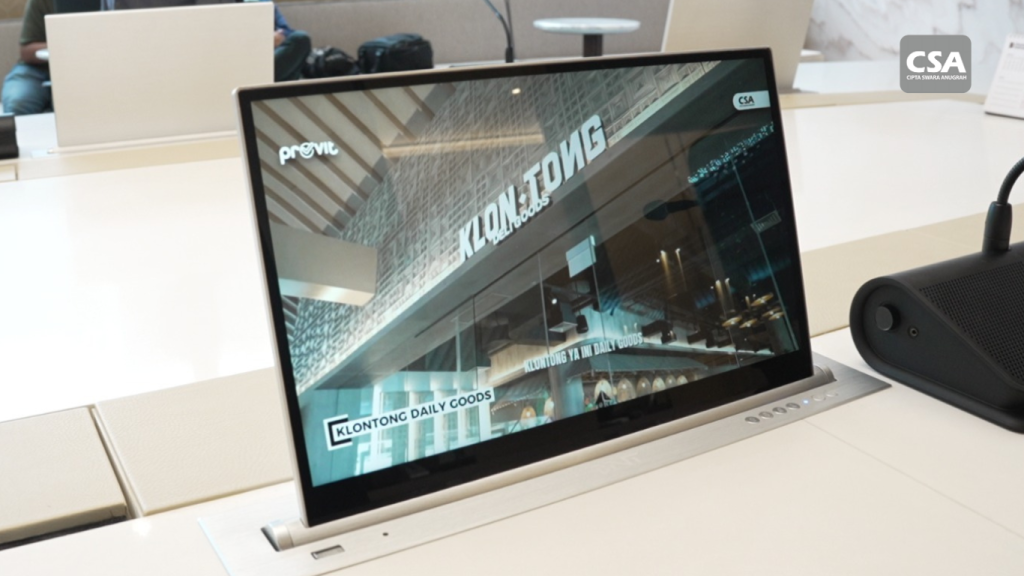
Read Also: Best Smart Meeting Room Vendor CSA Indonesia for Modern and Intelligent Meeting Solutions
Why Should Onsite and Remote Participants Have an Equal Meeting Experience?
One of the biggest challenges in hybrid collaboration is maintaining balanced participation. People inside the room can communicate directly, observe facial expressions, and follow conversations naturally.
Remote attendees, on the other hand, depend entirely on the technology installed in the meeting space. Poor camera positioning, unclear audio, or inconsistent content sharing can make it difficult for them to follow the discussion.
Several factors should be considered to create a more balanced experience.
1. Clear Visibility for Every Participant
Remote attendees need to see the people speaking and understand what is happening inside the meeting room.
Camera placement should consider the room layout, seating arrangement, viewing angle, and distance from participants. A camera positioned too far away may make facial expressions difficult to recognize, while an unsuitable angle can leave some attendees outside the frame.
For more advanced applications, cameras with auto-framing or speaker tracking can automatically adjust the view based on meeting activity.
The objective is not simply to display the room. It is to help remote participants feel involved in the conversation.
2. Consistent Audio Communication
Audio quality is equally important because participants need to hear every discussion without excessive background noise, echo, or interruptions.
Microphones must capture voices from the intended seating areas, while speakers should distribute incoming audio clearly throughout the room.
The system also needs appropriate echo cancellation and audio processing to prevent the microphone from picking up sound from the room’s speakers.
This is why meeting room sound system design should be considered as part of the overall conferencing infrastructure rather than as a separate installation.
3. Accessible Presentation Materials
Both onsite and remote participants should be able to follow presentations, documents, diagrams, and other shared content.
Professional displays and interactive displays can support this requirement. Depending on the meeting format, participants may also need to annotate documents, write ideas on a digital whiteboard, or collaborate on shared content.
These capabilities can make discussions more engaging and encourage participation from different locations.
Businesses can explore audio visual systems for more interactive meeting rooms when planning a more collaborative workplace.
Essential Components of a Hybrid Meeting Room
A reliable conferencing environment depends on several interconnected components. Each device has a specific function, but its effectiveness also depends on how it works with the rest of the system.
1. Video Conferencing Cameras
Cameras capture onsite participants and transmit their video to remote attendees.
The appropriate camera depends on room dimensions, seating arrangements, viewing angles, and the number of people participating.
For smaller rooms, an integrated conferencing camera may provide sufficient coverage. Medium and large meeting spaces may require PTZ cameras with pan, tilt, and zoom capabilities.
Some models also offer auto-framing and speaker tracking, allowing the camera to adjust its view based on the participants speaking.
Camera selection should always consider how the room will be used, rather than relying solely on technical specifications.
2. Microphone Systems
Microphones capture voices from onsite participants and send them to the conferencing platform.
Different room configurations may require different microphone solutions. Table microphones are suitable for certain meeting layouts where participants speak from designated seating positions. Ceiling microphones can provide another option when businesses want to maintain a clean tabletop arrangement.
Important considerations include microphone coverage, pickup patterns, sensitivity, and background noise.
Proper positioning helps ensure that participants can speak naturally without needing to raise their voices or move closer to a microphone.
3. Speakers and Audio Distribution
Speakers deliver remote participants’ voices into the physical meeting room.
The system should provide consistent sound coverage while minimizing echo, feedback, and unwanted noise. Speaker placement must account for room dimensions, seating positions, acoustic conditions, and microphone locations.
For larger spaces, multiple speakers may be required to distribute sound more evenly.
The priority should be speech intelligibility rather than simply increasing volume.
4. Displays and Interactive Displays
Displays provide visual access to remote participants, shared presentations, and meeting information.
Screen size and placement should correspond to the room’s dimensions and viewing distance. Larger conference rooms may require multiple displays so that participants can see content from different seating positions.
Interactive displays can provide additional collaboration features, including digital whiteboarding, annotation, and direct interaction with presentation materials.
These features are particularly useful for brainstorming sessions, project discussions, and collaborative planning.
5. Digital Signal Processor (DSP)
A Digital Signal Processor manages and processes audio signals within the system.
Depending on the configuration, DSP functions may include equalization, audio mixing, echo cancellation, and signal routing.
This becomes especially important when a meeting room uses multiple microphones, speakers, and audio sources.
A properly configured DSP helps maintain consistent audio performance and supports clearer communication between onsite and remote participants.
Businesses can learn more about Digital Signal Processor technology and its role in integrated AV systems.

Read Also: How Integrated AV Systems Work for Modern Workplaces and Smart Meeting Rooms
6. Video Conferencing Platform and Network Infrastructure
The conferencing platform connects onsite and remote participants. Businesses should select a platform that supports their communication requirements and works with the room’s hardware.
Network infrastructure is another important consideration. Unstable connectivity can cause frozen video, interrupted audio, and delayed communication.
Planning should include bandwidth capacity, network reliability, and the company’s security requirements.
A well-designed room cannot deliver a consistent conferencing experience if the network connection is inadequate.
7. Room Control System
Operating multiple devices separately can make a meeting room difficult to use.
A room control system simplifies this process by allowing users to manage different functions through a centralized interface.
Depending on the configuration, users may be able to control cameras, displays, audio settings, lighting, and presentation sources from a touch panel.
Some systems can also provide predefined meeting modes, allowing users to start a session with fewer manual steps.
Learn more about room automation systems for modern meeting spaces.
Recommended Hybrid Meeting Configurations Based on Room Size
Not every meeting room requires the same equipment. Businesses should consider the room’s capacity, layout, meeting activities, and operational requirements before selecting devices.
The following configurations provide a general overview.
Small Meeting Rooms
Small meeting rooms are commonly used for team discussions, short presentations, and meetings involving a limited number of participants.
A practical configuration may include:
- An integrated video conferencing camera.
- Built-in or additional microphones.
- Conference speakers.
- One professional display.
- A compatible video conferencing device or platform.
Integrated devices can be useful in smaller spaces because they reduce installation complexity and simplify daily operation.
Medium Meeting Rooms
Medium-sized rooms are often used for departmental meetings, client presentations, and discussions involving several teams.
A suitable configuration may include:
- A camera with wider room coverage.
- Table or ceiling microphone systems.
- Dedicated speakers.
- DSP for audio processing.
- Professional or interactive displays.
- A centralized room control system.
At this level, equipment placement becomes increasingly important. Camera coverage, microphone pickup, and speaker distribution should be planned according to the room layout.
Large Conference Rooms
Large conference rooms require more comprehensive planning because they may accommodate many participants and multiple communication sources.
A configuration may include:
- Multiple cameras with different viewing angles.
- Microphone systems with wider coverage.
- DSP for centralized audio processing.
- Distributed speakers.
- Multiple professional displays.
- Centralized control infrastructure.
- Reliable network connectivity.
The design should also account for acoustic conditions, seating arrangements, and the way participants interact during meetings.
A professional AV system integrator can help determine the most appropriate configuration based on the room’s technical and operational requirements.
How Does an Integrated Hybrid Meeting System Work?
An integrated conferencing system connects audio, video, and control components through a coordinated signal flow.
When an onsite participant speaks, the microphone captures their voice and sends the audio signal to the processing system. The signal is adjusted as required before being transmitted to the video conferencing platform.
At the same time, the camera captures the participant’s image and sends the video feed to the platform.
Remote attendees receive both audio and video through their conferencing devices.
The process works in the opposite direction when a remote participant speaks. Their audio is received through the conferencing platform, processed by the room’s audio system, and delivered through the speakers.
Their video feed is displayed on the room’s screens, allowing onsite participants to see who is speaking.
Presentation sharing follows a similar process. When someone shares a document or presentation, the content can be displayed inside the meeting room and transmitted to remote attendees.
All these processes must work together to create a consistent communication experience.
This is why integrated AV system design for modern workplaces plays an important role in building reliable conferencing environments.
Key Considerations Before Building a Hybrid Meeting Room
Before purchasing equipment or starting installation, businesses should evaluate their operational requirements and the physical conditions of the room.
1. Identify Meeting Requirements
Start by understanding how the room will be used.
Will it support internal team discussions, executive meetings, client presentations, or communication between multiple office locations?
Each activity may require different camera coverage, microphone arrangements, display capabilities, and collaboration features.
Identifying these requirements helps businesses avoid unnecessary equipment purchases.
2. Evaluate Room Conditions
Room dimensions, table layouts, lighting, wall materials, and acoustic characteristics can influence system performance.
For example, a room with reflective surfaces may require additional acoustic considerations. Camera placement may also need adjustment to avoid backlighting or obstructed views.
These factors should be evaluated before the installation design is finalized.
3. Check Device Compatibility
Businesses should ensure that cameras, microphones, speakers, displays, and conferencing equipment can communicate properly.
Selecting individual devices based only on their specifications can create integration problems later.
Compatibility, connectivity, and system functionality should be evaluated as part of one complete design.
4. Prioritize Ease of Operation
A meeting room should be accessible to employees with different levels of technical experience.
The control interface should make it easy to start a meeting, select a camera, adjust audio, and share presentations.
Automation can also reduce the number of manual steps required to prepare the room.
5. Plan for Future Expansion
Business requirements may change as teams grow and meeting activities become more complex.
The infrastructure should therefore consider possible future additions, including cameras, microphones, displays, and other integrated technologies.
A flexible design can help businesses expand their systems without having to replace the entire installation.
For further guidance, explore how to create a more efficient meeting room with AV technology.
Common Implementation Challenges and How to Address Them
Even with the right equipment, technical issues can affect the meeting experience. Understanding these challenges helps businesses plan more effectively.
Inconsistent Audio Quality
Echo, background noise, and unclear speech can make discussions difficult to follow.
These problems may result from unsuitable microphone placement, poor room acoustics, or incorrect audio configuration.
The solution involves evaluating the room’s acoustic conditions and configuring the audio system accordingly. DSP can also help manage signal processing and reduce unwanted audio effects.
Limited Camera Coverage
A camera with an unsuitable viewing angle may fail to capture all participants.
Businesses should consider room dimensions, seating arrangements, and the expected camera perspective. Larger rooms may benefit from multiple camera positions or more advanced tracking features.
Difficult System Operation
Users may struggle when they need to operate several devices individually.
A centralized room control system can simplify the process by bringing essential functions into one interface.
Preconfigured meeting modes can make daily operation more consistent.
Poor Integration Between Devices
Equipment from different manufacturers may have compatibility limitations. Incorrect signal routing or configuration can also interrupt communication.
A complete system design should be developed before installation begins. This helps ensure that each component can work within the intended infrastructure.
Businesses can also explore why audio visual systems should be designed as one integrated solution.
Why Businesses Need a Professional AV System Integrator
Building a reliable meeting environment involves more than purchasing and installing equipment. It requires an understanding of audio engineering, video technology, network infrastructure, room acoustics, control systems, and user requirements.
A professional AV system integrator helps bring these elements together through a structured implementation process.
The process generally includes:
- Consultation and needs assessment: Understanding how the room will be used and identifying its technical requirements.
- System design: Planning device selection, signal flow, equipment placement, and integration.
- Equipment selection: Identifying compatible components based on the project scope.
- Installation and configuration: Connecting devices and configuring the system.
- Testing and commissioning: Checking audio, video, control functions, and overall system performance.
- Technical support: Providing assistance and maintenance according to the agreed service requirements.
Working with an experienced integrator can help businesses avoid incompatible devices, unnecessary expenses, and operational problems.
When evaluating potential partners, consider their technical experience, project portfolio, integration capabilities, and after-sales support.
For additional guidance, read the role of AV system integrators in delivering smart technology for modern businesses.
CSA Indonesia provides audio visual integration solutions for corporate and commercial environments. By considering the requirements of each project, businesses can plan systems that align with their room conditions, collaboration needs, and operational objectives.
Companies can also review seven important considerations when choosing an AV system integrator before selecting an implementation partner.
Creating a Meeting Environment That Connects Every Participant
A successful meeting environment is not defined by the number of devices installed. Its value comes from how effectively the technology supports communication and collaboration.
Cameras should provide clear views of participants. Microphones and speakers should deliver understandable conversations. Displays should make shared information accessible, while control systems should simplify daily operation.
These components need to be planned as one integrated infrastructure. Businesses should also consider room capacity, meeting habits, device compatibility, and potential future expansion.
With the right design, a meeting room can support more flexible collaboration and help employees communicate across different locations.
The goal is to make distance less of a barrier, allowing onsite and remote participants to contribute to the same discussion with greater confidence.
Conclusion
An effective hybrid meeting environment requires more than a video conferencing device. Businesses need to integrate cameras, microphones, speakers, displays, DSP, network infrastructure, and room control systems to support consistent communication.
The system design should reflect room dimensions, participant capacity, operational requirements, and future development plans. Working with a professional AV system integrator can also help ensure that all components operate as one coordinated solution.
With proper planning and implementation, businesses can create flexible meeting spaces that connect onsite and remote participants while supporting more productive collaboration.
FAQ
1. What is a hybrid meeting room?
A hybrid meeting room is a meeting space equipped with audio visual technology that connects participants attending in person with others joining remotely through a video conferencing platform.
2. What equipment is needed for a hybrid meeting room?
Typical equipment includes video conferencing cameras, microphones, speakers, displays, DSP, conferencing devices, network infrastructure, and room control systems. The exact configuration depends on room size and meeting requirements.
3. Can an existing meeting room be converted into a hybrid meeting room?
Yes. An existing room can be upgraded by adding compatible conferencing equipment and integrating it with the available audio visual infrastructure. However, room conditions and device compatibility should be evaluated first.
4. What is the difference between a conventional meeting room and a hybrid meeting room?
A conventional meeting room primarily supports participants who are physically present. A hybrid meeting room also connects remote participants through integrated audio visual equipment and conferencing platforms.
5. Why is AV system integration important for hybrid meetings?
Integration allows cameras, microphones, speakers, displays, and control systems to operate together. This helps improve communication quality, simplify operation, and reduce potential compatibility issues.
6. What does an AV system integrator do for a hybrid meeting room project?
An AV system integrator assesses project requirements, designs the system, selects compatible equipment, manages installation, configures devices, and tests the complete solution to support the business’s operational needs.