
Meetings are no longer limited to people sitting in the same room and sharing information through a screen. As businesses adopt hybrid work, remote collaboration, and digital communication, meeting rooms need to deliver a more connected and efficient experience. This is where an AI-Powered Meeting Room becomes increasingly relevant.
Artificial Intelligence (AI) is changing how audio visual systems operate. Cameras can identify active speakers, microphones can support clearer conversations, and meeting platforms can automatically generate transcripts and summaries. These capabilities help reduce manual adjustments and allow participants to focus on the discussion.
However, implementing AI in a meeting room involves more than installing an intelligent camera or choosing a video conferencing platform. The technology must work together with microphones, speakers, displays, processors, control systems, and network infrastructure.
Understanding how these components interact is essential for businesses planning to build a modern meeting environment.
What Is an AI-Powered Meeting Room?
An AI-Powered Meeting Room is a meeting environment that uses artificial intelligence to improve communication, automate selected processes, and support collaboration between participants in physical and remote locations.
Unlike conventional meeting rooms, which often require users to operate several devices manually, AI-enabled environments can use intelligent features to respond to meeting conditions.
For example, a camera may detect who is speaking and adjust its framing accordingly. An audio system may use intelligent processing to help reduce unwanted background noise. A supported conferencing platform can also convert spoken discussions into written transcripts.
These features can improve the meeting experience in several ways:
- Intelligent camera control: Automatically adjusts camera framing based on participant positions or speaking activity.
- Speaker tracking: Identifies the active speaker and directs the camera toward the relevant area.
- Audio enhancement: Helps improve speech clarity and reduce distracting background sounds.
- Meeting transcription: Converts spoken conversations into written records.
- Automated room control: Coordinates selected room functions through integrated control systems.
- Smarter collaboration: Helps connect in-room participants with colleagues joining remotely.
It is important to understand that not every automated AV feature uses AI. Some functions rely on conventional digital signal processing (DSP), programmed logic, or sensor-based automation. A well-designed system combines these technologies according to the actual needs of the room.
Read Also: Best Smart Meeting Room Vendor CSA Indonesia for Modern and Intelligent Meeting Solutions
How Artificial Intelligence Is Changing Meeting Room Audio Visual Systems
AI introduces new capabilities to audio visual environments. Its value becomes clearer when we examine how it works with the main components of a meeting room.
1. AI Cameras and Automatic Speaker Tracking
Camera performance has a major influence on video conferencing quality. Remote participants need to see the people speaking clearly, especially during presentations, discussions, and collaborative sessions.
Traditional meeting room cameras often rely on manual control or fixed viewing angles. Users may need to adjust the camera when participants move or when the discussion shifts to another side of the room.
AI-enabled cameras can offer more responsive operation.
Depending on the camera’s capabilities, intelligent features may include:
- Detecting and framing individual participants.
- Identifying the active speaker.
- Tracking speakers as they move within the camera’s coverage area.
- Adjusting the viewing angle to capture a group of participants.
- Creating different video layouts for meetings and presentations.
For example, during a boardroom discussion, a camera with speaker-tracking capabilities may automatically focus on the person speaking. When the conversation moves to another participant, the camera can adjust its framing.
This helps remote attendees follow the discussion without requiring someone to operate the camera manually.
However, performance depends on camera placement, room dimensions, participant positioning, and the camera’s supported tracking technology. These factors should be considered during the AV system design process.
2. AI Audio Processing for Clearer Conversations
Audio quality is just as important as video quality. Participants may tolerate a slightly imperfect camera angle, but unclear speech can make a meeting difficult to follow.
Background noise, microphone placement, room acoustics, and unwanted reflections can all affect communication.
AI-based audio technologies can help address some of these challenges through features such as:
- Noise suppression: Helps reduce unwanted sounds, such as keyboard typing, air conditioning, or other background noise.
- Voice enhancement: Helps make speech more distinguishable from surrounding sounds.
- Acoustic processing: Supports clearer communication in environments with challenging acoustic conditions.
- Speaker separation: In supported applications, helps distinguish different voices during a conversation.
It is worth noting that noise reduction and echo cancellation are not automatically AI functions. Many professional audio systems already provide these capabilities through conventional DSP algorithms.
A Digital Signal Processor handles important audio tasks, including equalization, filtering, mixing, routing, and acoustic echo cancellation. AI may complement these processes, depending on the equipment and software being used.
For a deeper understanding of this technology, explore what a Digital Signal Processor (DSP) does and its role in integrated audio visual systems.
The objective is not simply to add more processing features. It is to deliver consistent and intelligible audio throughout the meeting room.
3. Automatic Framing and Intelligent Video Composition
In a hybrid meeting, remote participants need to understand who is speaking and how the discussion is progressing.
Automatic framing helps improve the visual experience by adjusting the camera view based on the number and position of participants.
Depending on the camera system, this may include:
- Framing one participant during an individual presentation.
- Showing several participants in a group view.
- Adjusting the composition when people enter or leave the room.
- Keeping the active speaker within the camera frame.
Some systems also support intelligent video composition, which can create different layouts for presentations and discussions.
For example, a meeting room camera may show the presenter in one frame while keeping other participants visible in another. This can help remote attendees understand the flow of the meeting.
These capabilities are particularly useful in conference rooms, executive meeting spaces, and training environments where visual communication plays an important role.
4. AI Transcription and Meeting Documentation
One of the most practical applications of AI in modern meetings is automated documentation.
Traditional meeting documentation depends on participants taking notes manually. This can be challenging when discussions move quickly or involve several speakers.
AI-supported conferencing platforms can offer features such as:
- Real-time speech-to-text transcription.
- Automatic meeting summaries.
- Speaker identification, where supported.
- Action item extraction.
- Searchable meeting records.
For example, after a project meeting, an integrated conferencing platform may provide a transcript and a summary of the main discussion points. Participants can use these records to review decisions and follow up on assigned tasks.
However, these capabilities are generally provided by the conferencing platform or connected software rather than the room’s AV hardware alone.
Businesses should also consider data privacy, user consent, recording policies, and access permissions before enabling transcription or automated meeting summaries.
5. Smart Room Automation and Centralized Control
A modern meeting room usually contains multiple devices, including displays, cameras, microphones, speakers, video conferencing equipment, and lighting systems.
Without proper integration, users may need to operate each device separately. This can make meetings less efficient, especially for employees who are unfamiliar with the equipment.
Smart room automation helps simplify these operations through centralized control.
For example, when a meeting begins, a programmed room configuration may:
- Turn on the main display.
- Activate the required audio system.
- Select the appropriate video conferencing input.
- Adjust lighting to the selected room setting.
- Set the camera to a predefined position.
Some systems can also use occupancy sensors, schedules, or other data to trigger specific actions.
AI may add another layer of intelligence by analyzing information and supporting more adaptive decisions. However, many room automation functions still rely on predefined rules and programmed commands rather than AI.
The combination of automation and intelligent technologies can create a more convenient meeting environment.
Learn more about Room Automation System technology for modern businesses and how it supports integrated meeting room operations.
Essential Components of an AI-Enabled Meeting Room
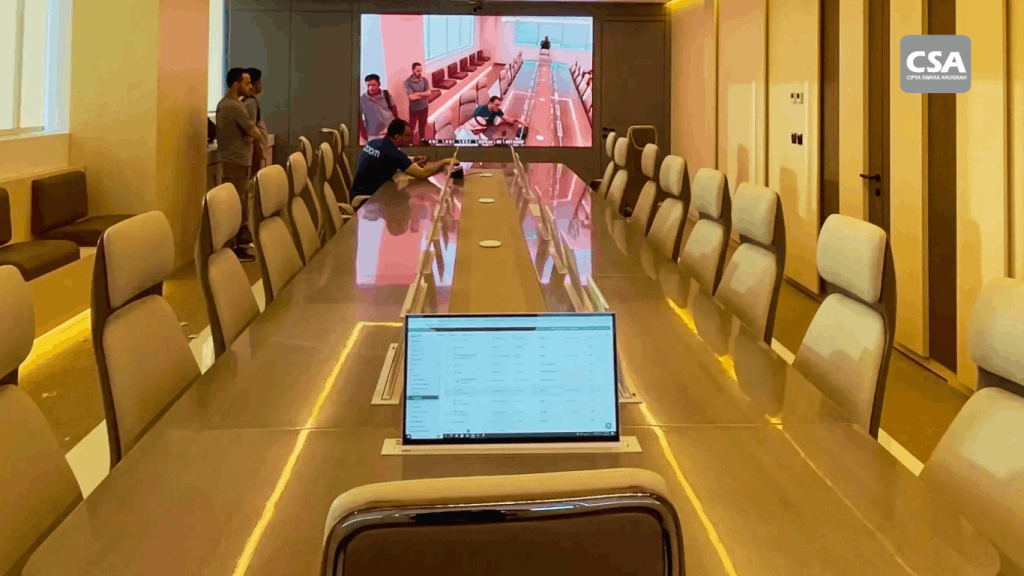
An intelligent meeting environment depends on more than one device. Each component has a specific role, and all of them must work together.
The following equipment forms the foundation of a modern meeting room audio visual system.
1. Intelligent Meeting Room Camera
The camera captures participants and presenters for remote attendees.
Depending on the model, it may support automatic framing, speaker tracking, facial detection, or intelligent video composition.
Camera selection should consider room size, viewing distance, field of view, resolution, and compatibility with the conferencing platform.
2. Microphones and Professional Speakers
Microphones capture participants’ voices, while speakers deliver audio from remote attendees.
The microphone configuration should match the room layout. Small meeting rooms may use integrated microphone systems, while larger conference rooms may require ceiling microphones or multiple microphone units.
Speaker placement and coverage are also important to ensure that everyone can hear conversations clearly.
3. Digital Signal Processor (DSP)
A DSP manages audio signals and helps maintain consistent sound quality.
It can handle tasks such as equalization, mixing, signal routing, filtering, and echo cancellation.
For larger or more complex meeting rooms, DSP configuration plays an important role in achieving reliable audio performance.
4. Displays and Presentation Systems
Displays allow participants to view presentations, video calls, shared content, and meeting information.
Depending on the room’s requirements, a system may use a single large display, multiple screens, or an interactive display.
The selected display configuration should support the room’s viewing distance, participant capacity, and presentation needs.
5. Video Conferencing Platform
The conferencing platform connects in-room participants with remote attendees.
It may also provide software-based AI capabilities, including transcription, meeting summaries, noise suppression, and collaboration tools.
Compatibility between the platform and the room’s hardware is essential.
6. Room Control System
A room control system allows users to operate different AV devices through a centralized interface.
Users can manage displays, audio, cameras, and other connected equipment without switching between multiple control applications.
For more information, read what a Room Control System is and how it supports smart meeting rooms.
7. Network Infrastructure
Network infrastructure supports communication between devices, conferencing platforms, and remote participants.
A stable network is essential for video conferencing, cloud-based AI services, device communication, and content sharing.
Businesses should evaluate bandwidth, network security, latency, and connection reliability before deploying an integrated system.
For a broader overview, see the devices included in an integrated audio visual system for smart meeting rooms and modern buildings.
How an AI-Powered Meeting Room Works as an Integrated System
The real value of intelligent meeting technology comes from how its components interact.
Consider a hybrid meeting in a corporate boardroom.
Before the meeting starts, the room control system activates the display, camera, microphones, and speakers. The conferencing platform connects participants joining remotely.
When someone begins speaking, a supported camera system may identify the active speaker and adjust its framing. At the same time, the microphone captures the speaker’s voice, while the audio processor manages the signal before it reaches remote participants.
If the conferencing platform supports AI transcription, the conversation can also be converted into written text.
During a presentation, the display shows shared content while the audio and video systems continue supporting communication between participants.
Once the meeting ends, the room can return to its default configuration through programmed automation.
This process demonstrates why an intelligent meeting environment should be planned as one integrated system rather than a collection of separate devices.
For businesses exploring this approach, understanding AV system integration and its applications for modern businesses is an important starting point.
Key Benefits of AI-Powered Meeting Rooms for Businesses
Implementing intelligent meeting technology can provide several operational benefits.
1. More Efficient Meetings
Automatic camera adjustments, centralized controls, and software-based meeting assistance can reduce the time spent preparing equipment.
Participants can focus on discussions instead of managing technical settings.
2. Better Hybrid Meeting Experiences
Intelligent camera features and improved audio processing can help remote participants follow conversations more naturally.
This is particularly important for companies with multiple offices, distributed teams, or international business partners.
3. Improved Communication Quality
Properly configured microphones, speakers, DSP, and conferencing equipment help deliver clearer conversations.
AI-supported features may further improve the experience when they are compatible with the selected hardware and platform.
4. Easier Meeting Documentation
Automated transcription and summaries can help teams review discussions, identify decisions, and follow up on action items.
This reduces dependence on manual note-taking, although important decisions should still be reviewed for accuracy.
5. More Consistent Room Operations
Centralized control and programmed automation can standardize how meeting rooms operate.
This makes the environment easier to use across different departments and meeting spaces.
6. Better Use of Meeting Room Resources
Integrated systems can simplify device operation and reduce unnecessary manual intervention.
With proper planning and maintenance, businesses can also improve the long-term value of their audio visual investment.
Challenges to Consider Before Implementing AI Meeting Room Technology
Although intelligent meeting technology offers many advantages, businesses should evaluate several factors before investing.
1. Device and Platform Compatibility
Not every camera, microphone, DSP, and conferencing platform supports the same features.
Businesses should verify compatibility before purchasing equipment. This includes checking supported protocols, software requirements, device control, and integration capabilities.
2. Network Performance
AI-based conferencing features may rely on cloud processing or software services.
An unstable network can affect video quality, audio performance, and access to connected applications.
Network readiness should therefore be part of the initial system assessment.
3. Data Privacy and Security
Features such as voice transcription, meeting recording, and participant identification may involve sensitive business information.
Companies should establish clear policies for data storage, access permissions, recording consent, and platform security.
4. Investment and Maintenance
An intelligent meeting room requires more than the initial equipment purchase.
Businesses should also consider system design, installation, programming, configuration, user training, and ongoing maintenance.
Choosing equipment based only on specifications or price may result in compatibility issues and additional costs later.
5. Room Design and Acoustic Conditions
AI cannot automatically solve every physical room limitation.
Poor microphone placement, excessive reverberation, unsuitable camera angles, and inadequate display positioning can still affect meeting quality.
Room acoustics and equipment layout must be addressed during the design stage.
What Should Businesses Prepare Before Building an AI Meeting Room?
Before implementing an intelligent meeting environment, businesses should identify their actual operational requirements.
The following checklist can help guide the planning process:
- Define the room’s purpose: Determine whether the space is intended for daily meetings, executive discussions, presentations, or hybrid conferences.
- Identify participant capacity: Establish how many people will use the room at the same time.
- Evaluate meeting requirements: Determine whether automatic speaker tracking, transcription, wireless presentation, or centralized control is necessary.
- Assess existing infrastructure: Review available displays, cameras, microphones, speakers, network connections, and control systems.
- Check platform compatibility: Make sure the selected equipment works with the company’s preferred video conferencing platform.
- Plan for privacy and security: Establish policies for recordings, transcripts, and access to meeting data.
- Consider future expansion: Select an architecture that can accommodate additional devices or new requirements.
- Prepare a maintenance plan: Ensure the system can be monitored, maintained, and supported after installation.
A structured assessment helps businesses avoid unnecessary equipment purchases and build a system that supports their actual workflow.
Why Businesses Need a Professional AV System Integrator
Building an intelligent meeting room requires coordination between several technologies. A camera may offer advanced tracking features, but its performance still depends on placement, configuration, and compatibility with the conferencing system.
The same applies to microphones, speakers, DSP, displays, and room control systems.
This is why businesses should consider working with a professional AV System Integrator.
An AV System Integrator helps connect different technologies into one coordinated environment. The work generally involves several stages:
- Needs assessment: Understanding the room’s function, participant capacity, and collaboration requirements.
- System design: Selecting suitable equipment and planning how each component will work together.
- Integration planning: Defining signal flow, device communication, control functions, and platform compatibility.
- Installation and configuration: Installing equipment, connecting devices, and configuring the system.
- Testing and commissioning: Checking audio quality, video performance, control functions, and overall system reliability.
- Maintenance and support: Helping ensure that the system continues to operate properly over time.
A professional integrator also considers the physical characteristics of the room, including acoustics, lighting, viewing distance, and equipment placement.
For a closer look at the process, read Audio Visual System Integrator: From Planning to Implementation of Integrated AV Systems for Modern Businesses.
CSA Indonesia provides integrated audio visual and smart technology solutions for business environments. By considering equipment, system design, and integration requirements together, businesses can build meeting spaces that support more reliable communication and collaboration.
Companies can also learn why a smart meeting room requires a professional AVL System Integrator before starting an implementation project.
Where Can AI Meeting Room Technology Be Applied?
Intelligent audio visual systems can support different types of business environments.
Small Meeting Rooms
Small meeting rooms often require simple and practical collaboration tools.
An integrated camera, microphone, speaker, display, and conferencing platform can provide a convenient setup for everyday discussions.
Automatic framing and audio enhancement may also improve communication when participants join remotely.
Executive Meeting Rooms
Executive rooms often support important discussions, presentations, and decision-making sessions.
A suitable system may include intelligent cameras, multiple displays, centralized controls, and professional audio equipment.
Reliability and ease of operation are particularly important in these environments.
Boardrooms and Conference Rooms
Larger rooms require careful planning because participants may sit at considerable distances from cameras, microphones, and displays.
Multiple microphones, professional DSP, camera tracking, and distributed speakers may be needed to maintain consistent communication.
Hybrid Meeting Rooms
Hybrid meeting rooms connect participants in the physical space with colleagues joining remotely.
The system needs to coordinate audio capture, video coverage, content sharing, and conferencing software.
AI-supported camera and audio features can help create a more balanced experience for everyone involved.
For businesses planning this type of environment, Audio Visual System Integration for Effective Hybrid Meetings provides further insight into integrated collaboration solutions.
Conclusion
Artificial Intelligence is expanding the capabilities of modern meeting rooms. Intelligent cameras, speaker tracking, audio enhancement, automated transcription, and smart room controls can help businesses create more efficient collaboration environments.
However, the success of an intelligent meeting room does not depend on AI features alone. Cameras, microphones, speakers, DSP, displays, conferencing platforms, control systems, and network infrastructure must work together as one integrated solution.
Businesses should therefore begin with a clear understanding of their meeting requirements, room conditions, and existing infrastructure before selecting equipment.
With proper planning and professional integration, CSA Indonesia can help businesses develop audio visual environments that support reliable communication, smoother collaboration, and the changing needs of modern workplaces.
Frequently Asked Questions (FAQ)
1. What is an AI-Powered Meeting Room?
An AI-Powered Meeting Room is a meeting environment that uses artificial intelligence to support functions such as intelligent camera tracking, audio enhancement, automated transcription, and smarter collaboration.
2. What AI features are commonly used in modern meeting rooms?
Common features include automatic speaker tracking, intelligent camera framing, AI-based noise suppression, voice enhancement, real-time transcription, and automated meeting summaries. Availability depends on the selected hardware and software.
3. Does an AI meeting room require special audio visual equipment?
Not every component needs to be AI-enabled. However, the room requires compatible cameras, microphones, speakers, displays, audio processors, conferencing platforms, and control systems to support its intended functions.
4. What is the difference between an AI meeting room and a smart meeting room?
A smart meeting room generally uses connected devices and automation to simplify room operations. An AI-enabled environment adds capabilities that use artificial intelligence to analyze information, recognize patterns, or support more adaptive functions. The two approaches can work together.
5. Why is an AV System Integrator important for an AI meeting room?
An AV System Integrator ensures that cameras, audio equipment, displays, conferencing platforms, and control systems work together properly. Professional integration also helps address compatibility, room design, installation, configuration, and long-term maintenance.
6. Can an AI meeting room support hybrid meetings?
Yes. An appropriately designed system can connect in-room participants with remote attendees through integrated cameras, microphones, speakers, displays, and video conferencing platforms. Intelligent features can further improve camera framing, audio clarity, and meeting documentation.